Sometimes a story lives in your mind so vividly that you can see it—the character's expression, the atmosphere, the exact visual tone that matches your narrative. But bringing that vision to life used to require artistic skills, expensive commissions, or settling for generic stock images.
Not anymore.
With Definable AI's Photo Studio feature, you can transform your written story into stunning Japanese anime-style visuals in minutes. Here's how we created a complete anime book page from a powerful narrative about loss, transformation, and emotional isolation.
The Story§
_"On that day, he made a decision few were able to perceive. He became what no one ever expected—a cold, wandering soul, capable of love, but reserving it only for those who carried goodness into the lives of others._
_He no longer entertained intimacy. People were drawn to his detachment, mistaking his numbness and guarded cruelty for strength, even finding allure in his toxicity. Yet deep within, he knew this was not who he truly was. Beneath the silence lived an ocean of unexpressed emotion, carefully concealed._
_That decision was simple and final: he would never again sign the contract of vulnerability. From that day forward, he never returned to the grave of the person he had buried—nor to the part of himself that died alongside them."_
This narrative carries weight, emotion, and visual potential. The challenge: creating imagery that matches its depth.
Creating the Visual with Photo Studio§
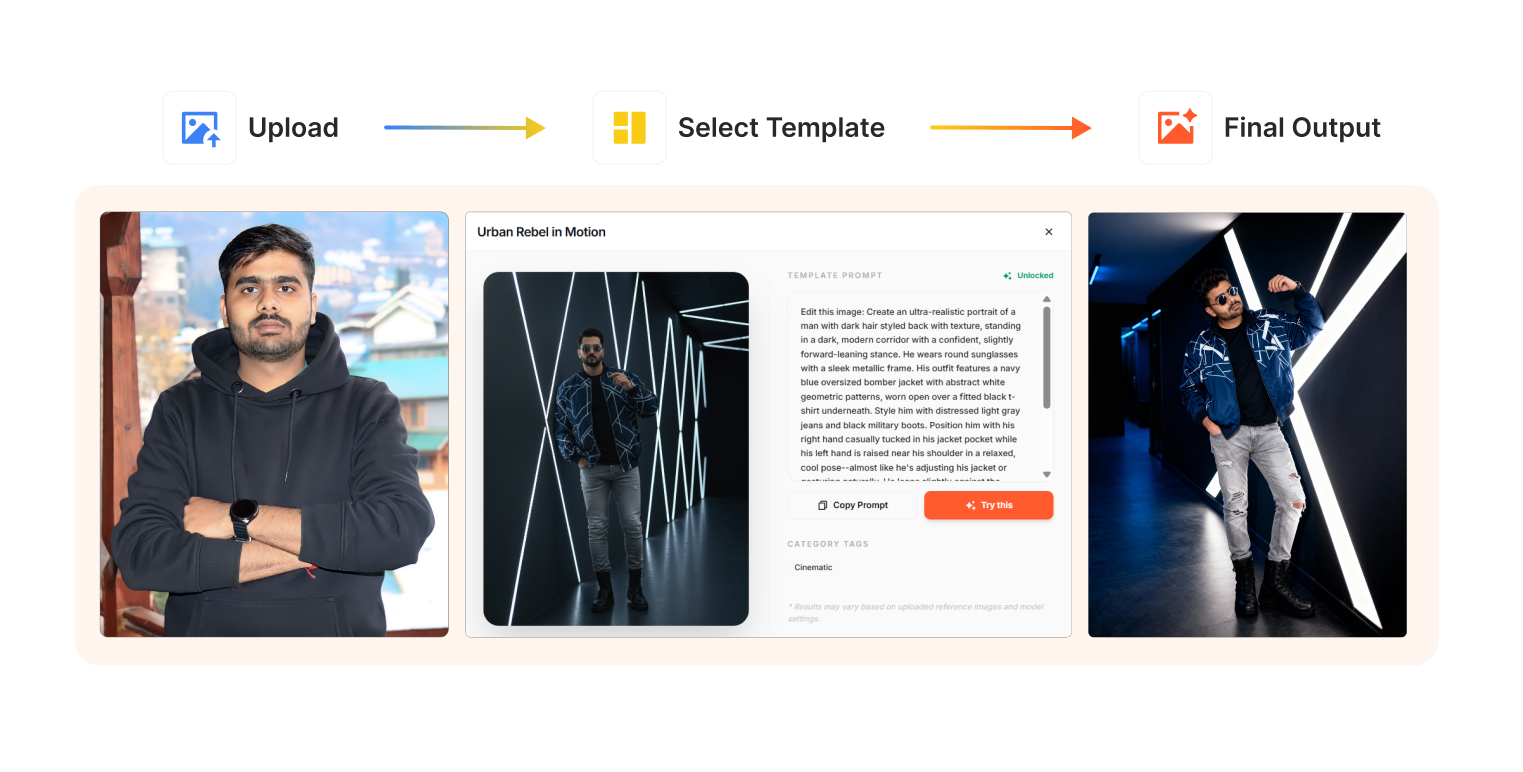
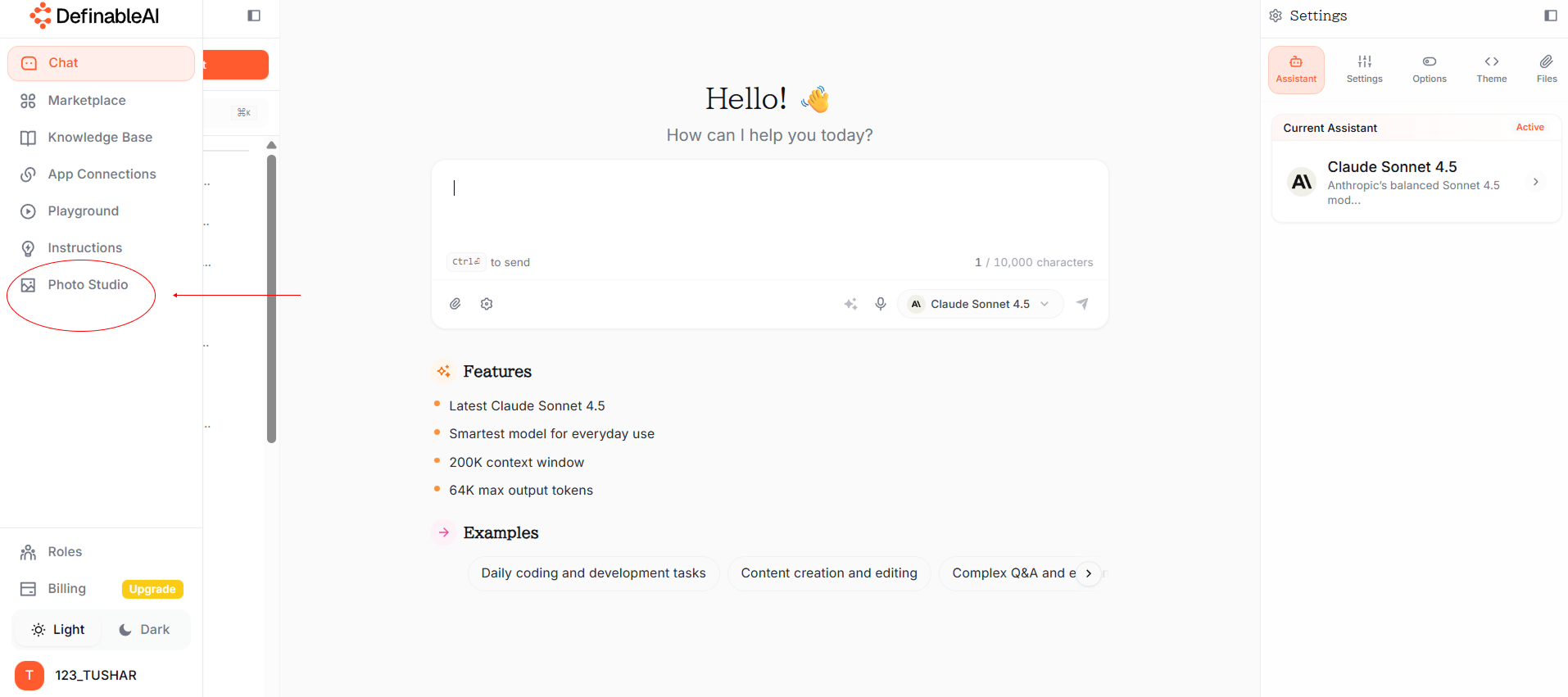
Step 1: Access Photo Studio in Definable AI§
Log into Definable AI and navigate to Photo Studio. This is where text becomes visual reality.
Step 2: Craft Your Prompt§
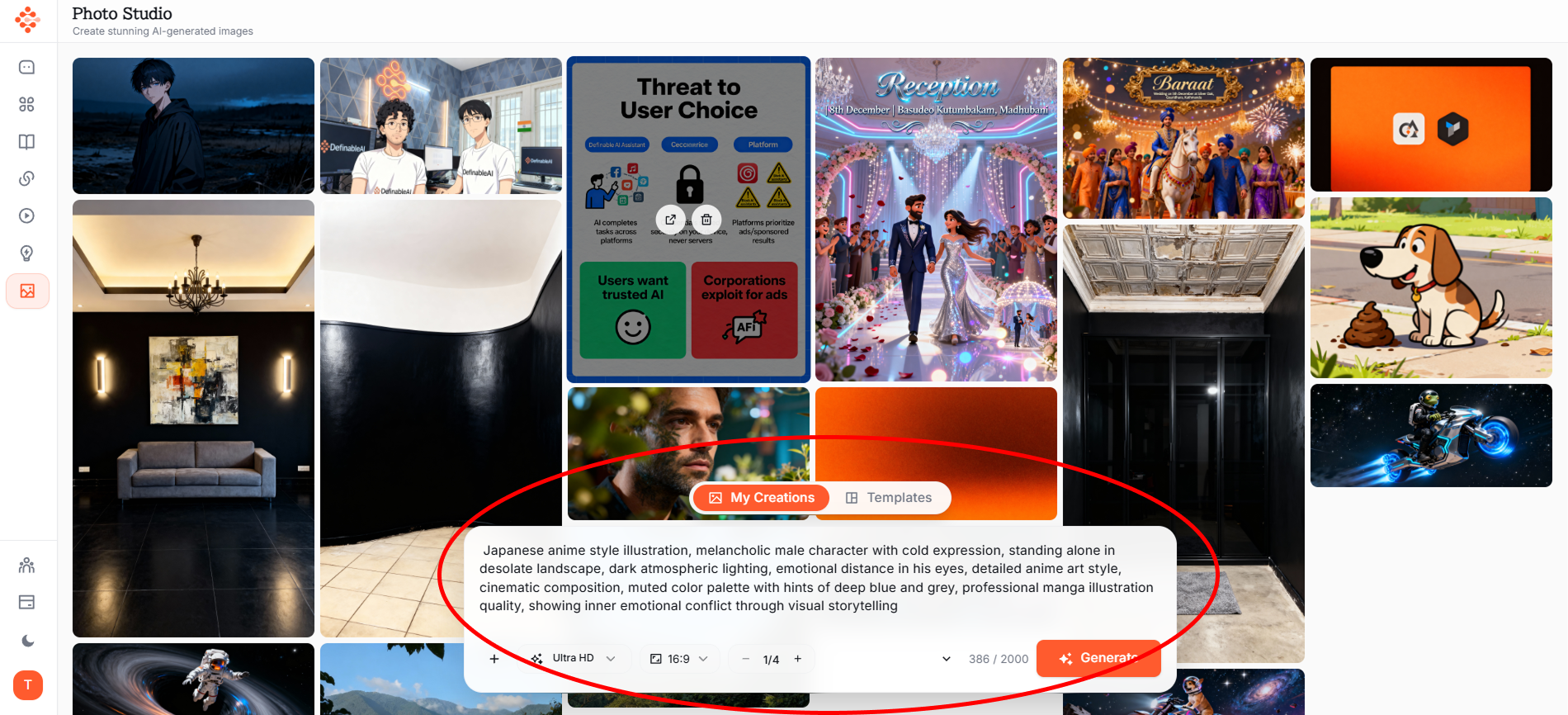
The key to great anime-style imagery is specific, atmospheric prompting. Here's what we used:
Prompt:_"Japanese anime style illustration, melancholic male character with cold expression, standing alone in desolate landscape, dark atmospheric lighting, emotional distance in his eyes, detailed anime art style, cinematic composition, muted color palette with hints of deep blue and grey, professional manga illustration quality, showing inner emotional conflict through visual storytelling"_
Step 3: Generate and Refine§
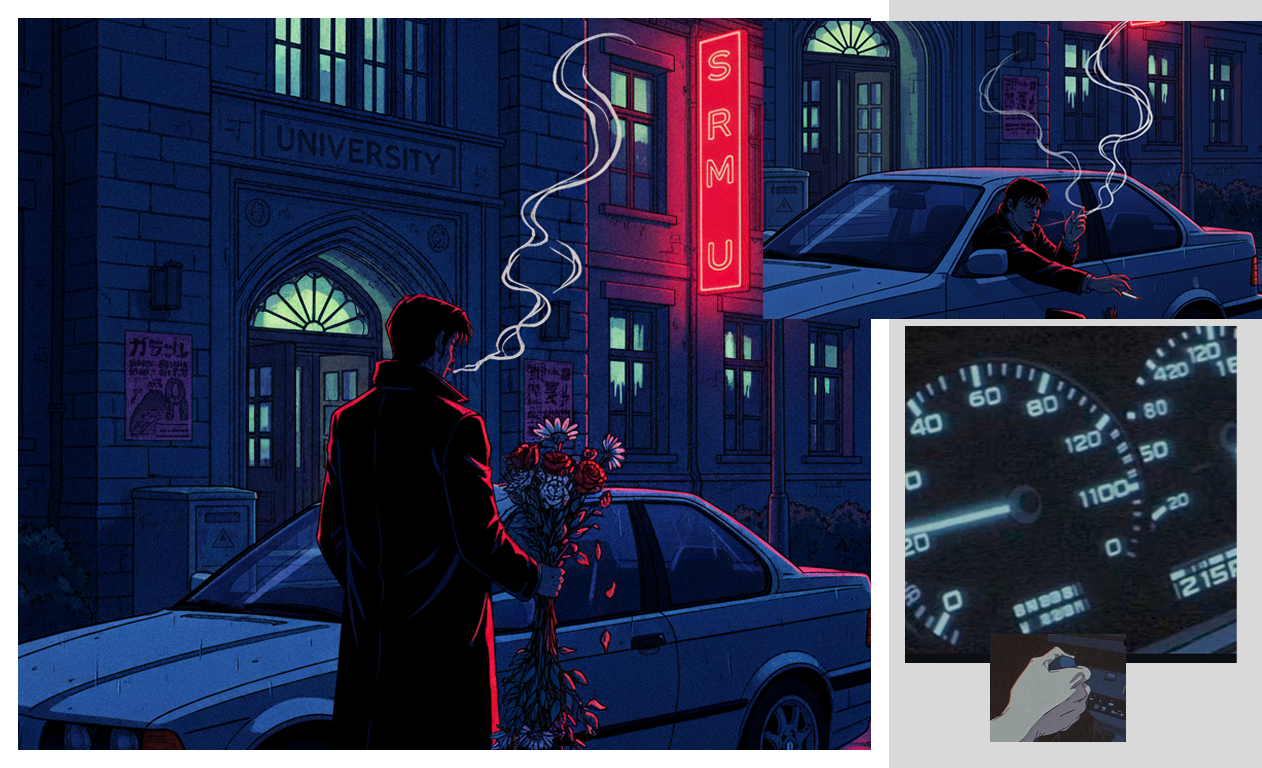
Click generate. Photo Studio creates your image in seconds. If it's not quite right, adjust your prompt:
- Add specific details about clothing, hair style, or setting
- Specify the anime art style (shounen, seinen, shoujo)
- Adjust the emotional tone (melancholic, cold, distant)
- Refine lighting and atmosphere
Step 4: Create Multiple Panels§
For a complete book page, generate several images representing different moments:
Panel 1: The moment of decision_"Anime character making life-changing decision, dramatic lighting, emotional turning point"_
Panel 2: The transformation_"Cold, detached anime character walking alone, people in background drawn to him, atmospheric scene"_
Panel 3: The buried emotion_"Close-up of anime character's eyes showing hidden emotion, internal conflict, detailed expression"_
Panel 4: The final resolution_"Anime character walking away from grave, symbolic imagery, emotional closure, cinematic angle"_
Step 5: Combine with Text§
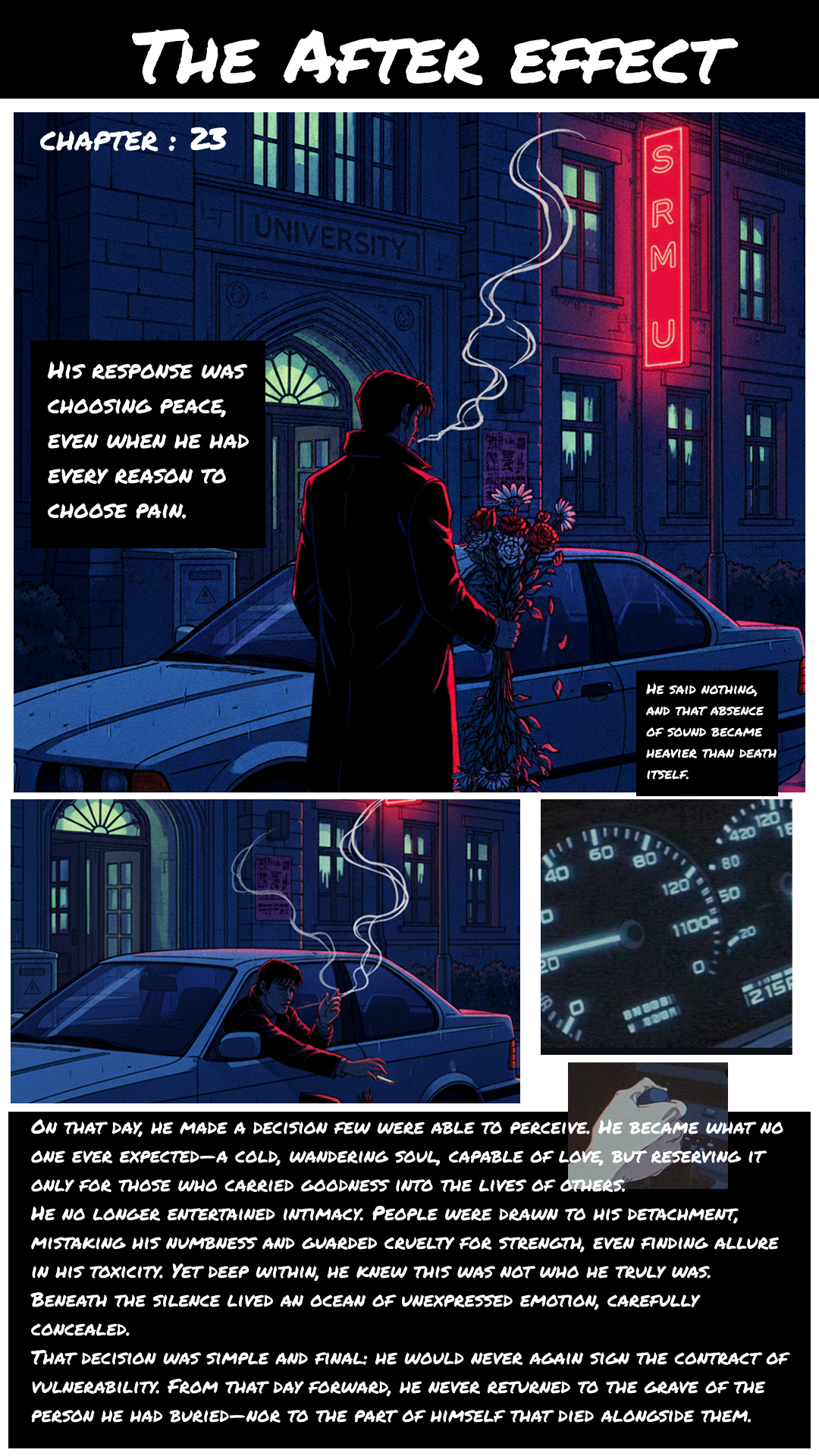
Once you have your visuals, arrange them with your narrative text to create your anime book page. The images bring emotional depth to the words, creating a complete visual storytelling experience.
Why Photo Studio Works for Anime Creation§
Speed: Generate professional anime-style illustrations in seconds, not hours or days
Cost: Included in Definable AI Pro plan (₹688/month) vs. commissioning artists at ₹5,000-20,000 per illustration
Control: Iterate and refine until the image perfectly matches your vision
Consistency: Create multiple panels with consistent character design and art style
Accessibility: No artistic skills required—just clear vision and descriptive prompts
Tips for Better Anime-Style Results§
Be specific about art style: "Seinen manga style" vs. "shoujo anime aesthetic" produces very different results
Describe emotions visually: Instead of "sad," use "eyes conveying deep melancholy, slight downward gaze"
Set the atmosphere: Lighting, weather, and environment create emotional tone
Reference composition: "Close-up," "wide shot," "dramatic angle" guides visual framing
Iterate: Generate multiple versions, then refine the prompt based on what works
The Result§
From a powerful written narrative about emotional isolation and transformation, Photo Studio created evocative anime-style imagery that captured the story's essence: a character's cold exterior masking profound internal conflict, the weight of a life-changing decision, and the permanent burial of vulnerability.
The visuals didn't just illustrate the words—they enhanced them, adding layers of emotional storytelling that only images can provide.
Beyond This Story§
Photo Studio isn't limited to melancholic narratives. Create:
- Action-packed shounen battle scenes
- Romantic shoujo moments
- Cyberpunk dystopian settings
- Fantasy adventure landscapes
- Slice-of-life character portraits
- Horror manga atmospheres
Any story you can imagine, Photo Studio can visualize in anime style.
Start Creating Your Anime Story§
You have the narrative. You have the vision. Now you have the tool to bring it to life.
Access Photo Studio in Definable AI:
✅ Free Plan: Test with limited generations ✅ Plus Plan (₹199/month): Regular access ✅ Pro Plan (₹688/month): Unlimited anime creation
Visit www.definable.ai and transform your stories into visual art
_Definable AI Photo Studio: Where Words Become Visual Stories_
FAQ
How do I create anime-style images with Definable AI Photo Studio?
Open Photo Studio, craft a specific prompt (style, emotion, composition), generate images, then refine prompts or adjust details until satisfied.
How can I keep a character consistent across multiple panels?
Use consistent prompts, include distinct character details (hair, clothing, facial features), save reference images, and reuse seeds or style tags when available.
Can I use generated anime pages commercially?
Commercial use depends on Definable AI's licensing and your subscription plan; review the platform's terms of service and plan details for usage rights.
What prompt tips improve anime-style results?
Be specific about anime substyle (shonen, seinen, shoujo), describe emotions visually, specify lighting and composition, and iterate with detail updates.
How much does Photo Studio cost?
Definable AI offers a Free tier with limited generations, Plus (₹199/month), and Pro (₹688/month) for expanded or unlimited anime creation.