Definable AI's MCP (Model Context Protocol) Integration connects your favorite apps and automates multi-step workflows with a single prompt. Instead of manually switching between apps and repeating tasks, let AI handle everything for you.
Here's how it works in action.
Real Example: Automated Data Management Workflow§
Watch how one prompt completes a 12-step workflow across multiple apps automatically.
Step 1: Write Your Prompt§
Open Definable AI chat and enter your complete workflow request:
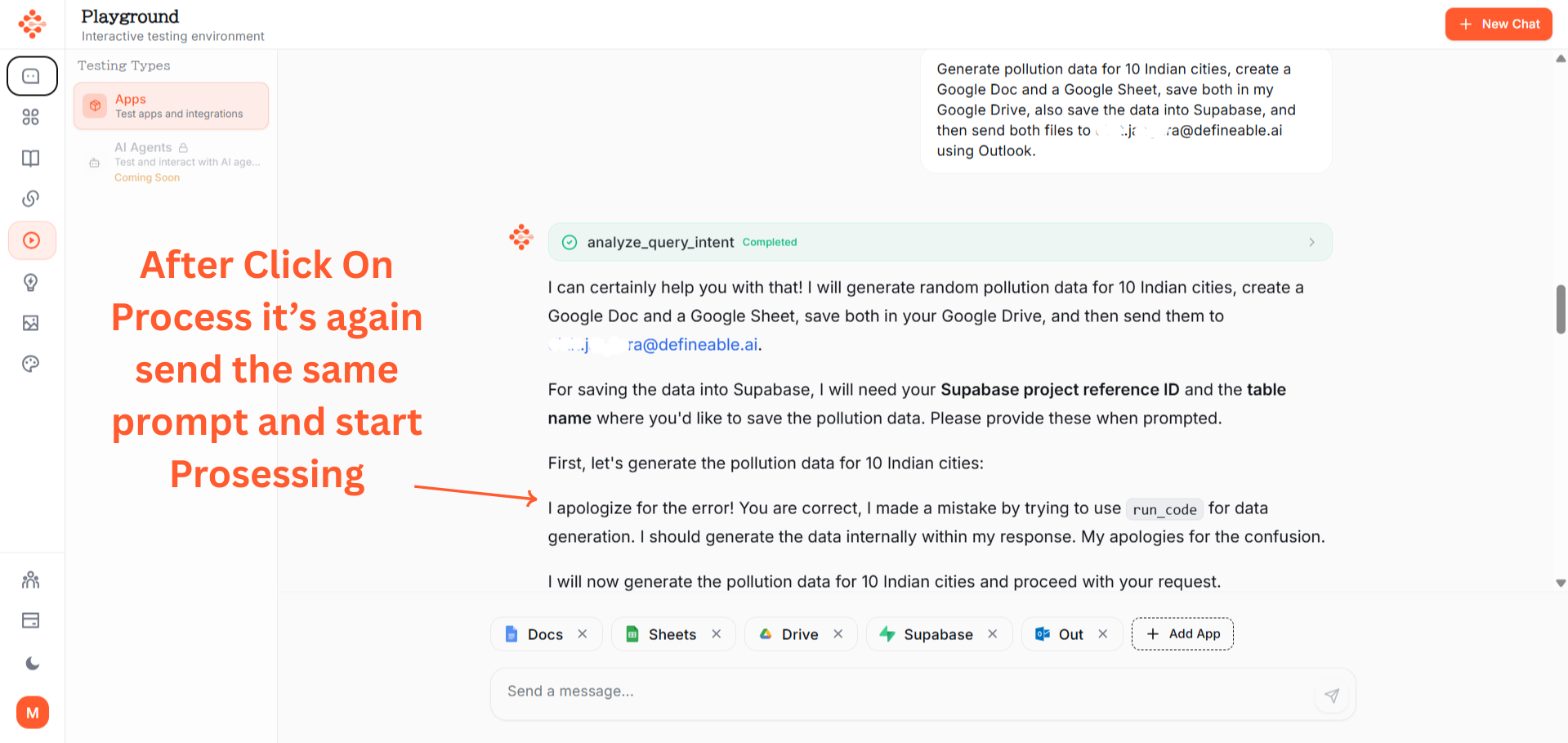
Prompt:"Generate pollution data for 10 Indian cities, create a Google Doc and a Google Sheet, save both in my Google Drive, also save the data into Supabase and then send both files to my email id [email protected]"( your email here).
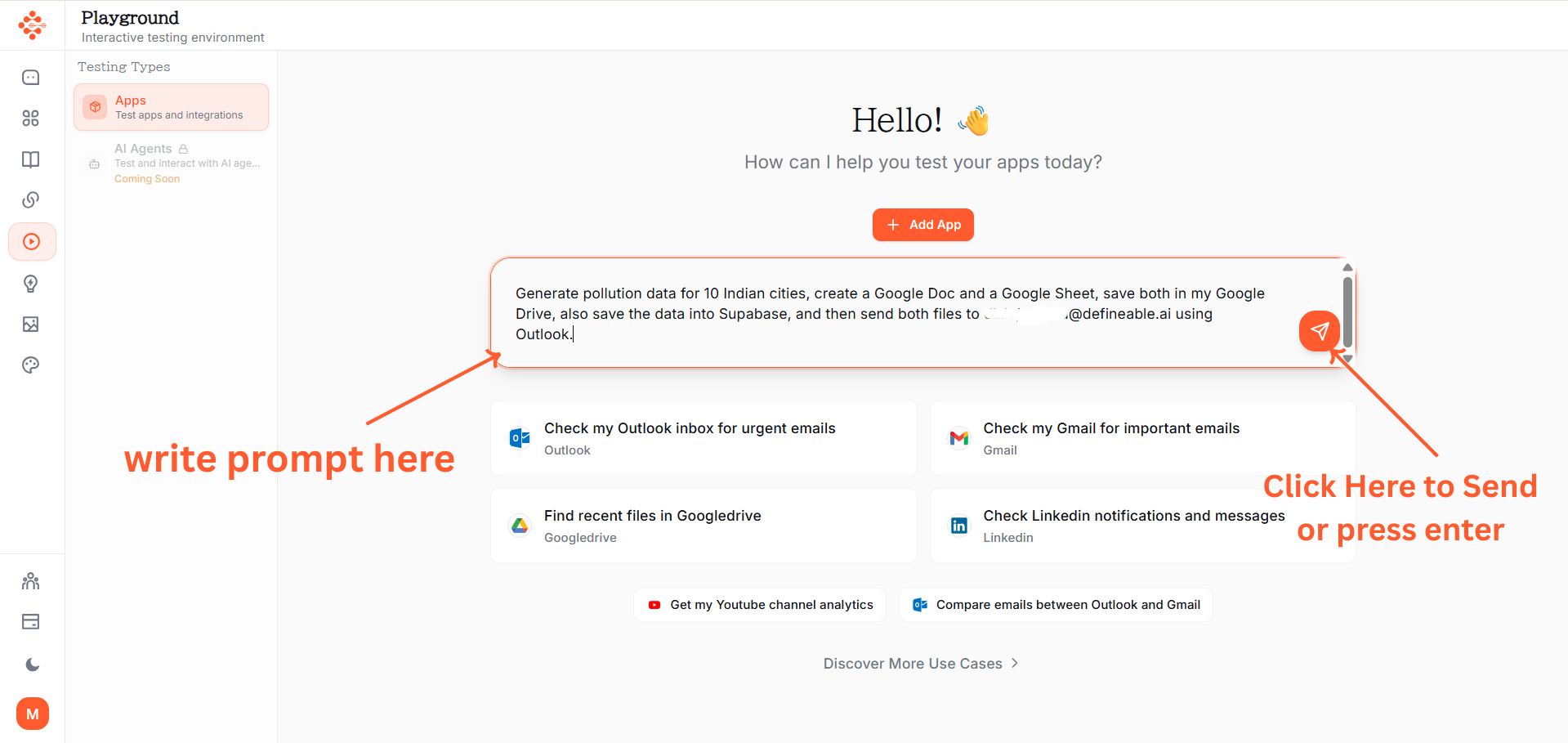
Click the Send button.
Step 2: Apps Identified§
The system automatically identifies which apps are needed:
- Playground (for data generation)
- Google Docs
- Google Sheets
- Google Drive
- Supabase
- Outlook (for email)

Response generation begins immediately.
Step 3: Connection Status Check§
The interface shows app connection status:
- Connected apps display green status
- Disconnected apps show connection prompts
- Response processing begins on the right side
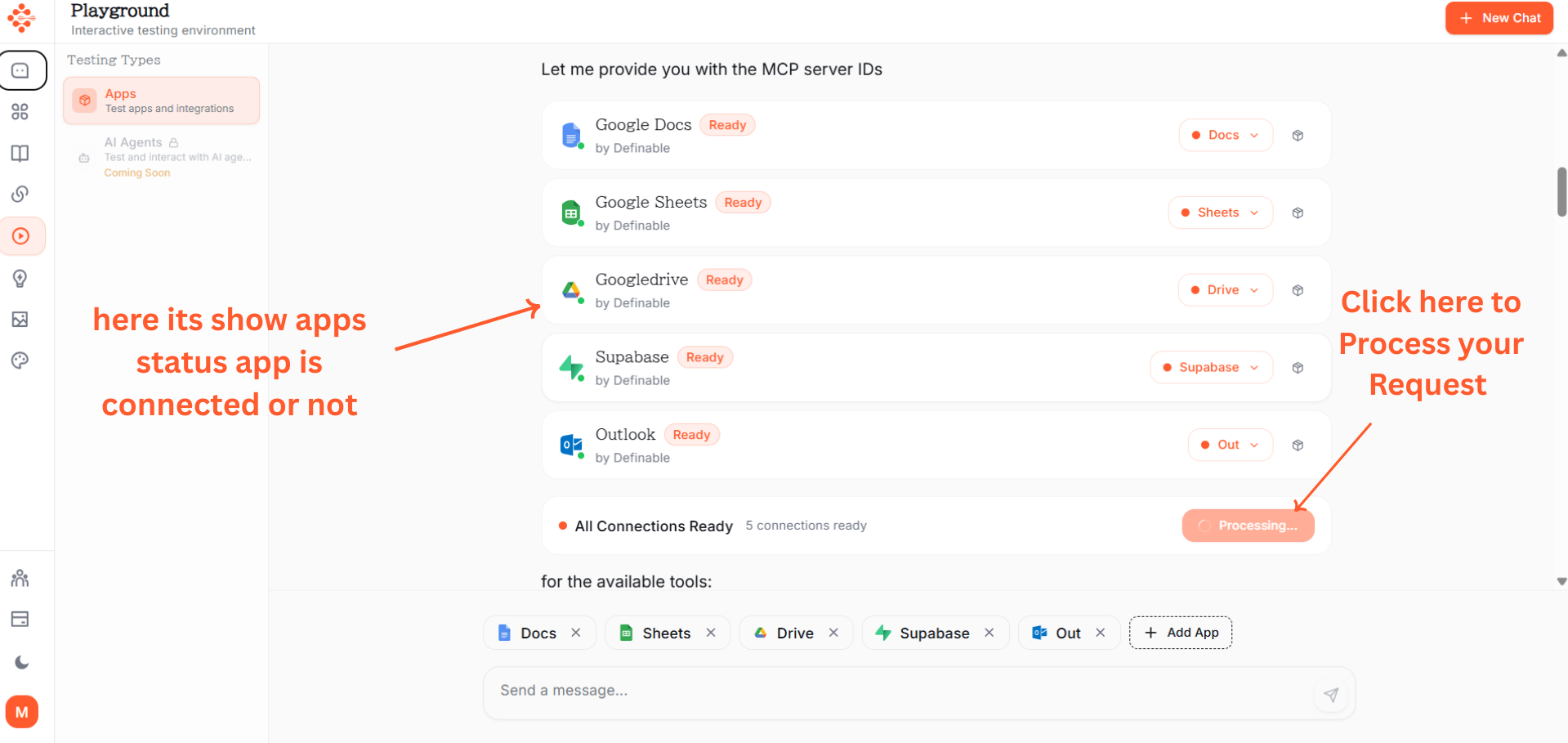
Step 4: Processing Begins§
Click Process to execute the workflow.
The same prompt is sent to all connected apps and processing starts across multiple platforms simultaneously.
Step 5: Data Generation§
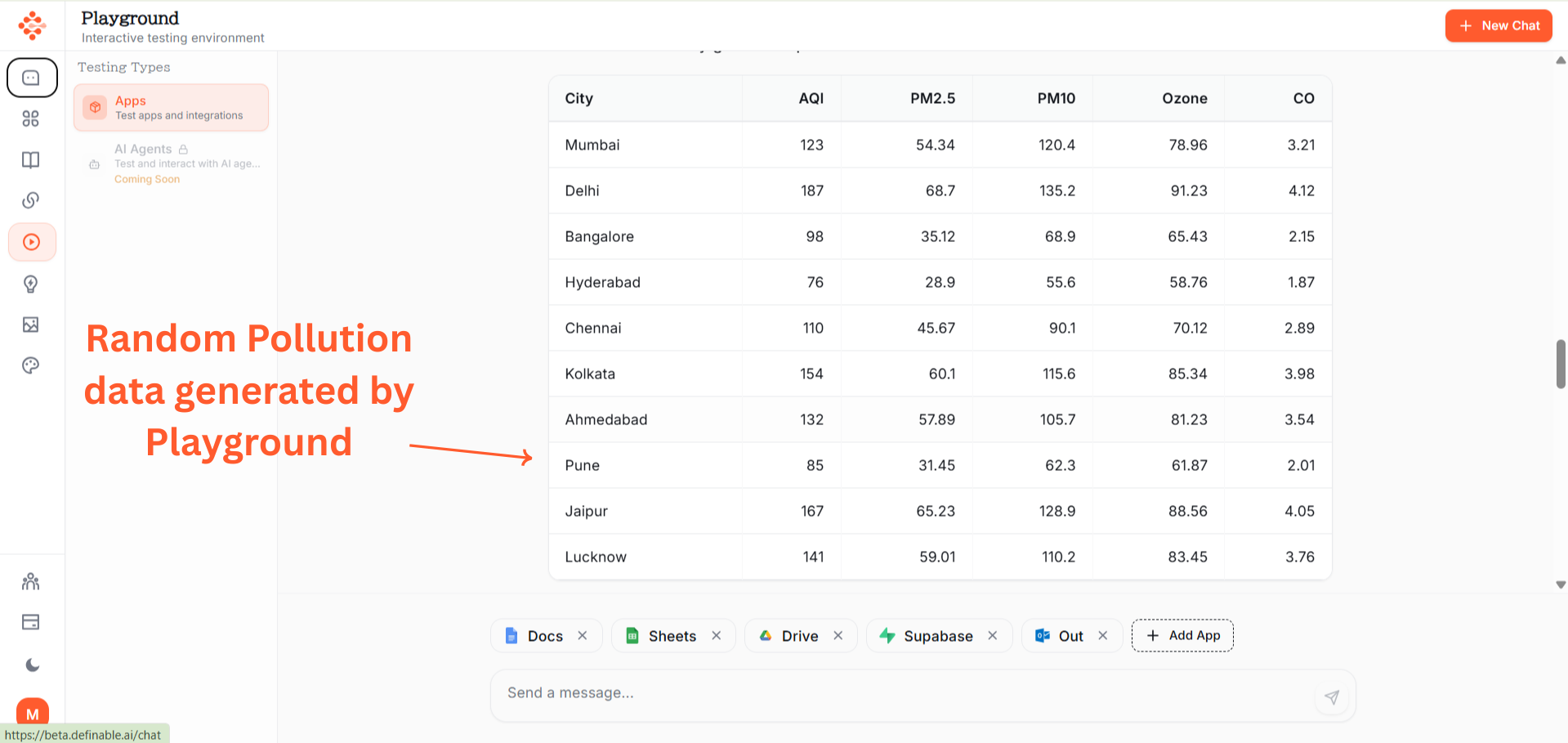
Playground generates random pollution data for 10 Indian cities including:
- City names
- Air Quality Index (AQI)
- PM2.5 levels
- Pollution categories
- Timestamps
Step 6: File Creation§
The system automatically:
- Creates a new Google Doc with formatted pollution data
- Creates a new Google Sheet with the same data in table format
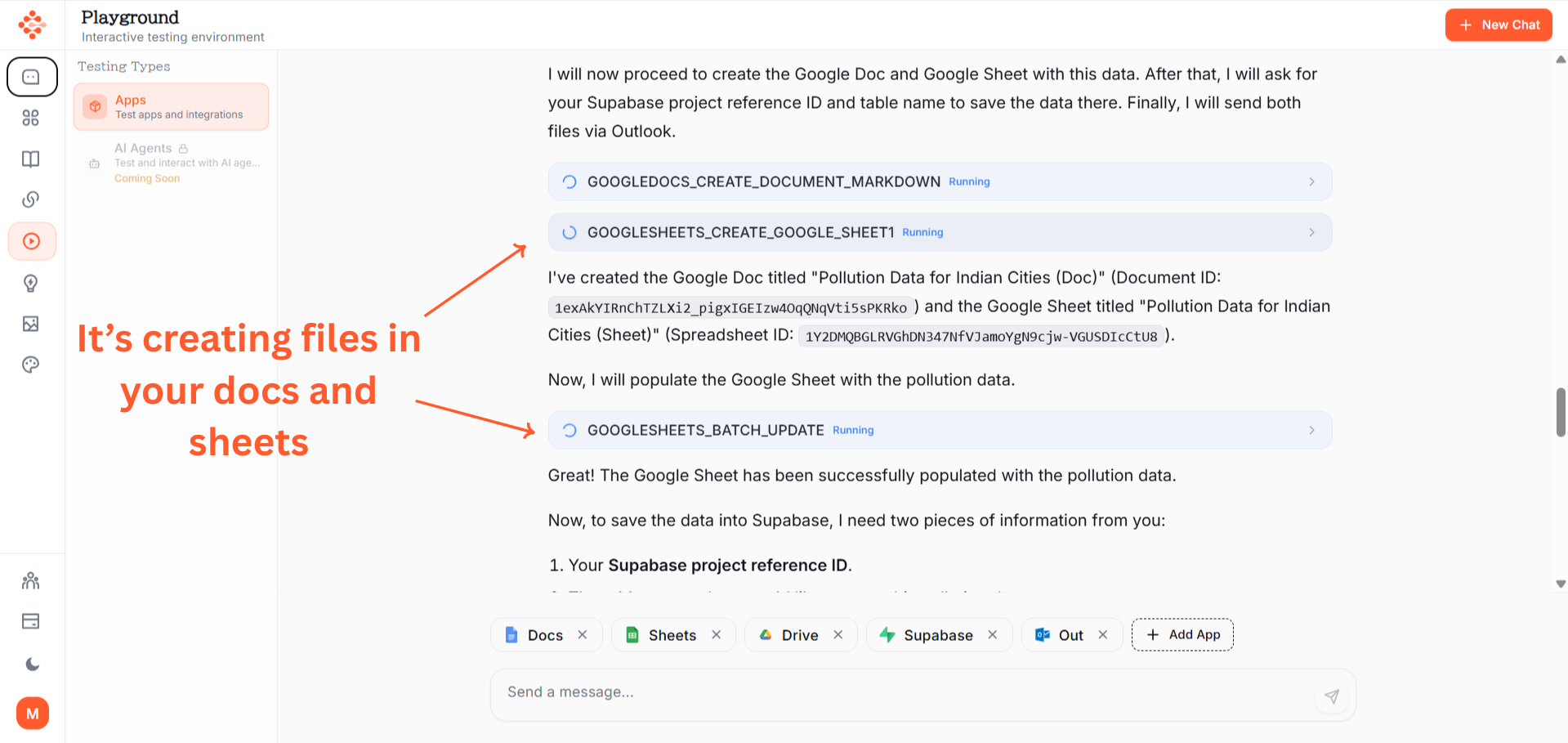
Both files are generated simultaneously.
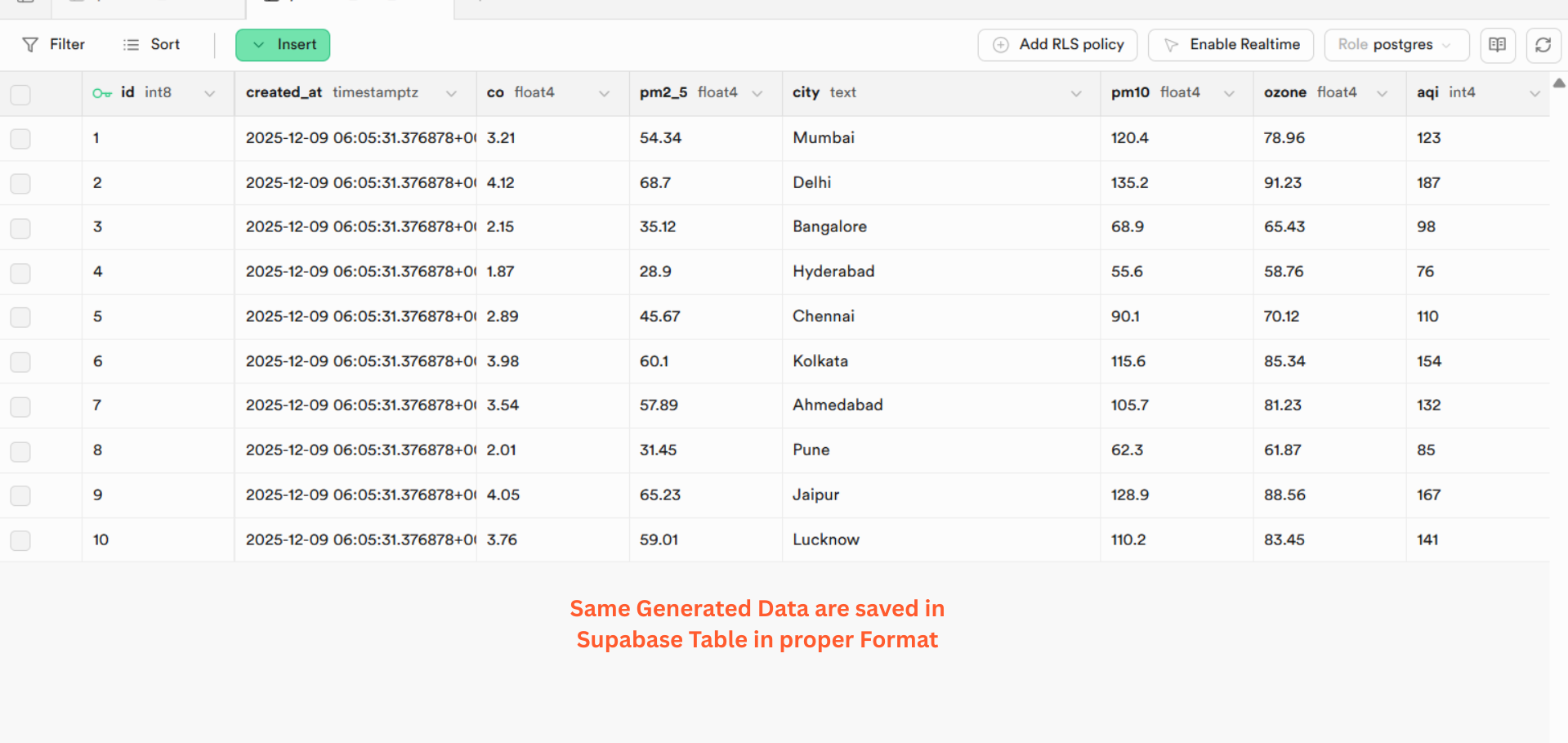
Step 7: Database Storage§
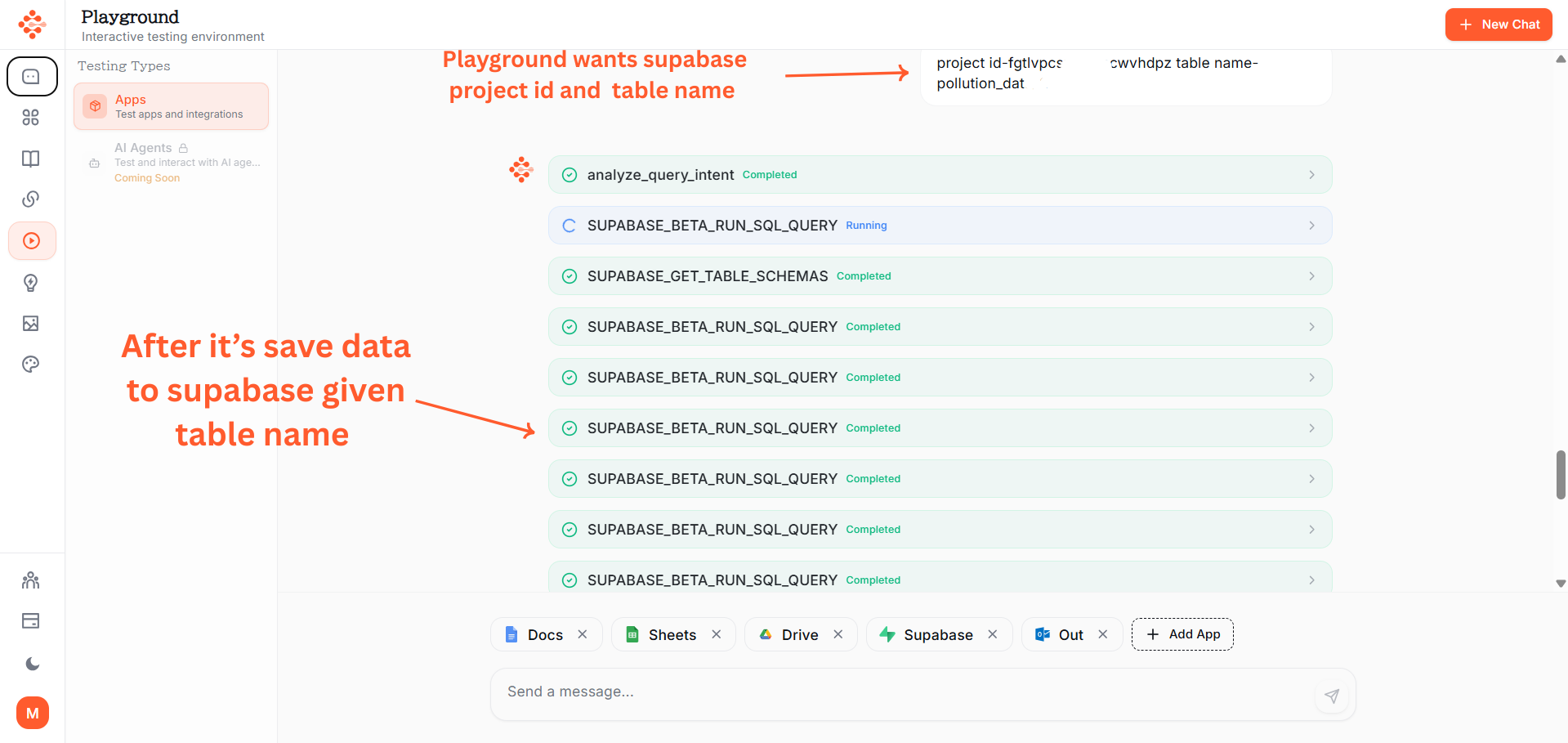
Data is saved to Supabase database:
- Table name provided by use along with the project ID
- All pollution data rows inserted
- Database confirmation received
Step 8: Drive Storage and Download§
Both files are:
- Saved to your Google Drive
- Downloaded locally for email attachment
- Ready for distribution
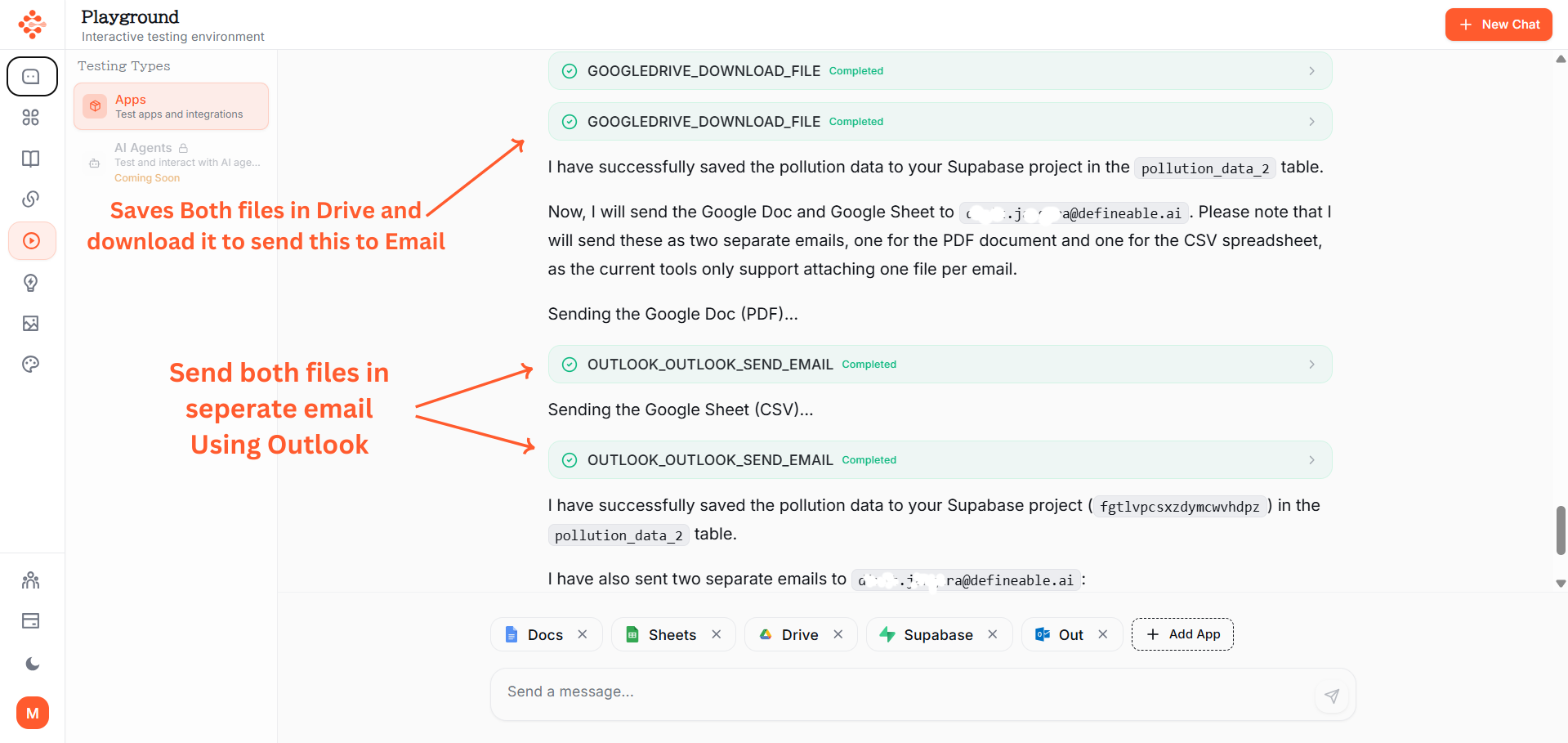
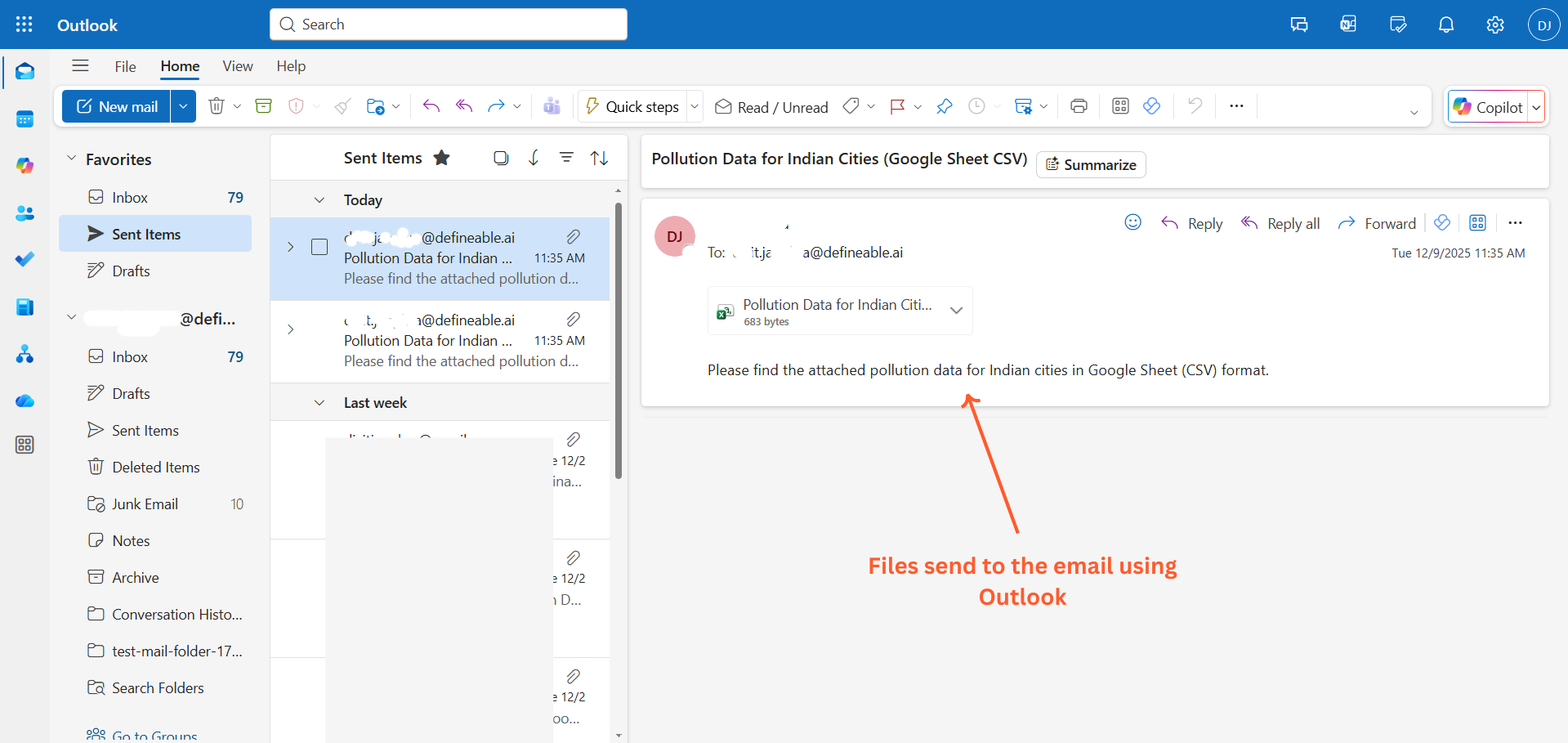
Step 9: Email Delivery§
Outlook sends two separate emails:
- Email 1: Google Doc attachment
- Email 2: Google Sheet attachment
- Both sent to [email protected](your email here)
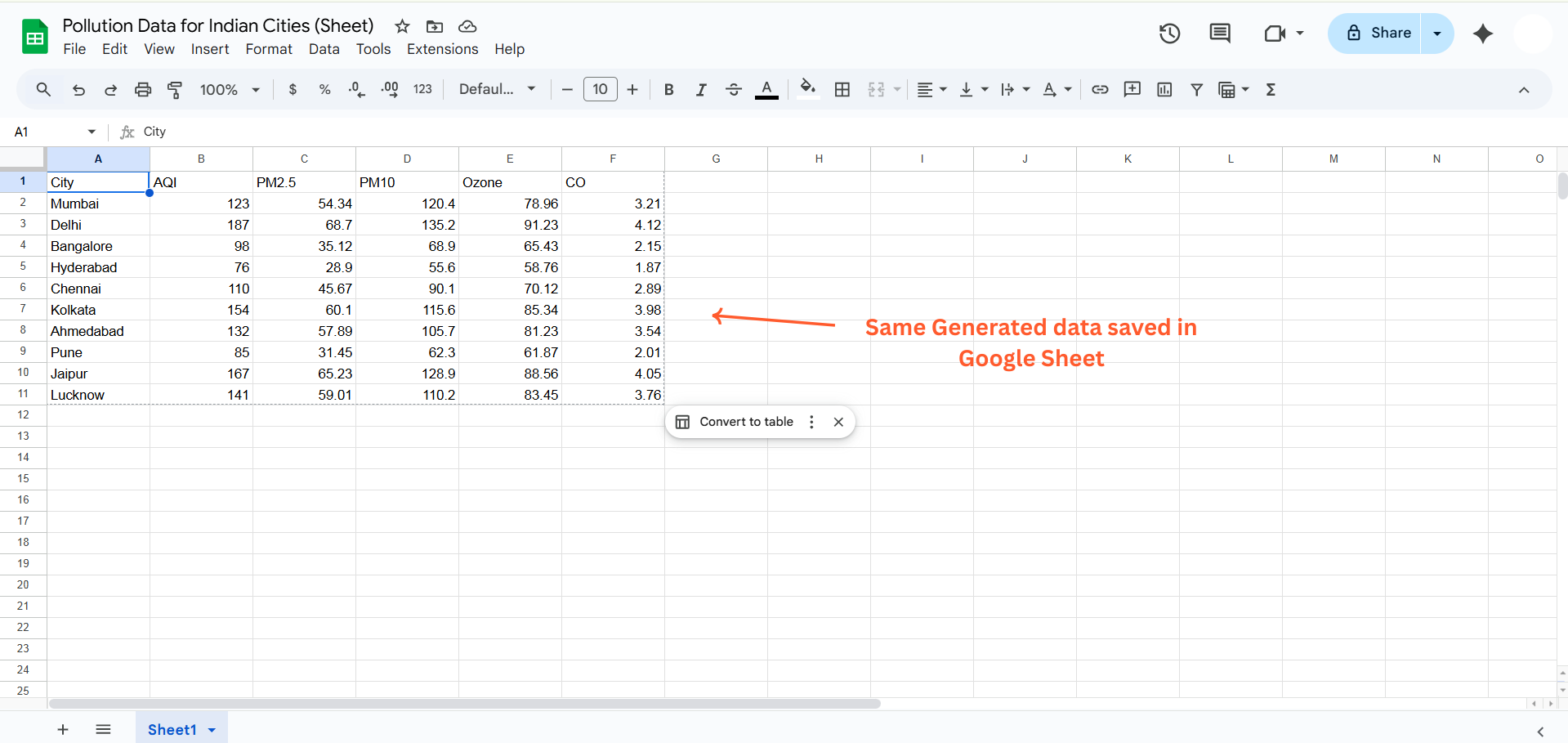
Step 10: Google Sheet Confirmation§
Open Google Sheets to verify:
- Complete pollution data table visible
- All 10 cities with their data
- Properly formatted and saved
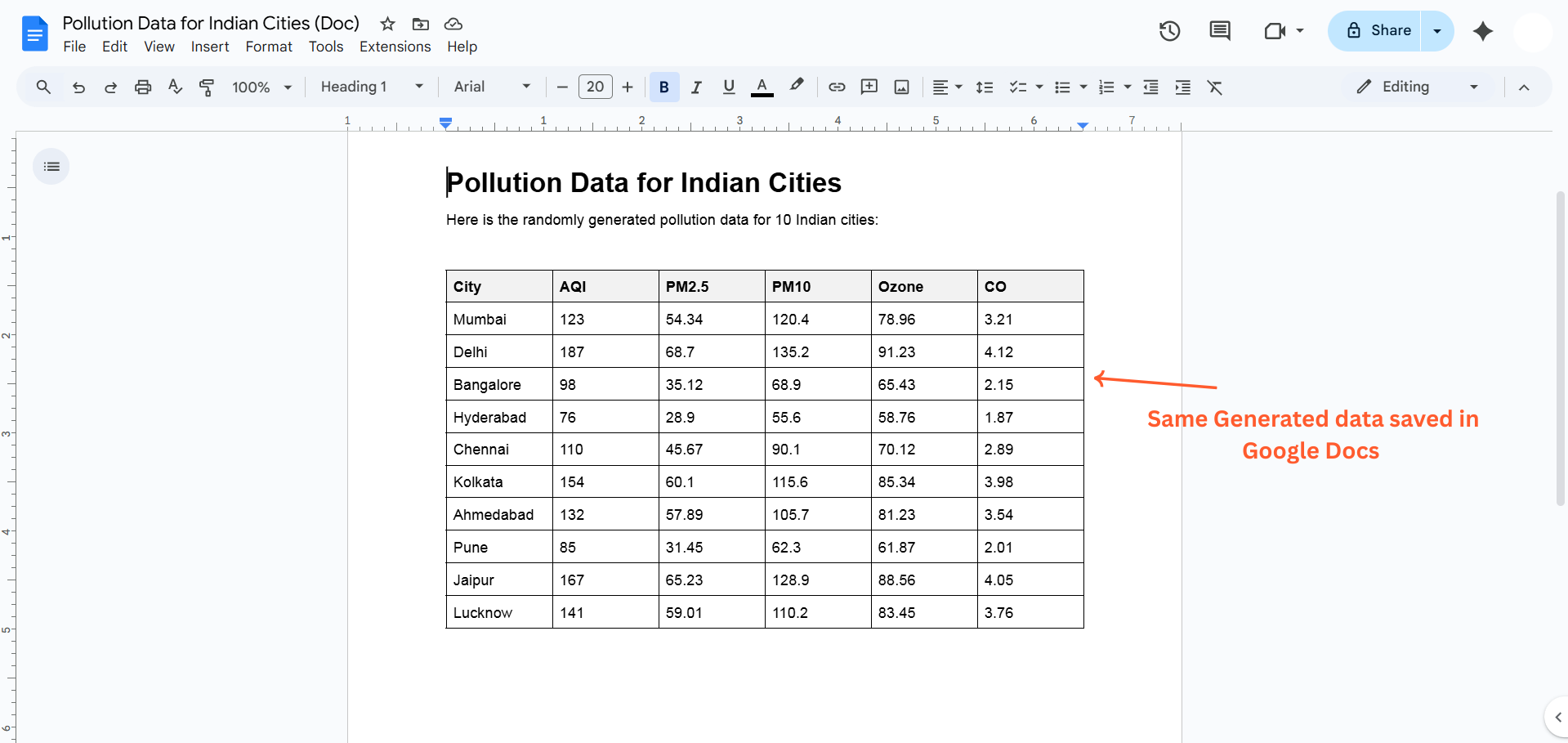
Step 11: Google Doc Confirmation§
Open Google Docs to verify:
- Formatted document with pollution data
- Clean presentation
- All information preserved
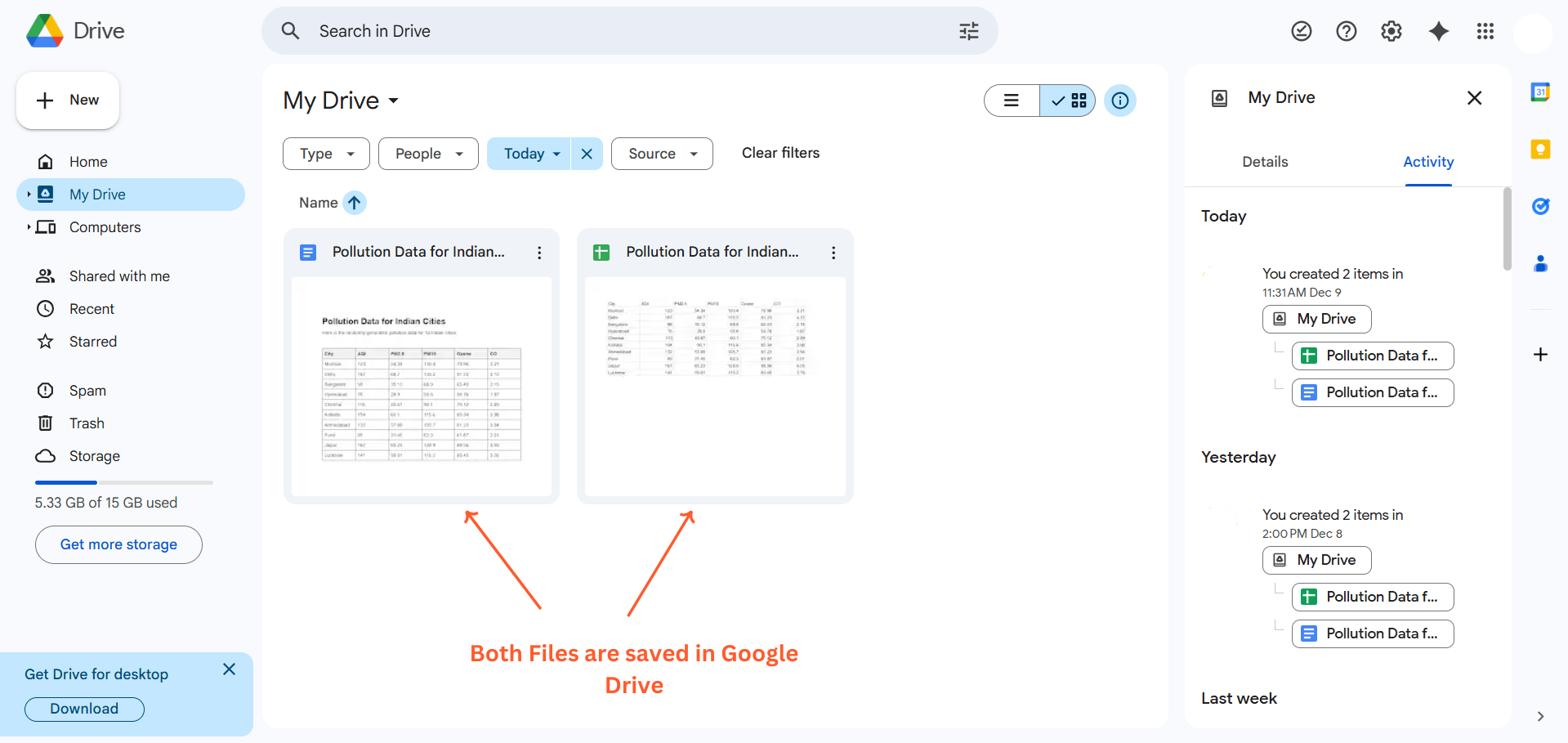
Step 12: Google Drive Confirmation§
Check Google Drive:
- Both files visible in your drive
- Automatically organized
- Ready for future access
What Just Happened?§
You wrote one prompt.
AI completed:
- Generated custom data
- Created Google Doc
- Created Google Sheet
- Saved to Supabase database
- Uploaded to Google Drive
- Downloaded files locally
- Sent two separate emails with attachments
Time taken: 2-3 minutesManual time saved: 30-45 minutesApps coordinated: 6 different platforms
Key Benefits§
Single Command Execution§
One prompt triggers entire workflows across multiple apps
Time Savings§
Automate 30-60 minute tasks into 2-3 minute processes
Error Reduction§
Eliminate manual copy-paste mistakes and data entry errors
Seamless Integration§
Works with Google Workspace, databases, email, productivity tools, and more
Real-Time Processing§
Watch as each step completes across different platforms
Complete Visibility§
See connection status and processing progress for each app
Supported Integrations§
Productivity:Google Drive, Google Docs, Google Sheets, Notion, Evernote
Communication:Gmail, Outlook, Slack, Microsoft Teams
Databases:Supabase, MySQL, PostgreSQL, MongoDB
Project Management:Asana, Trello, Jira, Monday.com
Development:GitHub, GitLab, API connections
And many more...
The Power of MCP Integration§
Traditional workflow:
- Open App 1, complete task
- Copy data manually
- Open App 2, paste data
- Open App 3, upload file
- Open App 4, send notification
- Repeat for each step
Total time: 30-45 minutes
MCP Integration workflow:
- Write one prompt describing entire workflow
- Click process
- Wait 2-3 minutes
Total time: 2-3 minutes
Real Impact§
For Individuals:Automate repetitive tasks and focus on creative work
For Teams:Streamline collaboration across multiple tools
For Businesses:Reduce operational overhead and increase efficiency
For Developers:Connect APIs and automate complex processes without coding
Start Automating Today§
Stop switching between apps and manually repeating tasks.
Connect your tools to Definable AI and automate complex workflows with simple prompts.
Visit www.definable.ai to connect your apps and start automating.

FAQ
What is MCP Integration?
MCP (Model Context Protocol) Integration lets you automate multi-step workflows across connected apps using a single natural-language prompt, coordinating tasks like data generation, file creation, storage, and email delivery.
Which apps and tools does MCP Integration support?
It supports a wide range of tools across categories — Google Drive/Docs/Sheets, Gmail/Outlook, Supabase, MySQL/Postgres, Notion, Slack, Asana, GitHub and many more via API connections.
How do I set up and run an automated workflow?
Connect your apps to Definable AI, write a single prompt describing the full workflow, verify app connections, then click Process to run the workflow and watch each step complete.
Is my data secure when using MCP Integration?
Connections use standard app authorization and permissions, and workflows run only on connected accounts you approve; follow your organization's security policies and review granted permissions before use.
Can developers add custom integrations or databases?
Yes — developers can connect APIs, databases like Supabase or PostgreSQL, and custom services so MCP can coordinate bespoke, multi-step processes without manual coding for each step.