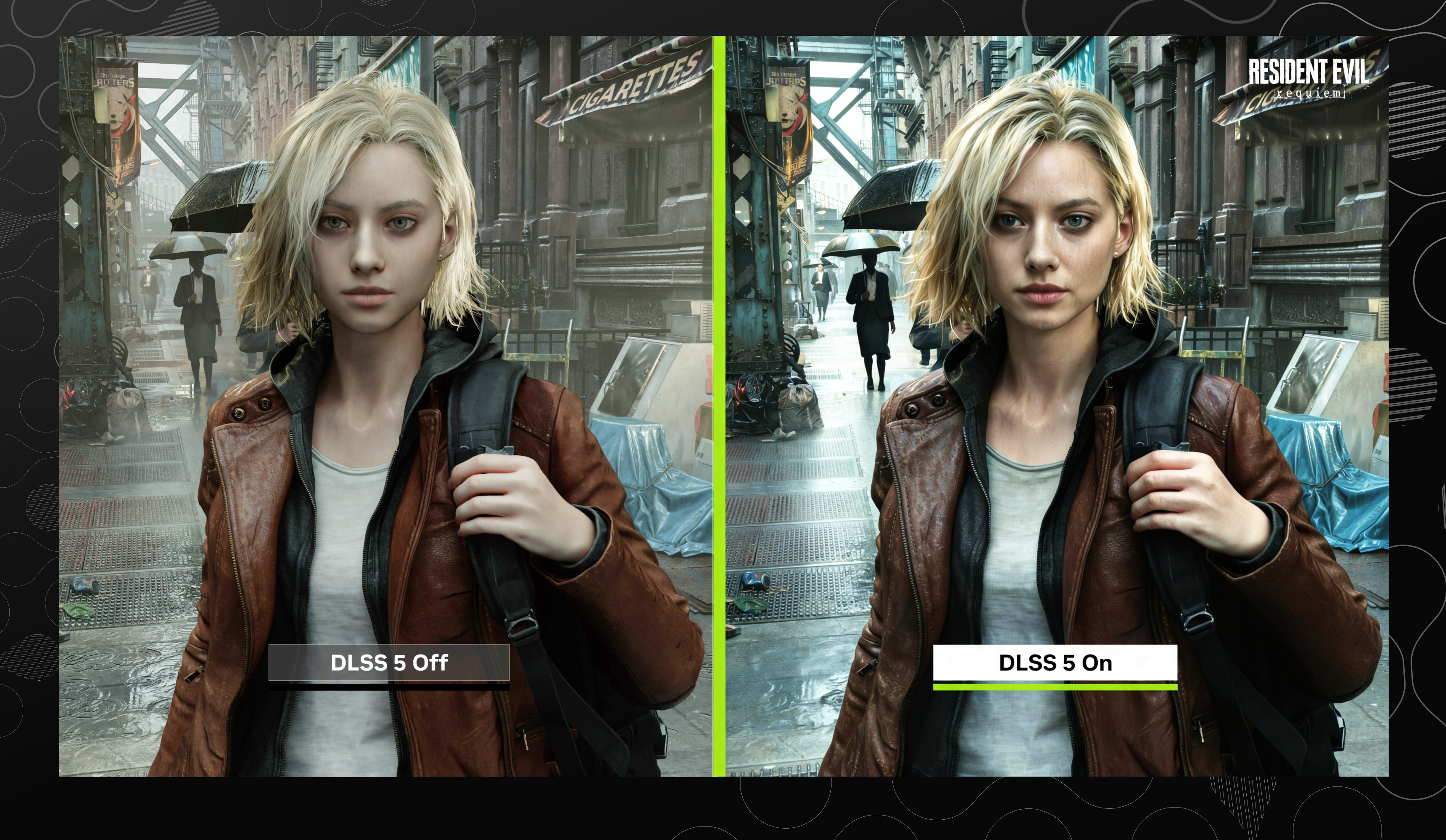
NVIDIA DLSS 5 is the latest major step in AI-powered game graphics. It is designed to push games closer to photorealism by using real-time neural rendering to improve lighting, materials, and visual detail while keeping gameplay smooth and interactive. For gamers searching for better image quality, higher FPS, and more realistic visuals, DLSS 5 is one of the biggest graphics keywords of 2026.
At the same time, NVIDIA’s current official DLSS rollout shows how this technology is already reaching players today. NVIDIA says DLSS 4.5 Super Resolution is available in the NVIDIA app across hundreds of games and apps, and RTX 50 Series owners can opt into the next beta for Dynamic Multi Frame Generation through the NVIDIA app, with GeForce Game Ready Driver 595.79 WHQL or newer required for the newest features. ([NVIDIA][1])
What Is DLSS 5?§
DLSS 5 is NVIDIA’s newest AI graphics evolution for PC gaming. Instead of only improving performance like older DLSS versions, it focuses on visual fidelity: sharper lighting, better materials, more realistic textures, and a more cinematic look in real time.
This matters because games do not just need more FPS. They need believable worlds. DLSS 5 is designed to help bridge the gap between real-time rendering and the kind of visual quality we usually associate with film and high-end visual effects.
How DLSS 5 Works in Games§
DLSS 5 works by taking a game’s frame data and using AI to enhance what is already there.
In simple terms, it looks at:
- the frame’s color data
- motion vectors
- depth and scene information
- lighting conditions
- material behavior such as hair, skin, and fabric
Then the AI model rebuilds the image with more realism. That means it can improve things like:
- subsurface scattering on skin
- the shine and texture of fabric
- how light interacts with hair
- reflections and scene consistency
The important part is that this happens in real time, so the game still feels responsive while the visuals become much more detailed.
Why DLSS 5 Makes Games Look Better§
DLSS 5 is not just about making games “brighter” or “sharper.” It is about making them feel more believable.
That is why it matters for:
- open-world games
- story-driven games
- racing games
- first-person shooters
- action-adventure titles
- path-traced and ray-traced games
When lighting, shadows, and materials look more natural, the whole game becomes more immersive. This is especially important in modern AAA titles where players expect both high performance and high visual quality.
DLSS 5 vs DLSS 4.5 vs Older DLSS Versions§
Older DLSS versions were mainly known for performance.
- DLSS 3 focused on AI frame generation
- DLSS 4 expanded multi-frame generation and image quality
- DLSS 4.5 introduced a 2nd generation transformer model for Super Resolution and Dynamic Multi Frame Generation in the NVIDIA app
NVIDIA says DLSS 4.5 Super Resolution is available now in the NVIDIA app, and it already supports over 400 games and apps. The current NVIDIA app workflow lets users choose DLSS Override settings and model presets for better quality and performance balance. ([NVIDIA][1])
DLSS 5 pushes the idea further by focusing on neural rendering, meaning the AI is not only improving speed but also reconstructing visual detail more intelligently.
How to Use DLSS 5 on Your Computer§
If you want to use NVIDIA’s newest DLSS features on PC, the current official workflow is through the NVIDIA app.
Step 1: Install the latest NVIDIA app and driver§
NVIDIA says DLSS 4.5 Super Resolution is available in the NVIDIA app, and newer DLSS 4.5 beta features require GeForce Game Ready Driver 595.79 WHQL or newer. ([NVIDIA][1])
Step 2: Open the Graphics tab§
In the NVIDIA app, go to the Graphics tab and select either:
- a detected game, or
- Global Settings for system-wide changes
Step 3: Open DLSS Override settings§
Scroll to the DLSS Override options and open Model Presets.
Step 4: Choose “Recommended”§
NVIDIA says the Recommended preset applies:
- Preset M for DLSS Performance mode
- Preset L for DLSS Ultra Performance mode
- Preset K for the remaining modes ([NVIDIA][1])
Step 5: For RTX 50 Series owners, opt into the beta§
NVIDIA says RTX 50 Series owners can opt into the next beta via Settings > About in the NVIDIA app to access Dynamic Multi Frame Generation and the 6X mode, with official release coming later. ([NVIDIA][2])
Step 6: Enable DLSS inside supported games§
Many games will also expose DLSS settings directly in the in-game graphics menu, where you can enable the features that are supported for that title.
Best DLSS 5 Games and Supported Titles to Watch§
NVIDIA’s official GDC 2026 post lists a strong wave of upcoming DLSS 4.5 game support, including:
- 007 First Light
- CONTROL Resonant
- Tides of Annihilation
- Cthulhu: The Cosmic Abyss
- Directive 8020
- Sea of Remnants
- War Thunder
- Where Winds Meet
NVIDIA also says DLSS 4.5 Super Resolution is already available in the NVIDIA app, making it possible to improve hundreds of games and apps right now. ([NVIDIA][2])
Who Should Care About DLSS 5?§
DLSS 5 is especially important for:
- PC gamers who want better graphics without losing smoothness
- streamers who need strong visual quality
- creators who care about cinematic detail
- developers building modern, high-fidelity worlds
- players using RTX hardware who want the newest AI rendering features
If you care about NVIDIA DLSS, AI graphics, gaming performance, ray tracing, path tracing, and photoreal game visuals, this is one of the most important technology shifts to follow.
Here’s a clean “Sample Image Section” you can directly paste into your blog (SEO-friendly + minimalist + professional):
Sample Visual Comparison (DLSS 5 in Action)§
Sample Image 1 – Before vs After DLSS 5§
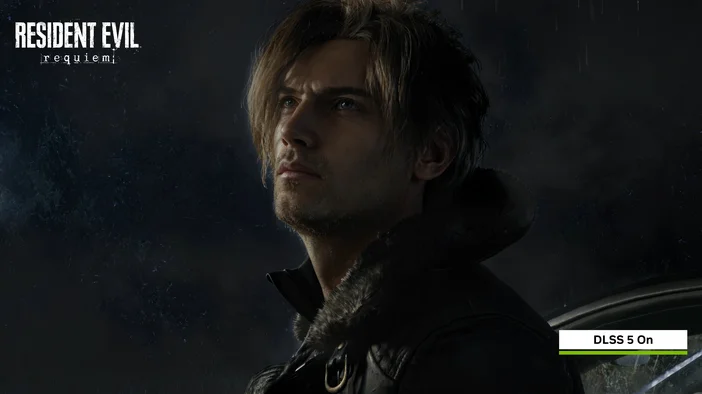
Sample Image 2 – Character Detail Enhancement§
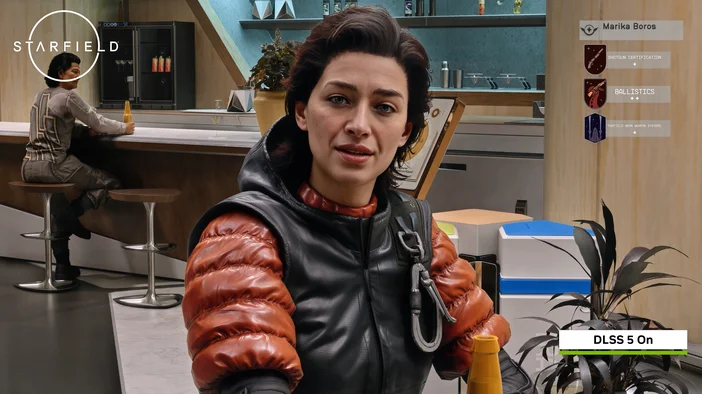
Sample Image 3 – Environmental Lighting Upgrade§
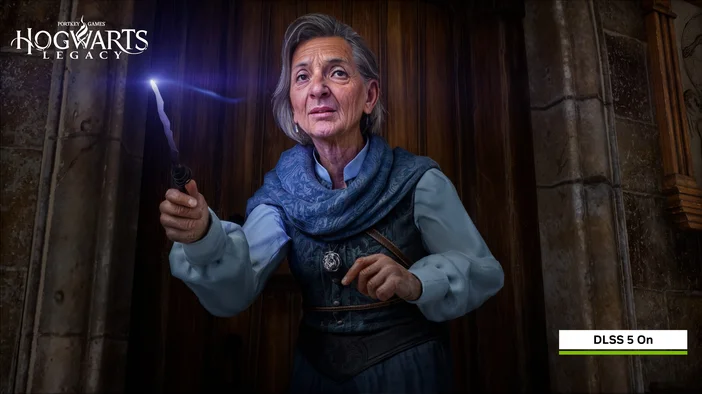
Sample Image 4 – Motion & Frame Consistency§

Final Thoughts§
DLSS 5 is part of a bigger change in gaming: AI is no longer just boosting performance, it is helping shape how games look and feel. That makes it one of the most important topics for gamers searching for better FPS, sharper graphics, and next-generation visual realism.
If you are using an RTX PC, the practical first step is simple: keep the NVIDIA app and drivers updated, then enable the latest DLSS settings in supported games. NVIDIA’s current official workflow already gives players a path to its newest DLSS features today, and the upcoming generation is aimed at pushing visual quality even further. ([NVIDIA][1])
FAQ
What is DLSS 5?
DLSS 5 is NVIDIA’s latest AI-driven neural rendering tech that focuses on improving visual fidelity—lighting, materials, textures—while keeping games responsive in real time.
How do I enable DLSS 5 on my PC?
Install the latest NVIDIA app and drivers (GeForce Game Ready Driver 595.79 WHQL or newer), open Graphics > DLSS Override > Model Presets and choose Recommended, then enable DLSS in supported games.
Do I need an RTX 50 Series GPU to use DLSS 5?
Not for all features: DLSS 4.5 Super Resolution is available across hundreds of games via the NVIDIA app, but some Dynamic Multi Frame Generation and 6X mode beta features are currently for RTX 50 Series owners.
Which games support DLSS 5 or DLSS 4.5 features?
Support varies by title; NVIDIA lists many supported and upcoming games (e.g., 007 First Light, CONTROL Resonant, War Thunder). Check the NVIDIA app or a game's graphics settings for compatibility.