The 4 Levels of Claude Users — And Why Most People Never Get Past Level 2
Most People Are Using Claude Wrong — Here's What the Levels Actually Look Like§
There's a stat worth thinking about: the majority of people who use Claude every day are using roughly 10% of what it can do.
They open a chat, ask a question, get an answer, close the tab. Maybe they paste some text and ask for a summary. Maybe they ask it to write an email.
That's not bad. Claude is genuinely useful at that level. But it's a bit like owning a high-end camera and only using auto mode — you're getting results, but you're nowhere near the ceiling of what the tool can actually do.
The difference between a casual Claude user and a power user isn't intelligence. It's knowing what level you're operating at, and what the next level looks like.
This guide breaks down all four levels — from basic conversation to full AI automation — explains what most people do at each level versus what smart users do, and shows you exactly what the path to the next level looks like. If you want to understand where you are and where to go, this is the map.
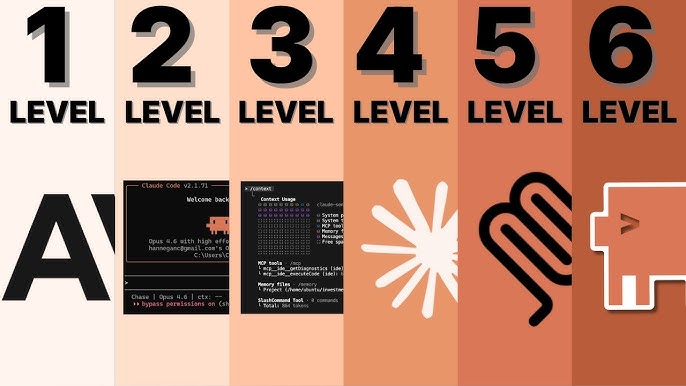
The Four Levels of Claude Mastery§
Before diving into each level, here's the map in brief:
| Level | Name | What you do | Who does it |
|---|---|---|---|
| Level 1 | The Collaborator | Chat, ask questions, get answers | Most users |
| Level 2 | The System Builder | Projects, persistent knowledge, reusable workflows | Intermediate users |
| Level 3 | The Agent | Claude Code, local file access, autonomous coding | Technical users |
| Level 4 | The Automation Engine | MCP, Co-Work, multi-system agentic workflows | Advanced teams |
Most readers of this post are operating somewhere between Level 1 and Level 2. That's the right place to focus — because the upgrade from Level 1 to Level 2 is where the real productivity transformation happens, and it requires no technical background whatsoever.
Level 1: The Collaborator — Where Everyone Starts (And Most People Stay)§
Level 1 is the default experience. You open Claude, you type, you read the response. It's genuinely useful. But there are a handful of specific habits that separate people who use Level 1 well from people who use it poorly — and the difference in output quality is enormous.
What most people do at Level 1§
The typical Level 1 user asks short, vague questions and accepts the first answer. They treat Claude like a slightly smarter search engine — a place to get quick answers, not a collaborator who can work through complex problems with them.
Common Level 1 mistakes:
- "Write me a marketing email." — No audience, no tone, no goal, no length guidance.
- "Summarize this." — Pasted text with no indication of what the summary is for or who will read it.
- "Fix my code." — Without sharing what the expected behavior is, what the actual behavior is, or what the error message says.
The output quality from vague prompts is mediocre. Not because Claude is limited — because Claude is working with limited information. The tool is only as good as the brief you give it.
What smart Level 1 users do differently§
They context-prime before asking. Claude has a context window that can hold enormous amounts of information — up to 1 million tokens in the latest models. Smart Level 1 users load this context before asking questions: upload the full report, paste the entire code file, share the complete brief. Then ask questions against that material.
The difference between "summarize this article" (pasting 500 words) and "here is the 30-page investor report we received last week — what are the three biggest risks they're flagging for our sector?" is the difference between a generic response and a genuinely useful analysis.
They assign Claude a role. Explicitly defining who Claude should be produces dramatically better output. "Act as a senior growth marketer with experience in B2B SaaS" gives Claude a framework for tone, vocabulary, priorities, and assumptions that no amount of vague nudging replicates. This single habit — role assignment at the start of every significant conversation — improves output quality across almost every use case.
They use Artifacts for output. When Claude generates something you'll actually use — a document, a piece of code, a plan — the Artifacts panel gives you a dedicated workspace to preview, iterate on, and export that output. Smart users shift work into Artifacts rather than copying text out of chat windows, because it makes the iterative process significantly faster.
They set constraints, not just goals. The best prompts include not just what you want, but what you don't want. "Write a subject line for this email — under 8 words, no exclamation marks, no questions, punchy not salesy" produces better output than "write a subject line." Constraints guide Claude toward the right answer faster than additional context alone.
The ceiling of Level 1§
Level 1, done properly, is genuinely transformative for anyone who works with words, data, or ideas. Writing assistance, research synthesis, brainstorming, first-draft generation, document summarization, quick analysis — all of these are Level 1 tasks. The people who claim Claude isn't that useful are almost always running Level 1 badly.
The ceiling of Level 1 is the conversation itself. When your conversation ends, everything Claude knew about your project, your preferences, and your context disappears. Every new session starts from zero. That's the problem Level 2 solves.
Level 2: The System Builder — Where Real Productivity Lives§
Level 2 is the jump most users don't make, despite it requiring zero technical knowledge. It's built entirely around one feature: Projects.
Projects transform Claude from a conversation tool into a persistent AI workspace. Instead of re-explaining your context every time you open a new chat, you build a space that Claude already understands — your business, your writing style, your codebase, your guidelines. Every conversation in a Project starts from that foundation.
What most people do at Level 2 (almost nothing)§
Most people who know Projects exist use them as glorified folders. They create a Project called "Work stuff" or "Writing," drop a few files in, and continue working exactly like they did at Level 1.
They don't use Custom Instructions meaningfully. They don't build reusable workflows. They don't treat the Project as a persistent AI colleague who knows their domain.
What smart Level 2 users do differently§
They treat Custom Instructions as a permanent briefing. The Custom Instructions field in a Project is where you permanently brief Claude on everything it needs to know to work effectively with you. Smart users fill this with:
- Who you are and what your role is
- The audience for your work and what they care about
- Your tone, voice, and style preferences
- What you're building or working on
- What Claude should always do and what it should never do
This is not a one-time setup cost — it's an investment that pays off on every future conversation in that Project. A well-written Custom Instructions block can reduce your prompting overhead by 50–70% on recurring work, because you never have to re-establish context.
They upload living reference documents. Smart Level 2 users don't just upload documents once and forget them. They treat the Project's knowledge base as a living resource: the latest version of the style guide, the current product spec, the most recent competitive analysis, the company's tone-of-voice guidelines. When these documents update, the Project updates with them.
The result is a Claude that gives advice, drafts, and analysis grounded in your actual materials — not generic best practices that may or may not apply to your situation.
They build reusable workflows. This is the Level 2 move most people miss entirely. If you find yourself asking Claude to do the same type of task repeatedly — writing a weekly report, analyzing a customer interview, producing a meeting summary in a specific format — you can save the prompt structure as a template and invoke it instantly.
A smart Level 2 user who writes a weekly performance review, for example, might have a saved template that says:
"Using the team data I'm about to paste, write this week's performance report. Format: bullet summary of key metrics first, then one paragraph on what drove the numbers, then three specific recommendations. Tone: direct, data-driven, no fluff. Length: under 400 words."
They paste the data, call the template, and get a draft in 20 seconds. The alternative — re-typing or adapting a similar prompt from memory every week — is what Level 1 users do.
They use Projects as domain-specific workspaces. The smartest Level 2 users don't have one Project. They have several, each configured for a different domain of their work. One for content creation. One for client analysis. One for product development. One for personal projects. Each Project contains the right documents, the right Custom Instructions, and the right workflow templates for its domain.
The result feels less like "using an AI tool" and more like having a team of well-briefed colleagues, each pre-loaded with exactly the context they need for their area.
A real example of Level 2 in practice§
Consider a marketing manager running a content operation. At Level 1, they prompt Claude fresh for every piece of content, explain the brand each time, nudge the tone repeatedly, and spend 30–40% of their prompting time on context that never changes.
At Level 2, they have a Content Project with Custom Instructions that already define the brand voice, the target audience, the content pillars, and the formatting conventions. They've uploaded the brand style guide, the persona documents, and the top-performing content examples. They have a saved prompt template for each content type: blog post, LinkedIn update, email newsletter, product announcement.
When they need a LinkedIn post, they open the Project, call the LinkedIn template, paste the topic, and get a first draft that's already in the right voice, the right length, and the right format. The editing pass takes five minutes instead of twenty.
That's what Level 2 actually looks like in practice. Not flashier AI — smarter use of the AI you already have.
Why Level 2 is the most important upgrade for most people§
The majority of knowledge workers — writers, marketers, analysts, managers, consultants, founders — can get 80–90% of the value available from Claude without ever touching Level 3 or Level 4. The leverage is in building persistent, well-configured workspaces and treating Claude as a genuine collaborator rather than a search engine.
Level 2 requires no coding, no technical setup, no CLI commands. It requires thought: thinking clearly about what Claude needs to know, how you want to work with it, and what tasks are worth systematizing. That thinking is the real work — and it pays compound returns.
Level 3 Preview: The Agent — For Technical Users Ready to Go Deeper§
Level 3 is where Claude moves from advisor to actor. Using Claude Code, Claude can access your local file system, read and write files, run terminal commands, execute tests, commit code, and work autonomously through multi-step technical problems.
The key tools at Level 3:
Claude Code (CLI): Install Claude Code and it gains access to your local environment. You can reference specific files with @, let Claude run commands, and have it verify its own work by running your test suite after making changes.
CLAUDE.md: A special file placed in your project root that Claude reads at the start of every session. This is where you document your code style, your preferred tools, your testing conventions, and your workflow rules — so Claude applies them consistently without you repeating yourself.
Plan Mode: Separate the exploration phase (Claude reads and understands the codebase) from the implementation phase (Claude writes and tests changes), so you're never committing before you understand what's happening.
Effort Levels: Claude Code lets you control how deeply the model reasons before responding. Low effort for quick fixes and formatting. Medium for standard bugs and features. High for complex refactors and architecture decisions. Max for the genuinely hard problems where being wrong has real consequences.
Level 3 is transformative for developers, data scientists, and technical product builders. It's less relevant for non-technical users — which is exactly why Level 2 matters so much. Level 2 is the ceiling of what's practically accessible without a technical background, and it's already a dramatic capability jump over Level 1.
Level 4 Preview: The Automation Engine — Connecting Claude to Everything§
Level 4 connects Claude to external systems — your email, your calendar, your CRM, your database, your project management tools — via MCP (Model Context Protocol) servers and Claude's Co-Work feature.
At Level 4, Claude doesn't just write about your calendar. It reads your calendar, identifies conflicts, suggests rescheduling, and sends the updated invite. It doesn't summarize your emails — it drafts replies, triages your inbox, and flags the threads that need your attention. MCP servers expose tools, prompts, and data access to Claude as a unified interface, turning Claude into an agent that can actually act on external systems rather than just advise on them.
This level requires comfort with technical setup: installing MCP servers, configuring permissions, defining workflow logic. For teams that make the investment, the productivity gains are extraordinary. For most individuals, Level 2 done extremely well is a better return on time.
The Honest Level Assessment§
Here's a quick self-test to understand where you actually operate:
You're at Level 1 if:
- You start most Claude conversations by explaining your context from scratch
- Your prompts are usually one or two sentences
- You rarely use Artifacts
- You don't have an active Claude Project
- Claude sometimes produces output that misses your intent and you're not sure why
You're approaching Level 2 if:
- You have at least one Claude Project set up with Custom Instructions
- You've uploaded reference documents to a Project
- You've saved a prompt template you use repeatedly
- Claude's first response in a Project usually requires minimal correction
You're solidly at Level 2 if:
- Multiple Projects configured for different domains of your work
- Custom Instructions that meaningfully shape every response from the first message
- Reusable workflow templates for your recurring tasks
- Claude gives you output that feels like it understands your context, not generic advice
You're at Level 3 if:
- You have Claude Code installed and use it regularly
- You have a CLAUDE.md file in your projects
- Claude runs and passes your tests after making changes
The Most Common Reason People Stay Stuck at Level 1§
It's not technical difficulty. Level 2 has no technical requirements. It's not lack of time — setting up a Project properly takes an hour, and it pays back that hour within days.
The most common reason is that Level 1 seems to work well enough. Claude gives useful responses. You get done what you need to get done. The friction of building a better system doesn't feel worth it when the current system is producing acceptable results.
The problem with "acceptable" is that it compounds. Every week you spend re-explaining your context, re-writing the same type of prompt, getting output that almost fits but needs significant editing — that's time and cognitive effort that a well-configured Level 2 setup would eliminate. The gap between "acceptable" and "excellent" isn't dramatic on any single conversation. Across hundreds of conversations, it's enormous.
How Definable AI Fits Into the Levels§
For teams in India and across emerging markets, one additional barrier stands between users and effective Claude use: platform fragmentation and pricing.
Definable AI is built to remove that friction. As India's all-in-one AI workspace starting at ₹399/month, Definable brings 50+ AI models — including Claude's most capable versions — into a single platform with India-first pricing, hosted on Indian servers, with a free plan to start.
For users at Level 1 moving toward Level 2, Definable's multi-model chat interface and Knowledge Base feature provide the Level 2 experience — persistent context, document-grounded responses, and domain-specific AI workspaces — without the overhead of managing multiple international subscriptions.
For users advancing toward Level 3 and Level 4, Definable's AI Agents handle automation, workflow orchestration, and system integrations — bringing higher-level capabilities into a platform that non-technical users can actually configure and use.
The levels are the same. The access barrier is lower.
Where to Go From Here§
If you're at Level 1, the single highest-value move you can make this week is setting up one Claude Project. Pick one recurring domain of your work, write a serious Custom Instructions block, upload your key reference documents, and run your next five tasks inside that Project. The difference will be immediate.
If you're at Level 2, the next move is building your first reusable workflow template. Identify the task you ask Claude to do most often, write a structured prompt template for it, save it, and use it consistently. Notice how much less time you spend prompting and correcting.
If you're a developer ready for Level 3, install Claude Code, read through the best practices documentation, and write your first CLAUDE.md file. The effort to configure it properly in week one pays off in weeks two through fifty.
The ceiling is much higher than most people realize. The first step is simply knowing where you are.
Tags: Claude AI user levels, how to use Claude effectively, Claude Projects, Claude Artifacts, Claude Custom Instructions, Claude best practices 2026, Claude productivity, Claude context window, Claude CLAUDE.md, Definable AI, AI productivity India, Claude Co-Work, Claude MCP, Claude Code basics, Claude effort levels