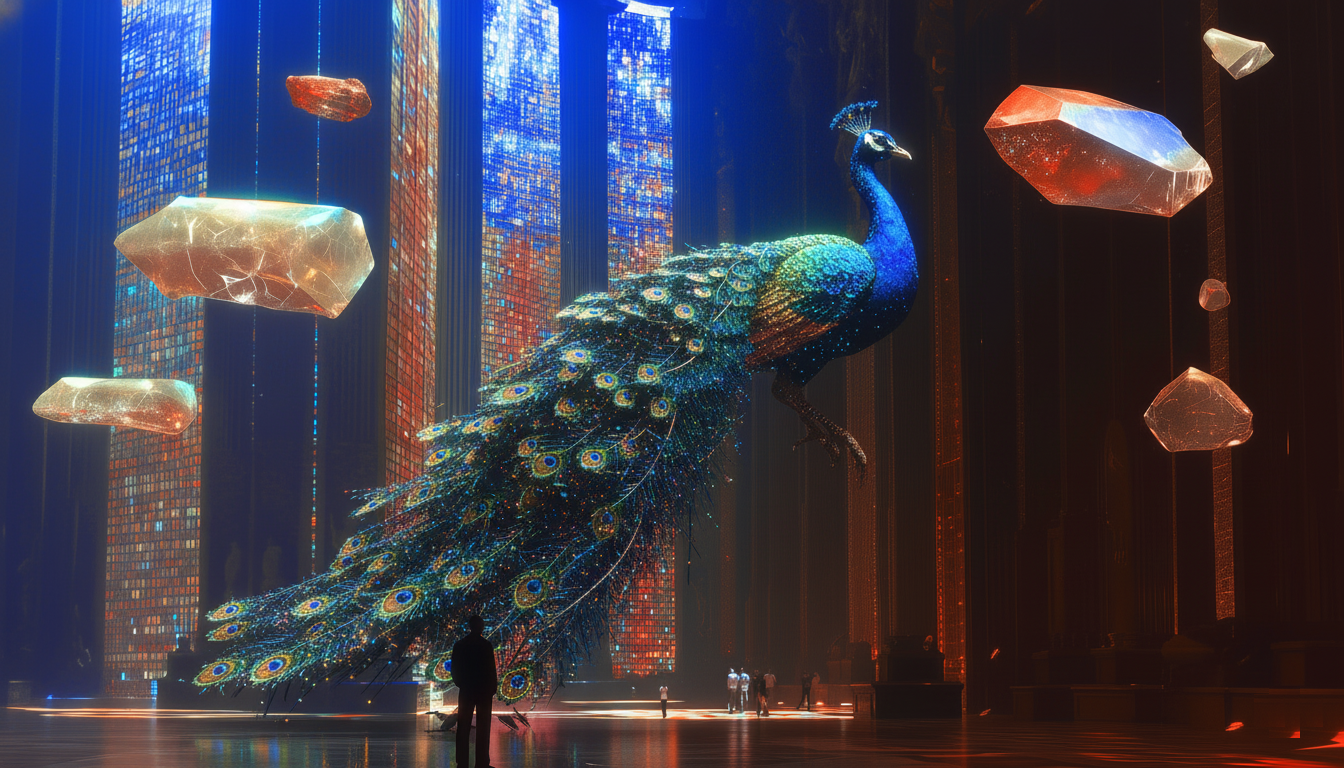
The future of photography is here—and it’s more accessible than ever. Definable Photo Studio is our revolutionary new AI feature that empowers anyone to create hyper-realistic, professional-quality images—no camera required. Whether you’re a content creator, marketer, designer, or simply passionate about stunning visuals, Photo Studio puts the power of a world-class photography studio right at your fingertips.
What is Definable Photo Studio?§
Photo Studio is an advanced AI-powered image generation tool that combines state-of-the-art artificial intelligence with intuitive, user-friendly design. It doesn’t just generate images—it understands lighting, composition, depth of field, and all the artistic nuances that define true professional photography.
How to Use Definable Photo Studio: Step-by-Step Guide§
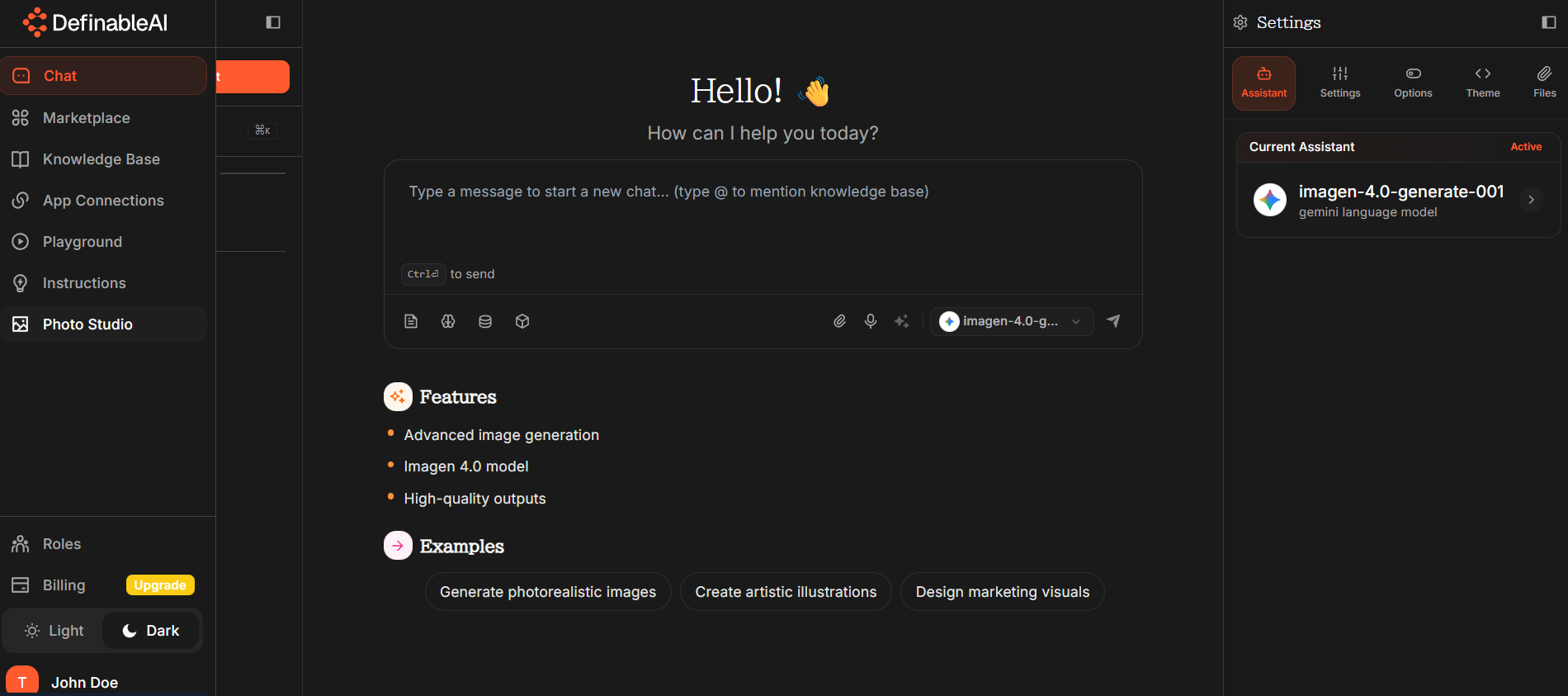
Step 1: Access Photo Studio§
Getting started is effortless.
- Go to your dashboard and click on the Photo Studio section in the left sidebar.
- In seconds, you’ll enter a creative workspace where imagination meets technology.
Step 2: Choose Your Creation Method§
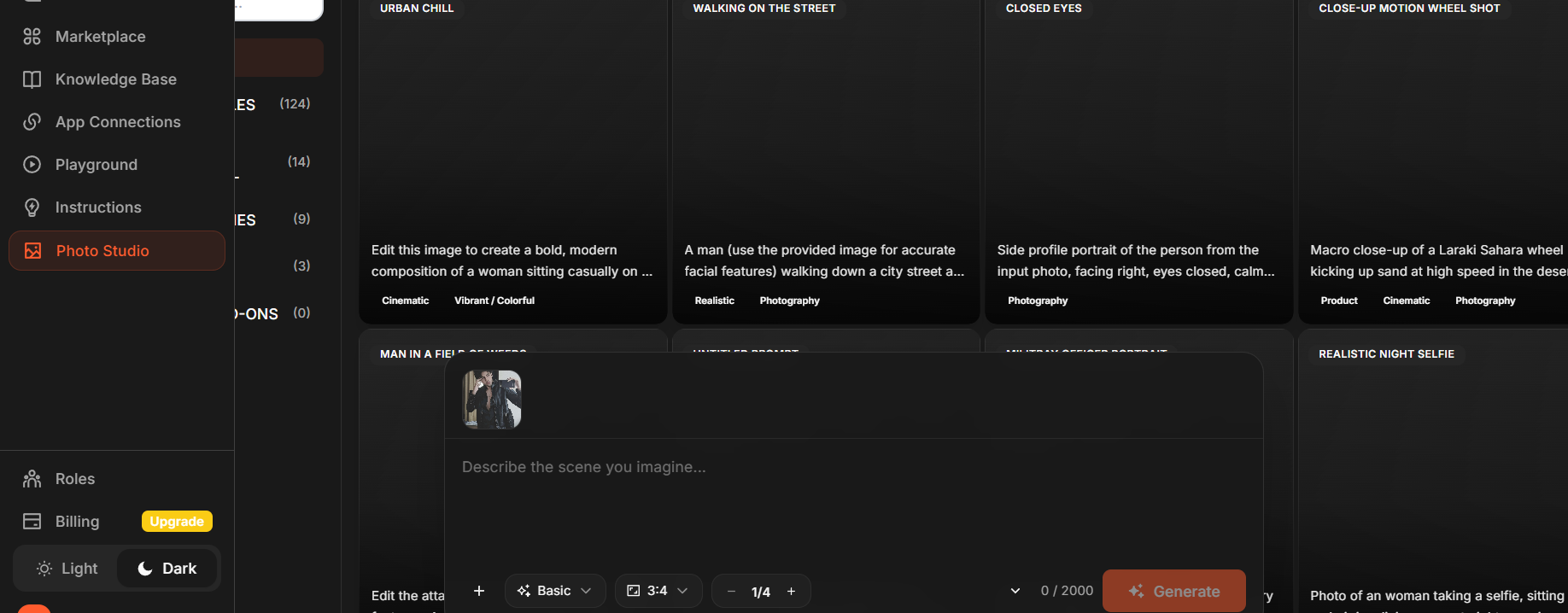
Photo Studio offers three powerful ways to bring your ideas to life:
#### 1\. Ready-to-Use Prompts
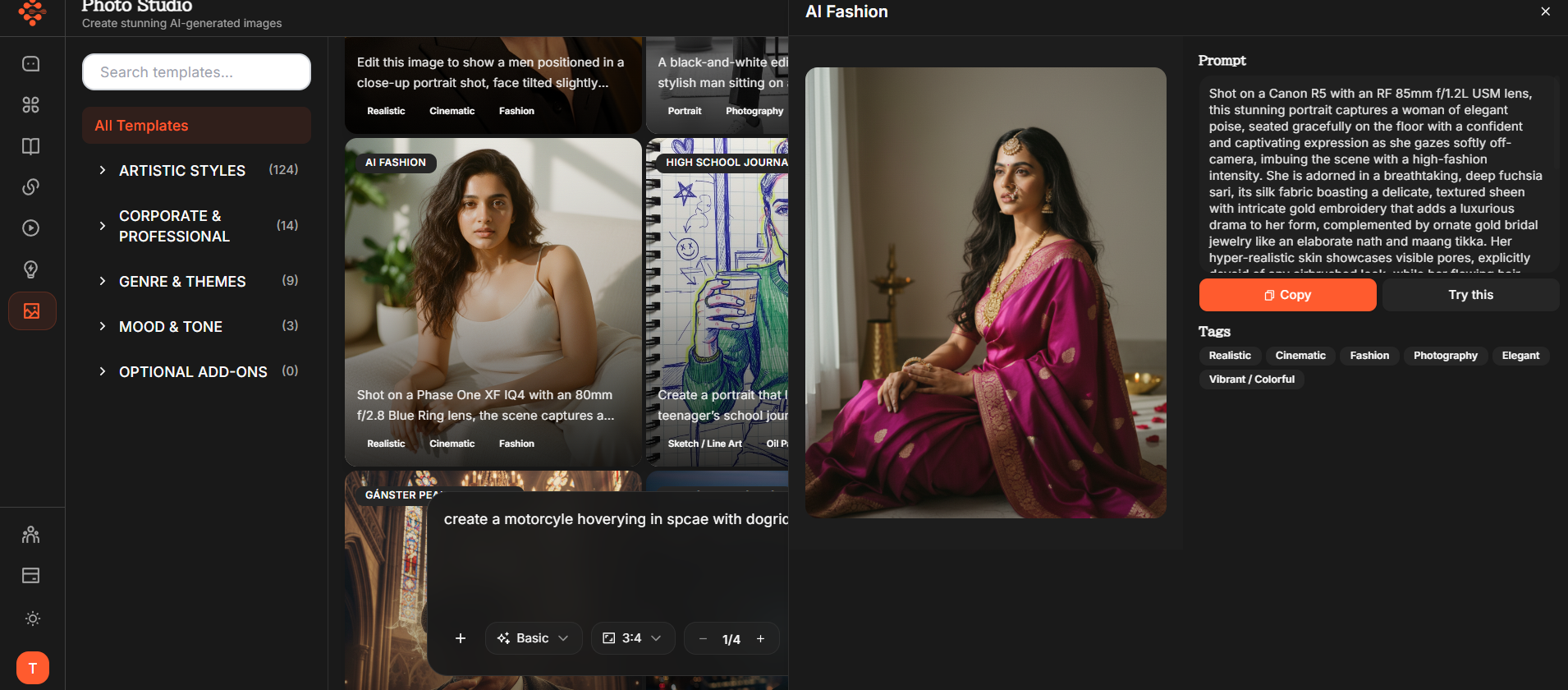
Not sure where to begin? Start with our library of professionally crafted prompts—each designed to deliver expert-level results instantly. Choose from styles like:
- Product photography with studio lighting
- Portraits with natural bokeh
- Architectural shots with golden-hour tones
- Food styling and composition
- Fashion photography with editorial aesthetics
- Nature, landscape, and commercial imagery
Simply select a prompt, click Generate, and watch your photo come to life.
#### 2\. Custom Prompts

Have a specific idea in mind? Use the chat section to describe your vision in natural language. Example:
“A close-up shot of a luxury watch on marble with soft overhead lighting.”
The AI interprets your request with precision, creating images that match your exact description.
#### 3\. Upload Your Own Images
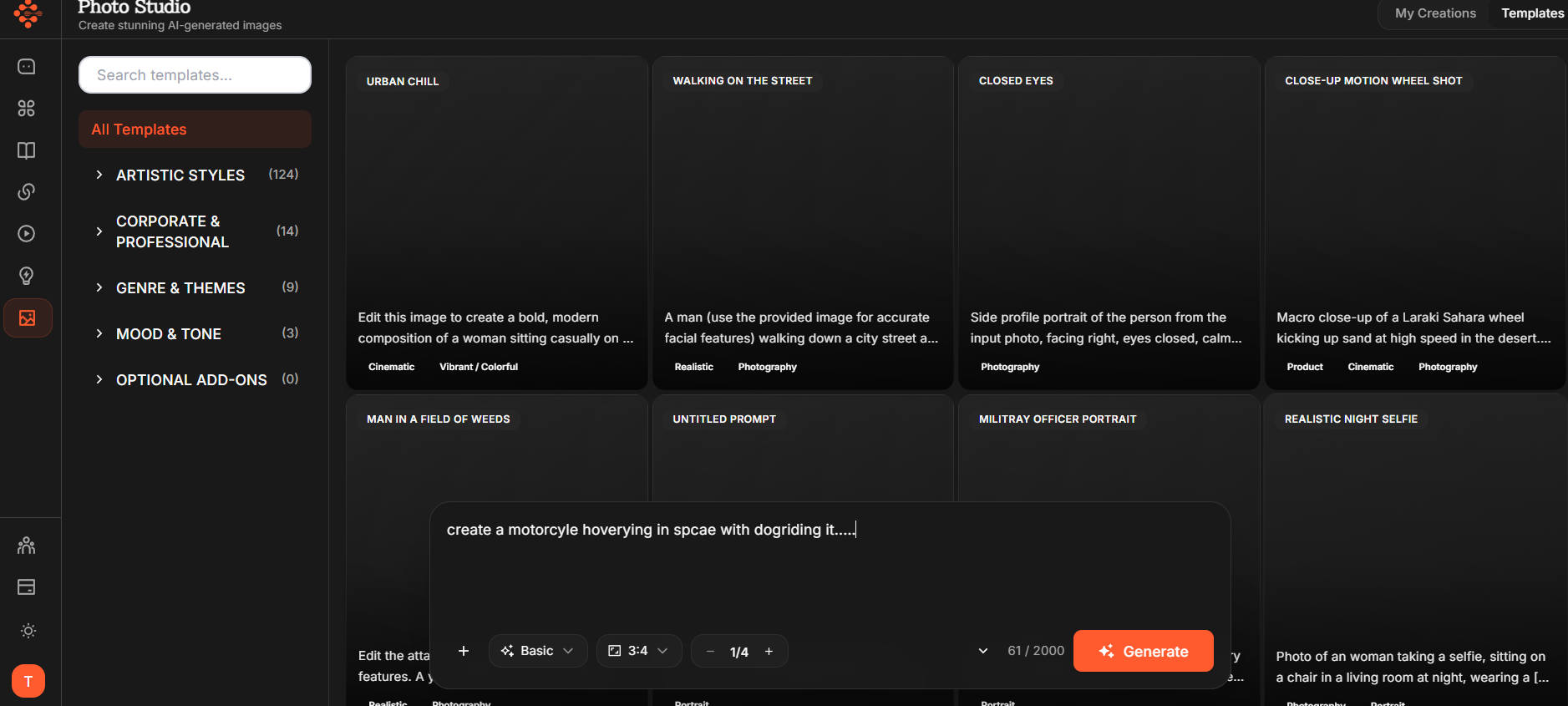
Add a personal touch by uploading your own reference photos. Photo Studio uses them to enhance realism, maintain subject consistency, and produce highly personalized results. Perfect for refining brand visuals, product images, or creative compositions.
Step 3: Fine-Tune Your Settings§
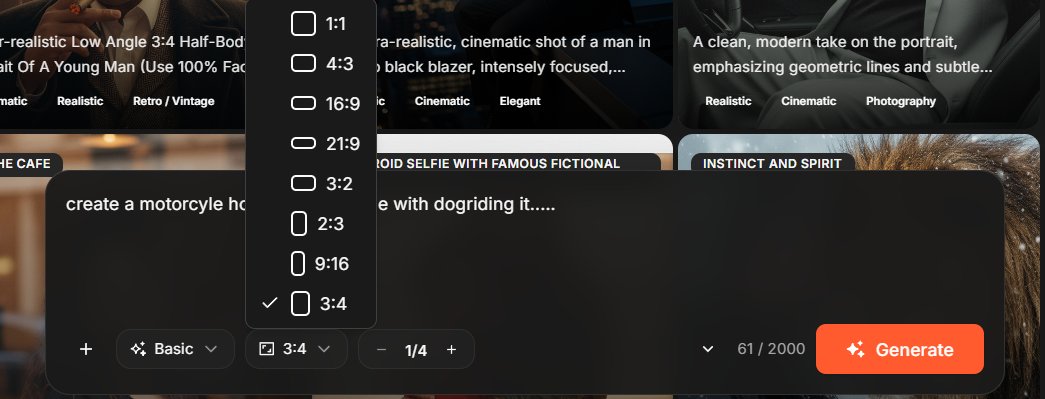
#### Dimension Options
Choose the perfect aspect ratio for your needs:
- 1:1 – Ideal for Instagram and social posts
- 3:4 – Great for portraits and Pinterest
- 21:9 – Cinematic widescreen impact
- 3:2 – Classic photography composition
…and more, to fit any platform or purpose.
#### Resolution Settings
Control quality and performance with flexible output resolutions:
- Basic – Quick drafts or previews
- 2K – High-quality for web and social
- 4K – Ultra-high-definition for print and professional use
Step 4: Generate and Customize§
Once you’ve chosen your prompt, dimensions, and resolution, simply click Generate. In moments, you’ll have a studio-quality image ready for download. Adjust, refine, or regenerate until you achieve the perfect shot.
Why Definable Photo Studio Changes the Game§
For Content Creators§
Produce unlimited high-quality visuals without costly photoshoots or licensing restrictions.
For Marketers§
Create campaign visuals and product photos in minutes, not days—cutting time and costs dramatically.
For Designers§
Prototype, design, and visualize ideas faster than ever with images that perfectly match your creative direction.
For Entrepreneurs§
Build a professional brand presence on any budget with AI-powered visuals that rival traditional photography.
Powered by State-of-the-Art AI§
Behind the scenes, Photo Studio uses advanced AI models trained on millions of professional photographs. The system understands how real photographers think—capturing perfect lighting, textures, depth, and composition that obey the laws of physics. Every image feels natural, balanced, and ready for real-world use.
Step 5: Download and Use§
Once your masterpiece is ready:
- Click Download.
- Use your image instantly across websites, marketing campaigns, social media, or design projects.
The Future of Photography is Here§
Definable Photo Studio redefines visual content creation. It democratizes professional photography—making world-class results available to everyone. Whether you need one image or a thousand, Photo Studio delivers consistent, realistic, and captivating results every time.
Your creative vision is now the only limit.
👉 Try Definable Photo Studio today and experience the next evolution of photography—powered by AI.
Key takeaways
- Definable Photo Studio uses AI to generate studio-quality images without a camera.
- You can create images via ready-made prompts, custom text prompts, or by uploading reference photos.
- Adjust aspect ratios and output resolutions (Basic, 2K, 4K) to match platform and quality needs.
- Generation is fast—create, refine, and download professional visuals for marketing or design.
- The tool democratizes professional photography, lowering costs and speeding up content production.
FAQ
What is Definable Photo Studio?
Definable Photo Studio is an AI-powered image generation tool that produces professional-quality photos by understanding lighting, composition, and depth.
How do I create images in Photo Studio?
Choose from ready-made prompts, enter a custom text prompt in the chat, or upload reference photos; then pick dimensions and resolution and click Generate.
Can I use generated images for commercial projects?
Generated images are designed for marketing and commercial use, but you should review Definable's licensing and terms to confirm permitted uses.
What resolution and aspect ratios are available?
Photo Studio offers multiple aspect ratios (1:1, 3:4, 21:9, 3:2, etc.) and resolutions from quick Basic previews to 2K and 4K for web, print, and professional needs.
How realistic are the AI-generated photos?
The tool uses models trained on professional photos to simulate realistic lighting, textures, and depth, producing images suitable for real-world use with minimal tweaks.