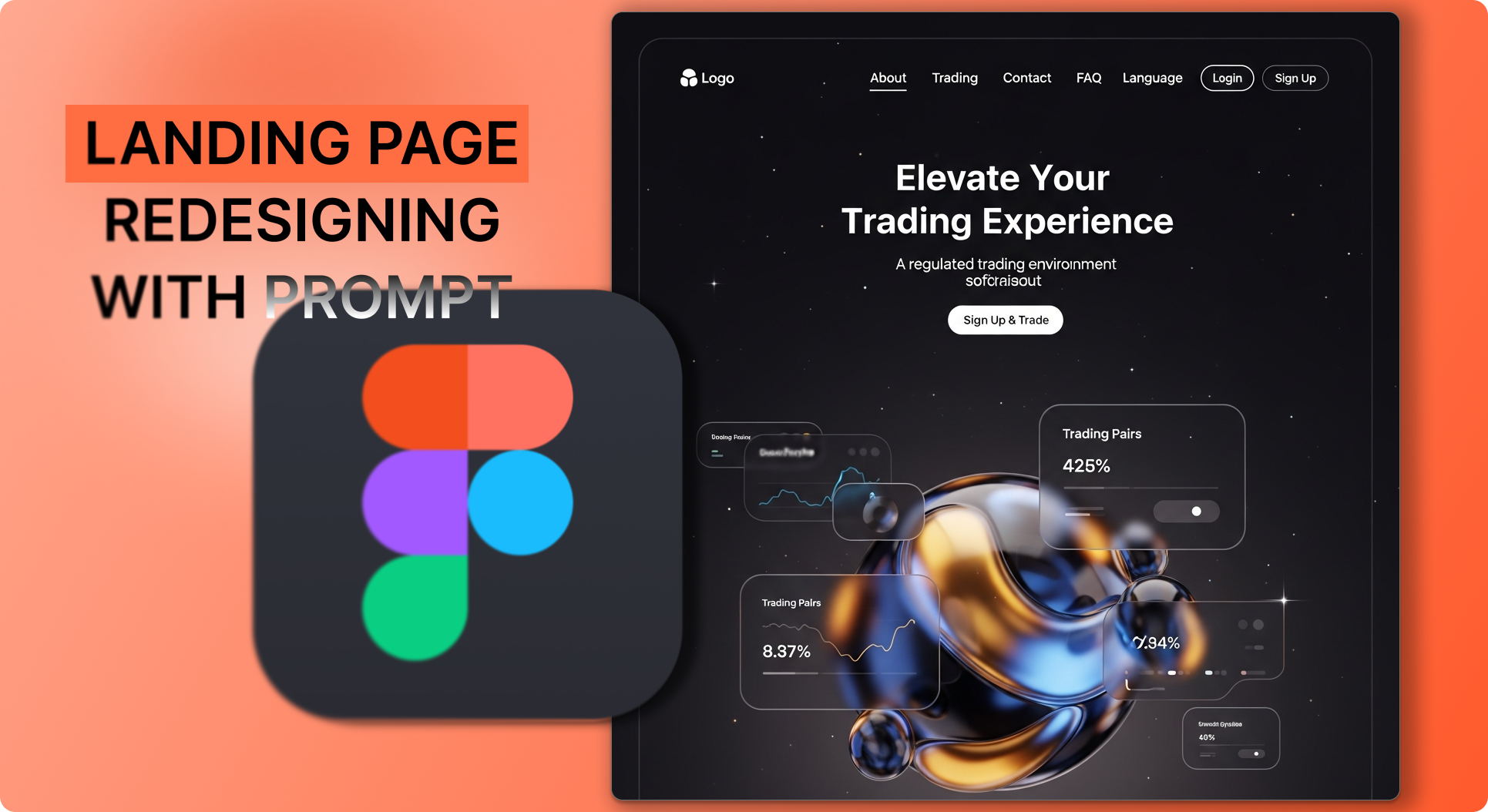
Google just released Imagen 4, their most advanced image generation model yet—and it's already live in Definable AI.
Whether you're designing user interfaces, creating UX mockups, or visualizing app concepts, Imagen 4 delivers stunning, professional-quality results that look like they came from a senior designer.
Here's how to create professional UI/UX designs in under 60 seconds using Imagen 4.
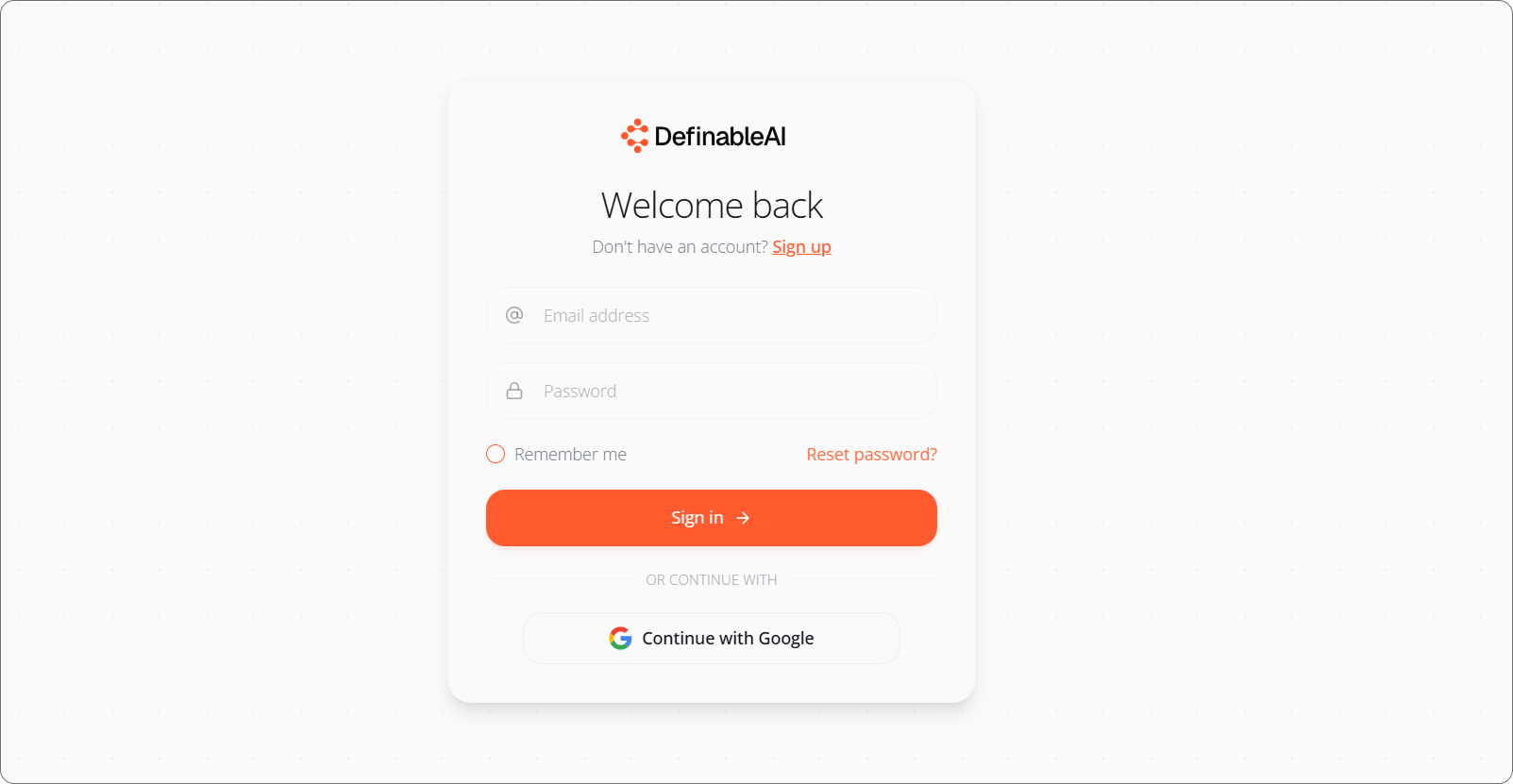
Step 1: Login to Definable AI§
Head to www.definable.ai and log into your account.
If you don't have an account yet, sign up—there's a free plan to get you started.
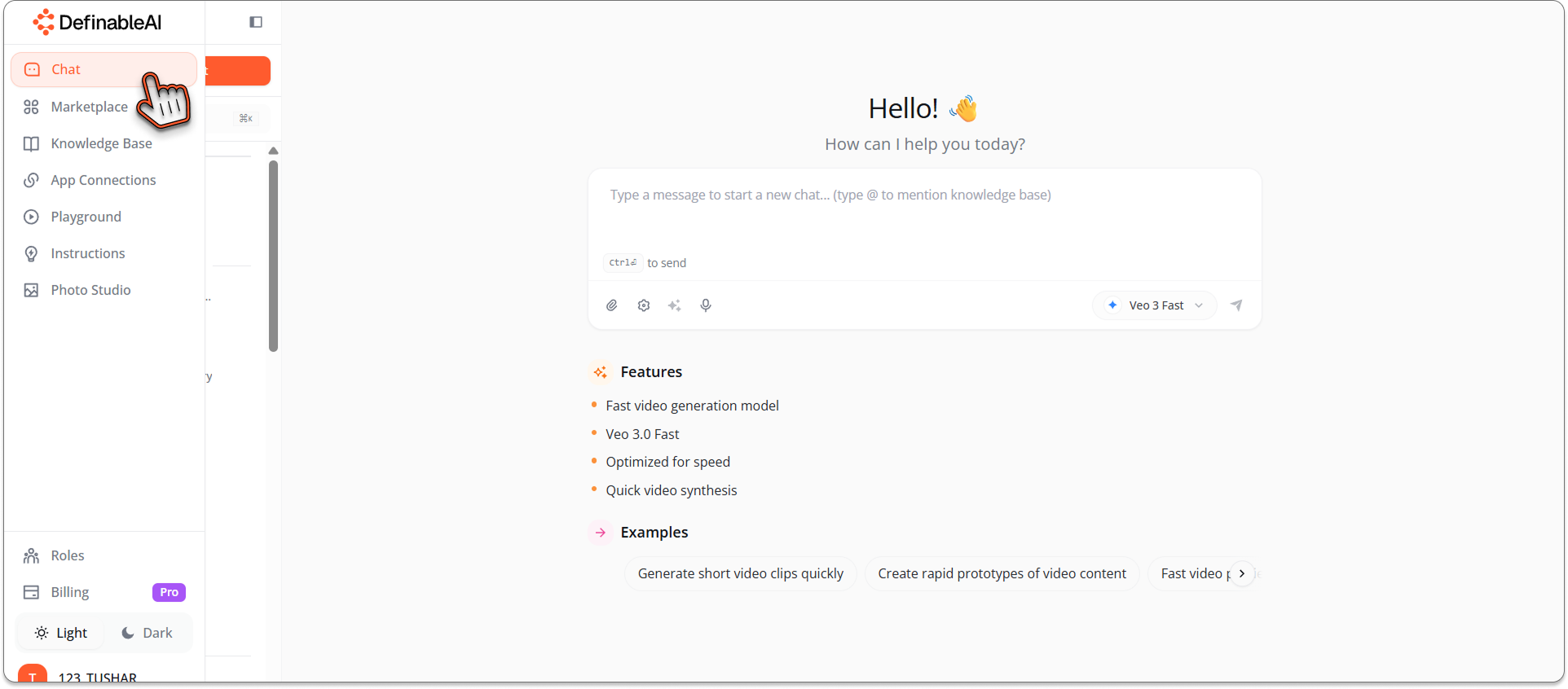
Step 2: Access Chat§
Look at your navigation bar and click on Chat.
This opens Definable AI's multi-model chat interface where you have access to dozens of AI models, including Google's latest Imagen 4.
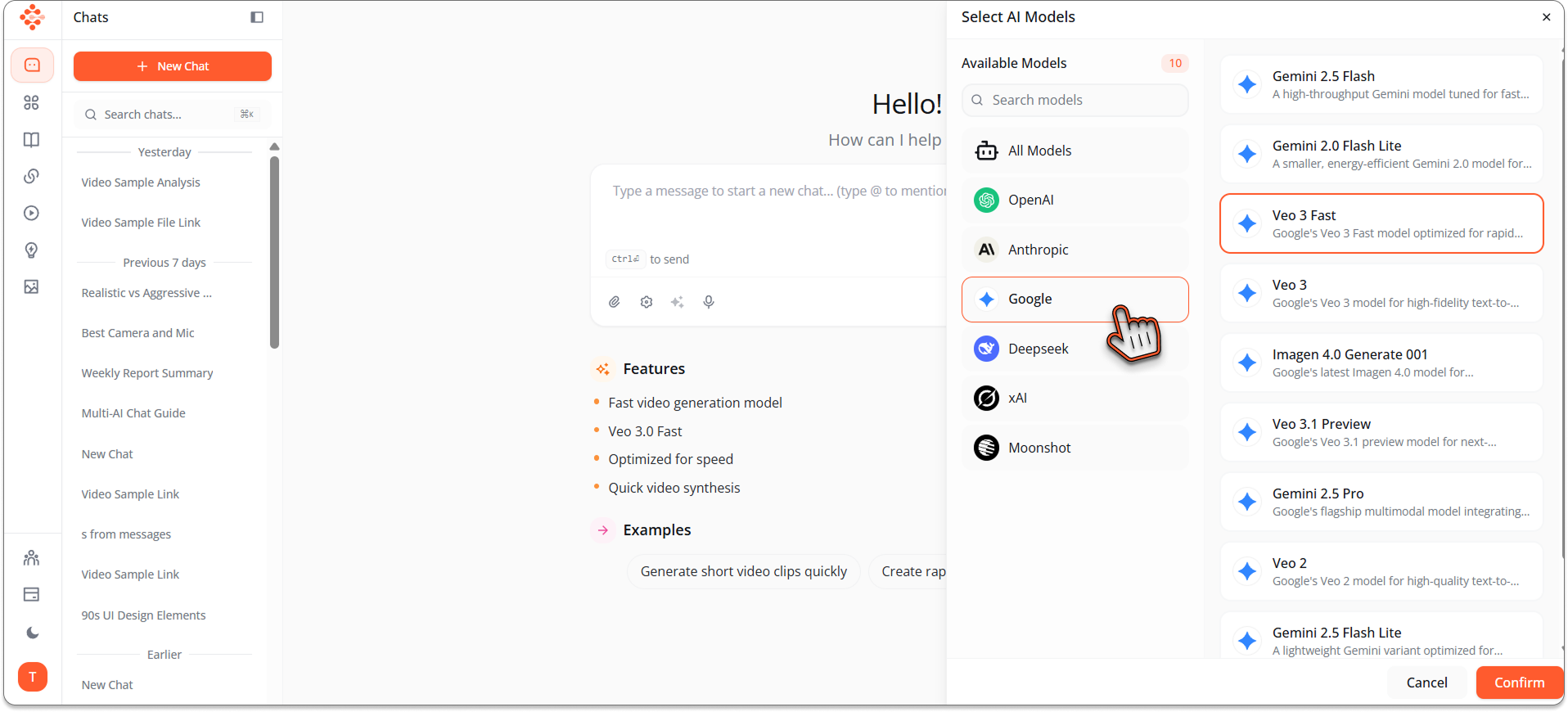
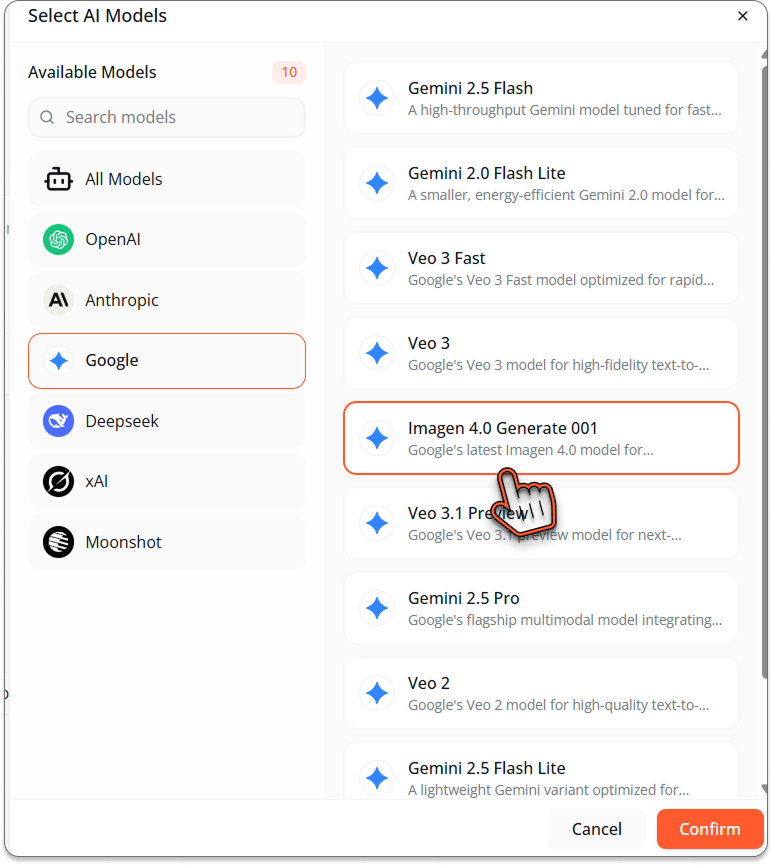
Step 3: Select Imagen 4 Model§
At the bottom of the chat interface, you'll see the model selector.
Click on it to reveal all available models.
Navigate to Google Models section.
Select Imagen 4 from the image generation options.
You're now powered by Google's most advanced visual AI.
Step 4: Describe Your UI/UX Design§
Here's where your vision becomes visual reality.
In the chat prompt field, describe the UI/UX design you want to create. Be specific about:
- The type of interface (mobile app, web dashboard, landing page)
- Design style (minimalist, modern, glassmorphism, neumorphism)
- Color scheme and visual aesthetic
- Key UI elements you want included
- Overall mood and user experience focus
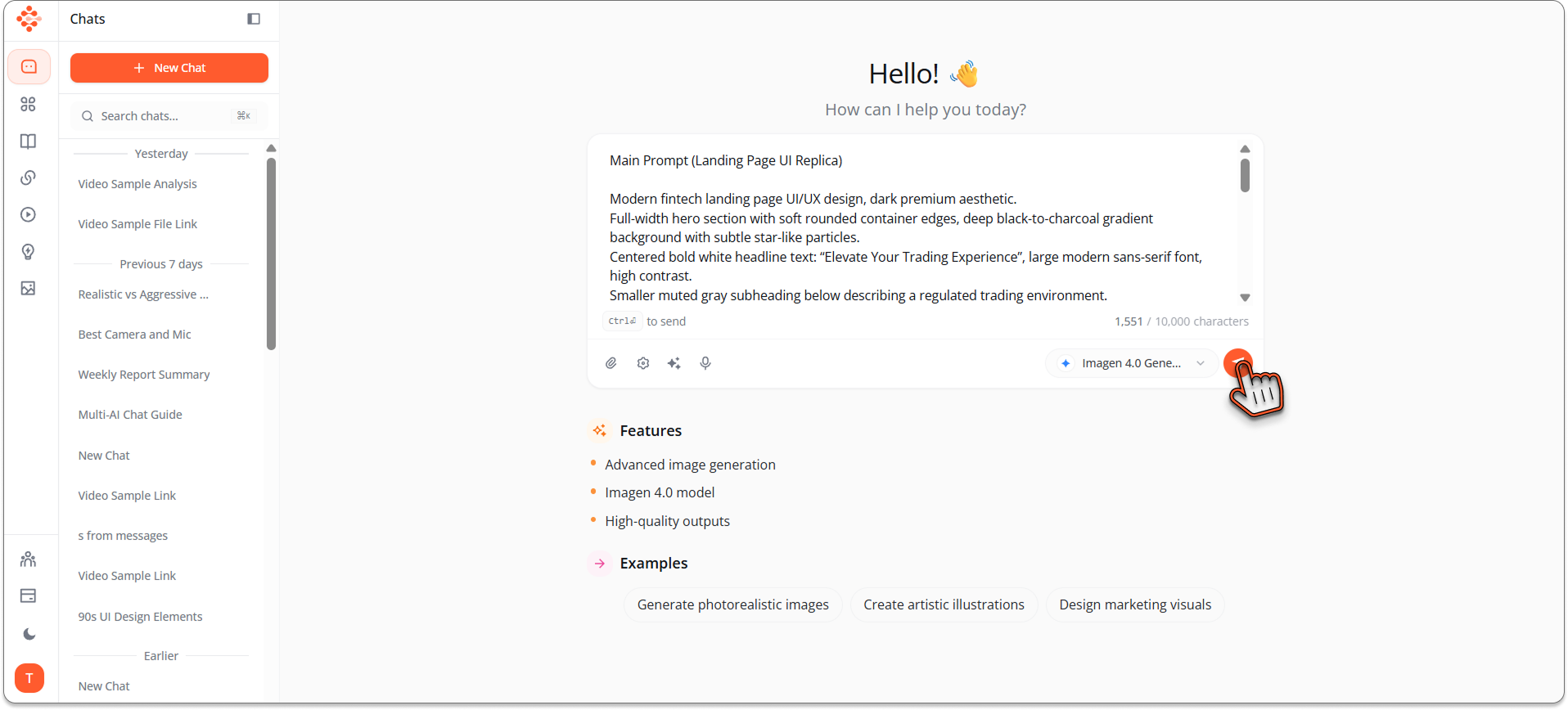
Example Prompts for UI/UX Design:§
_Main Prompt (Landing Page UI Replica) Modern fintech landing page UI/UX design, dark premium aesthetic. Full-width hero section with soft rounded container edges, deep black-to-charcoal gradient background with subtle star-like particles. Centered bold white headline text: “Elevate Your Trading Experience”, large modern sans-serif font, high contrast. Smaller muted gray subheading below describing a regulated trading environment. Primary white pill-shaped CTA button centered: “Sign Up & Trade”. Top navigation bar with logo text on the left, minimal menu items (About, Trading, Contact, FAQ, Language selector), and rounded Login / Sign up buttons on the right. Bottom center features a large abstract 3D liquid sphere / blob with glossy metallic reflections in gold, blue, and black, softly glowing and partially cropped. Floating glassmorphism UI cards around the blob showing trading metrics (e.g. “Trading Pairs”, percentage values), translucent dark panels with soft blur, subtle glow, rounded corners. Luxury fintech, Web3, trading platform aesthetic, cinematic lighting, smooth gradients, minimal clutter, high-end SaaS design, ultra-clean UI, professional, Apple-level polish, 4k resolution. Style Keywords (important) glassmorphism, dark mode UI, fintech SaaS, premium web design, minimal typography, smooth gradients, soft glow, 3D abstract render, liquid metal, futuristic, modern UX Recommended Settings Aspect Ratio: 16:9 or 21:9 Model: SDXL / Midjourney v6 Stylize: Low–medium (for layout accuracy) Seed: Fixed (if refining)_
Step 5: Generate and Get Results§
Hit Send or press Enter.
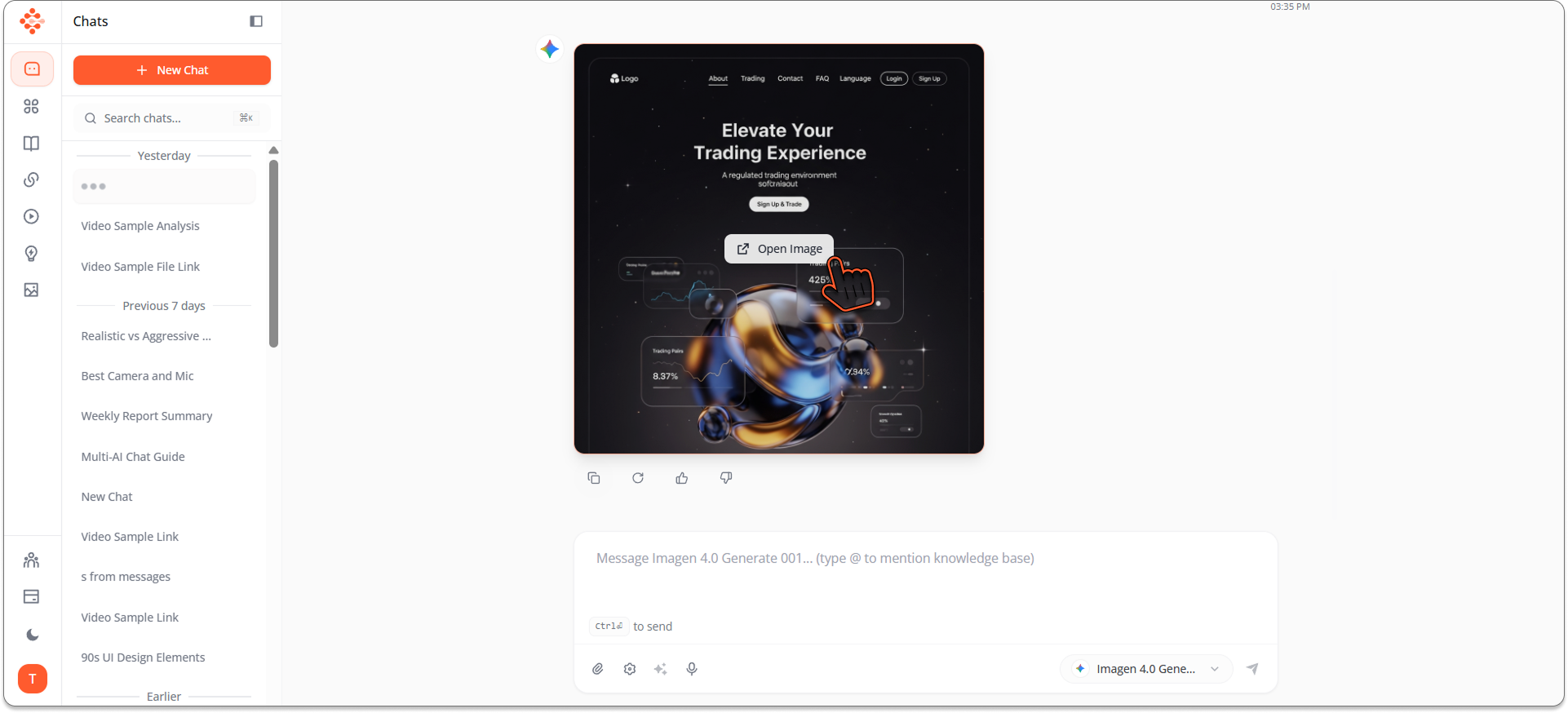
Imagen 4 processes your prompt and generates a professional UI/UX design in seconds.
What you'll see:
- High-quality interface mockup
- Professional design matching your specifications
- Ready-to-use visual that looks like it came from a senior designer
- Downloadable image you can immediately use
Love it? Download and use it in:
- Client presentations
- Design portfolios
- Pitch decks
- Development handoffs
- User testing
- Stakeholder reviews
Want to iterate? Adjust your prompt:
- Change colors: "Same design but with purple and gold color scheme"
- Modify layout: "Move navigation to side instead of top"
- Adjust style: "Make it more minimalist with more white space"
- Add elements: "Include a search bar in the header"
Generate again. Refine until perfect.

Why Imagen 4 for UI/UX Design§
Google's Latest Technology§
Imagen 4 represents Google's cutting-edge in image generation:
- Superior understanding of design terminology
- Better composition and layout coherence
- More accurate interpretation of UI/UX concepts
- Professional-quality outputs consistently
Purpose-Built for Precision§
UI/UX design requires precision. Elements must align, spacing must be consistent, typography must be readable.
Imagen 4 understands these requirements better than previous generation models, delivering designs that actually look like professional work, not AI experiments.
Speed Meets Quality§
Traditional UI/UX design process:
- Designer creates wireframes: 2-3 hours
- Design high-fidelity mockup: 4-6 hours
- Iterate based on feedback: 2-3 hours
- Total: 8-12 hours per screen
Imagen 4 process:
- Describe what you want: 2 minutes
- Generate design: 30 seconds
- Iterate: 30 seconds per iteration
- Total: 3-5 minutes per screen
Same quality. 99% less time.
Real-World UI/UX Applications§
Rapid Prototyping§
Product managers and entrepreneurs can now visualize ideas instantly:
- Test multiple design directions in minutes
- Show stakeholders concrete visuals instead of abstract descriptions
- Validate concepts before investing in full design
- Iterate based on feedback without designer bottlenecks
From idea to visual prototype in minutes, not days.
Client Presentations§
Freelance designers and agencies can:
- Generate multiple design options quickly
- Show variations in real-time during client meetings
- Respond to "can you show me how it would look if..." instantly
- Close deals faster with immediate visual responses
"Let me show you" replaces "I'll get back to you."
Design Inspiration§
Stuck creatively? Use Imagen 4 to:
- Generate dozens of variations exploring different directions
- Find inspiration in unexpected AI interpretations
- Discover color combinations and layout ideas
- Jumpstart creative thinking when you're blocked
AI as creative partner, not creative replacement.
Developer Handoff§
Developers who need design references can:
- Generate UI mockups for features they're building
- Create visual targets without waiting for designers
- Prototype interfaces for user testing
- Build with clear visual direction
Bridge the gap between code and design.
Portfolio Building§
Design students and junior designers can:
- Generate portfolio pieces showcasing range
- Create case study visuals for imaginary projects
- Demonstrate versatility across styles and platforms
- Build compelling portfolios faster
Quantity and quality for portfolio impact.
Tips for Better UI/UX Designs with Imagen 4§
Be Specific About Platform§
"Mobile app" vs "web dashboard" vs "tablet interface" - specify the platform for appropriate designs.
Mention Design Trends§
Reference current design styles:
- Glassmorphism
- Neumorphism
- Brutalism
- Minimalism
- Material Design
- iOS aesthetic
- Flat design
Imagen 4 understands these terms and applies them correctly.
Describe Layout Structure§
Instead of "design an app," try:"Design an app with top navigation bar, three-column card layout, floating action button bottom right, sidebar menu"
Specificity yields better results.
Include Color Guidance§
Mention color schemes:
- "Blue and white professional colors"
- "Vibrant gradient background"
- "Dark mode with accent colors"
- "Monochromatic grey scale"
Specify UI Components§
Name actual UI elements you want:
- Buttons, cards, navigation bars
- Charts, graphs, data visualizations
- Form fields, input boxes, dropdowns
- Icons, images, avatars
- Progress bars, sliders, toggles
The more specific, the more accurate the output.
Imagen 4 vs Other Image Models§
When to use Imagen 4:
- UI/UX design mockups
- Interface prototyping
- Dashboard designs
- App screen concepts
- Web page layouts
When to use other models:
- Photo Studio: Professional photography and realistic images
- xAI Grok Image: Artistic illustrations and creative concepts
- Other specialized models for different visual needs
The Definable AI Advantage: Switch between models instantly based on what you're creating.
Start Designing with Imagen 4§
Professional UI/UX design is one prompt away.
Whether you're:
- An entrepreneur visualizing your app
- A designer seeking inspiration
- A developer needing interface references
- A product manager prototyping features
- A student building your portfolio
Imagen 4 in Definable AI gives you professional design capability instantly.
Visit www.definable.ai, access Chat, select Imagen 4, and start creating
_Your next great UI design is 60 seconds away._
Stop waiting for designers. Start designing with AI.
Key takeaways
- Imagen 4 in Definable AI produces professional-quality UI/UX mockups in seconds, reducing design time dramatically.
- Specific, structured prompts (platform, layout, components, colors) yield the most accurate and usable designs.
- Use Imagen 4 for rapid prototyping, client presentations, developer handoffs, and portfolio pieces to iterate faster.
- Iterate quickly by tweaking prompt details like color, layout, and style keywords until the mockup matches your vision.
- Check Definable AI and model licensing for commercial use and combine generated images with design tools for editable assets.
FAQ
What is Imagen 4 and why use it for UI/UX?
Imagen 4 is Google's advanced image-generation model that produces precise, high-quality UI mockups quickly, improving layout coherence and design fidelity compared to prior models.
How do I access Imagen 4 in Definable AI?
Log into your account at definable.ai, open the Chat interface, choose the model selector, navigate to Google Models, and select Imagen 4 to start generating designs.
Can I use designs generated by Imagen 4 commercially?
Commercial use depends on Definable AI's platform terms and any applicable Google model licensing; review the service's Terms of Service and licensing details before commercial distribution.
How do I get accurate layouts and consistent typography?
Be specific in prompts—include platform, layout structure, exact UI components, typography and color guidance, and iterate with seed or style keywords to refine consistency.
Are Imagen 4 outputs editable design files?
Imagen 4 produces high-resolution raster images; to get editable assets, export the image and recreate or trace elements in your design tool, or use the image as a visual reference for handoff.