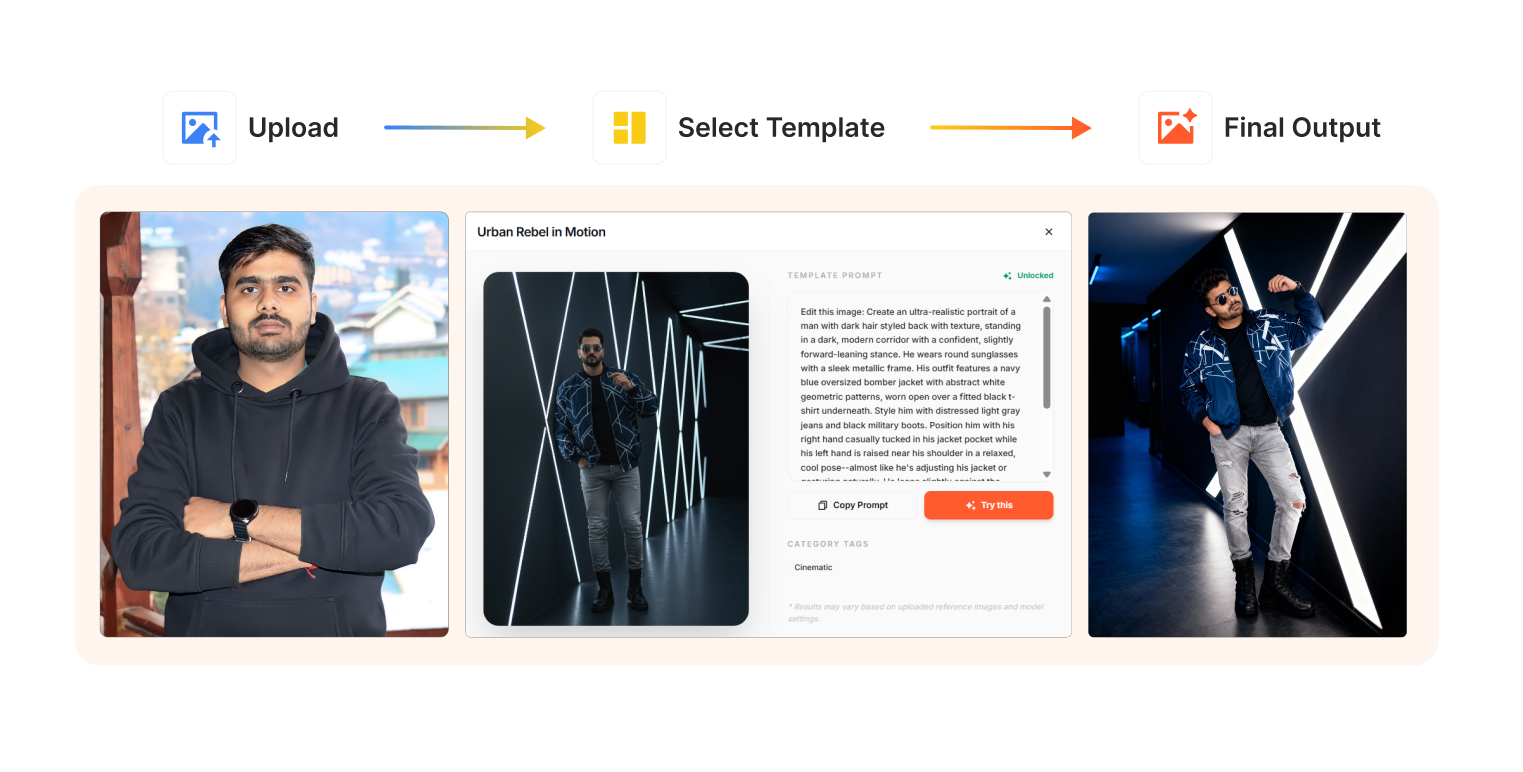
Ever needed a professional headshot but didn't want to deal with photographers, lighting setups, or awkward posing sessions? Photo Studio just made professional portraits absurdly simple.
Here's how to create high-quality AI portraits in under a minute.
Step 1: Access Photo Studio§
Log into www.definable.ai and navigate to Photo Studio. It's right there in your dashboard—no complicated setup, just instant access to AI-powered image generation.
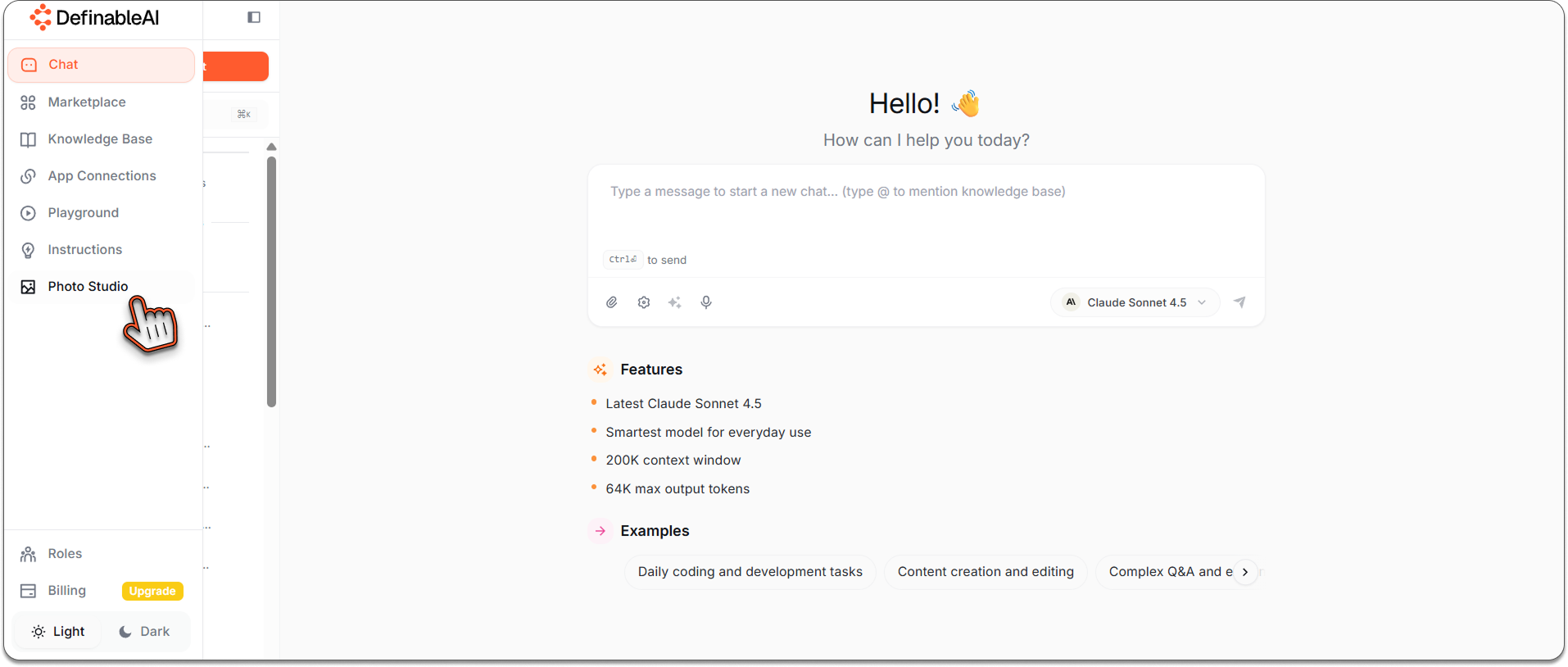
Photo Studio On Navbar.
Step 2: Choose Templates§
Click on the Templates section. You'll see dozens of professionally designed portrait templates:
- Professional headshots
- LinkedIn-style business photos
- Creative portraits
- Corporate headshots
- Casual profile pictures
Browse through the options and select the style that matches your vision.
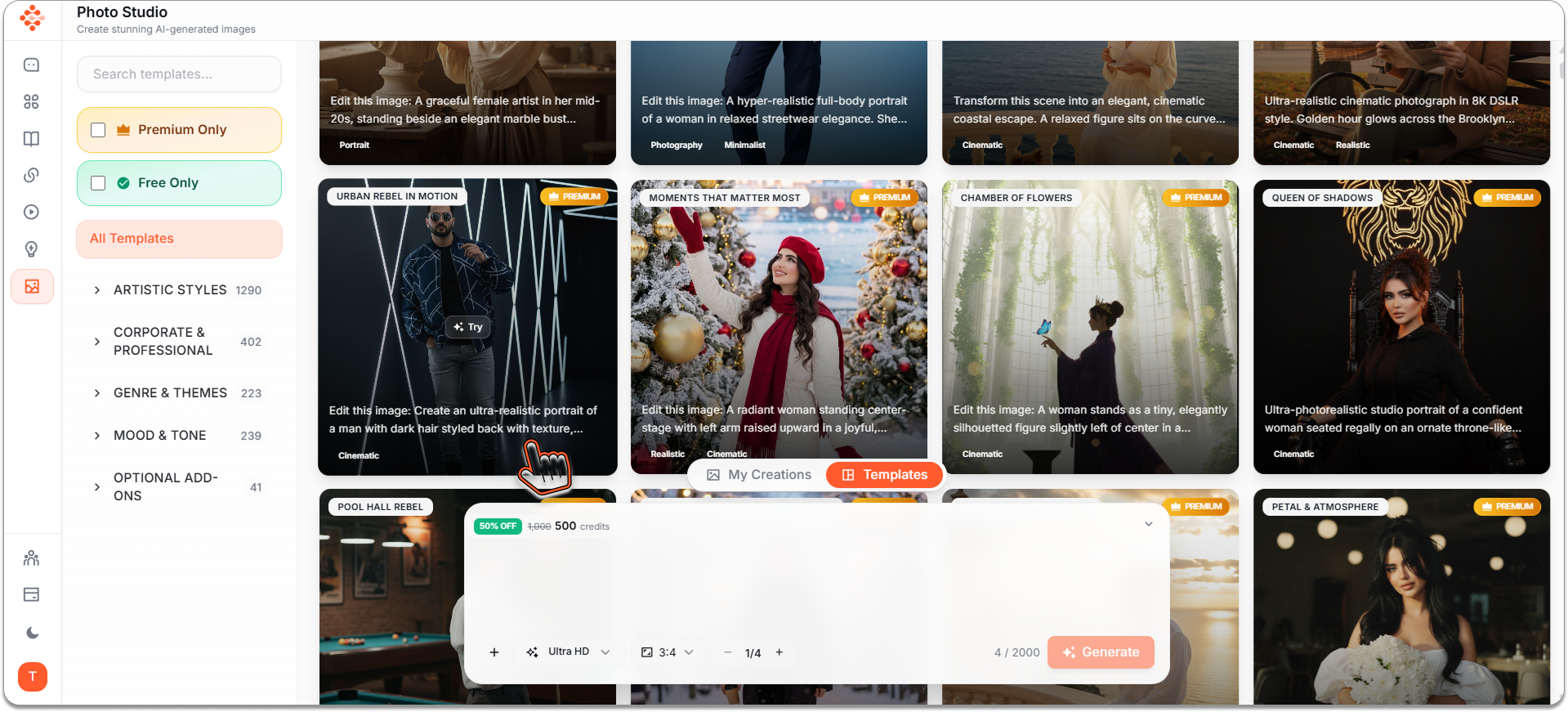
Choose your template.
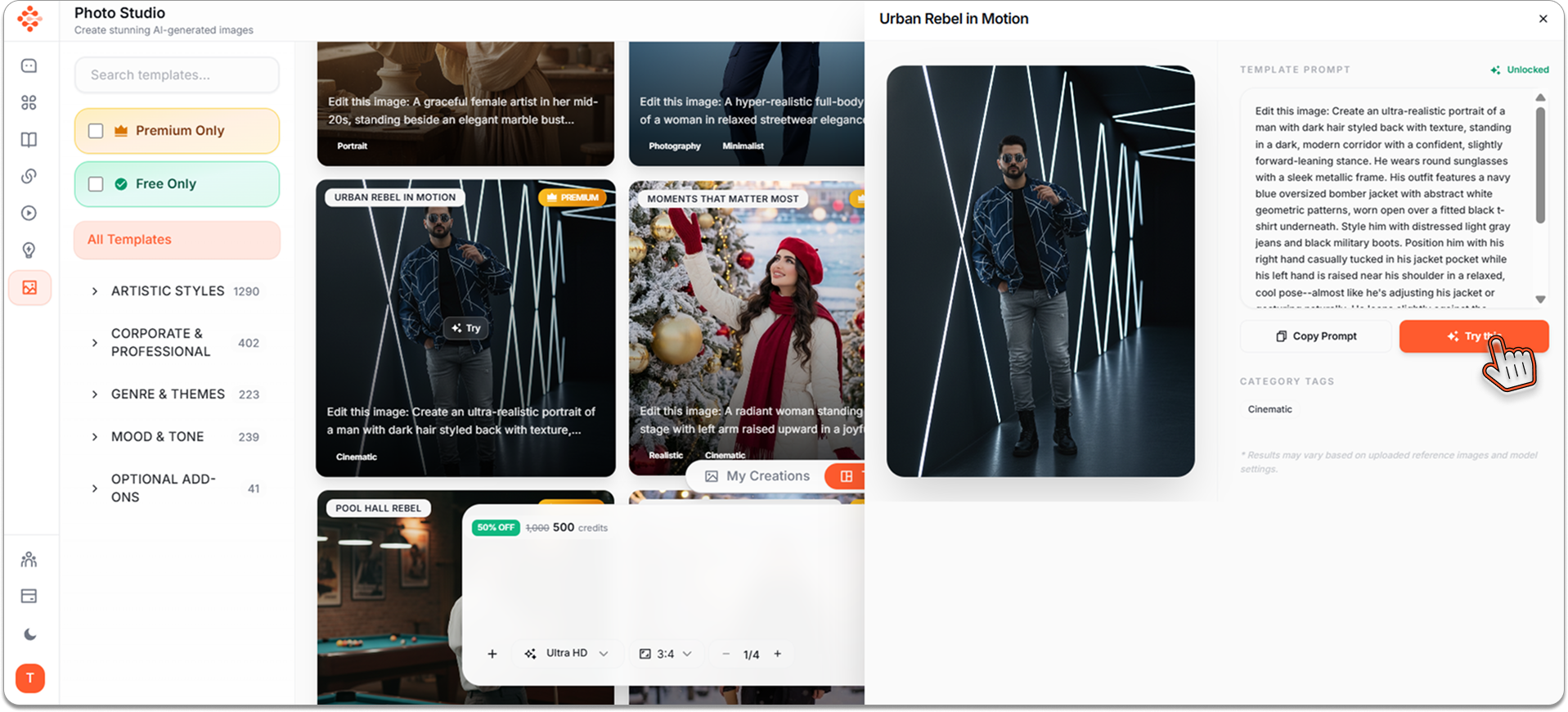
HIt on Try this .
Step 3: Upload Your Photo§
Here's where the magic starts. Choose a high-quality, symmetrical photo of yourself. The better your source photo, the better your results.
Quick tips:
- Use a clear, well-lit photo
- Face the camera directly for best symmetry
- Higher resolution = better output quality
- Natural expression works best
Upload it to Photo Studio.
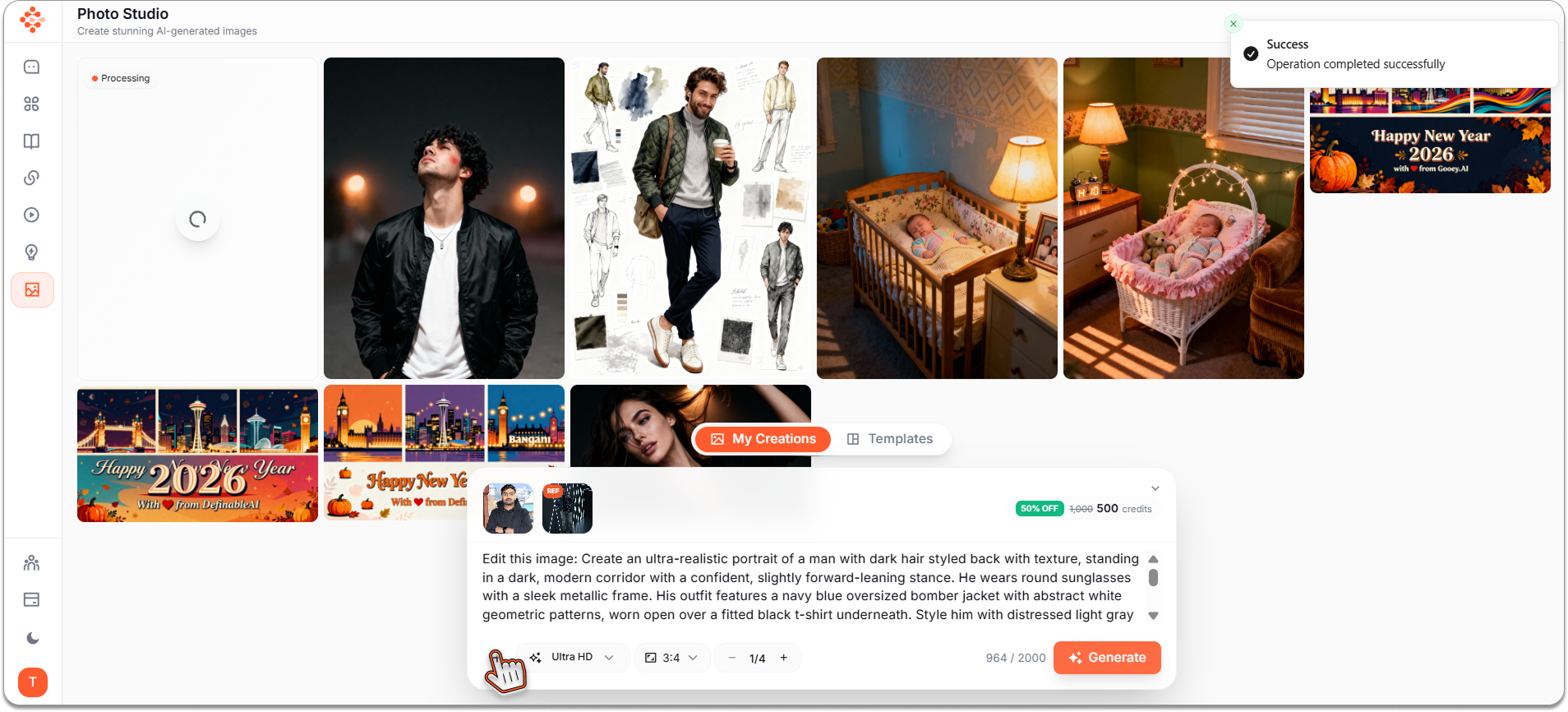
Step 4: Hit Generate§
Click the Generate button and watch AI work its magic.
Photo Studio analyzes your photo, applies the selected template style, and creates a professional-quality portrait that looks like it came from an expensive photography studio.
Processing takes just seconds. Seriously—grab your phone to check the time, and it'll be done before you unlock it.
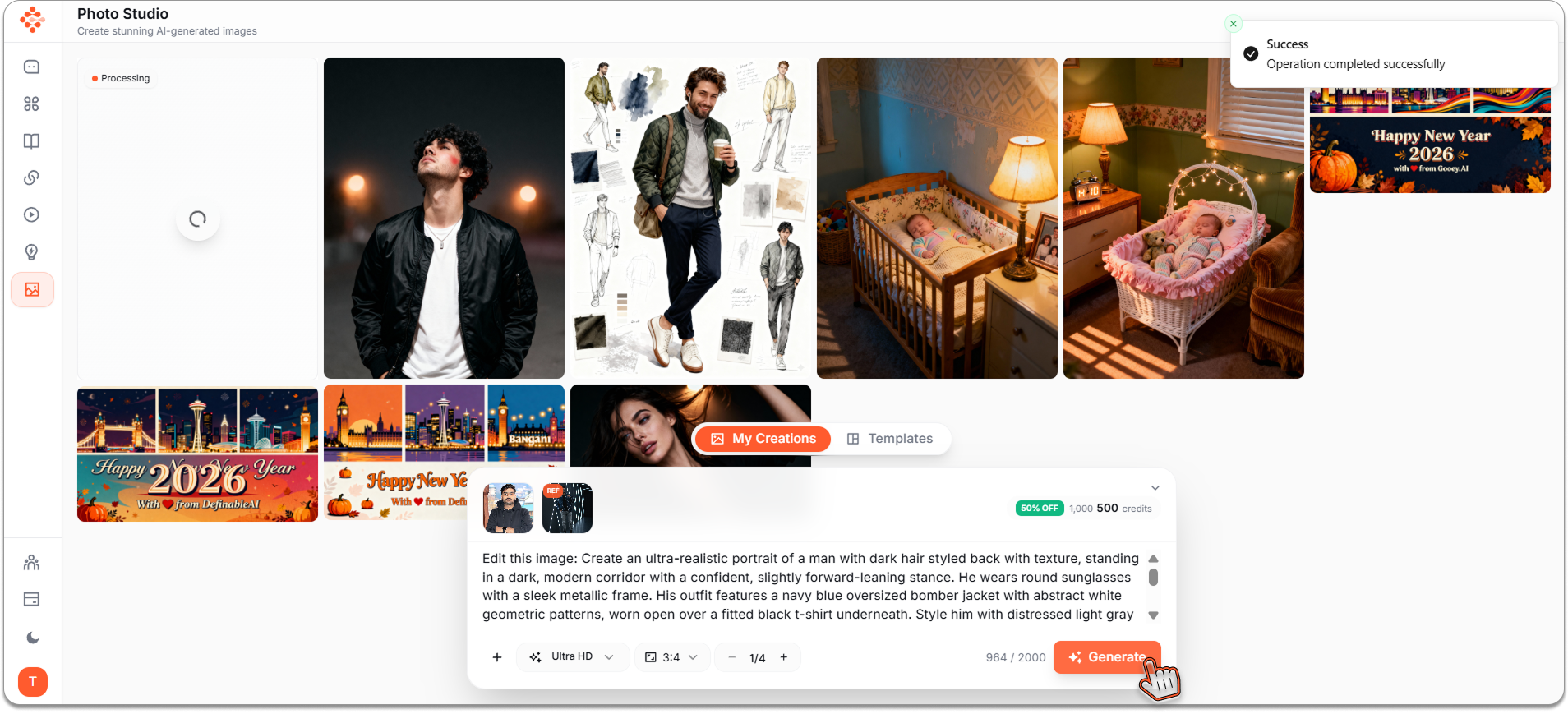
Step 5: Download Your Portrait§
Your professional AI portrait is ready. Review it, and if you love it (you will), click Download.
That's it. Professional headshot achieved without:
- Booking a photographer (₹5,000-15,000 saved)
- Traveling to a studio (time saved)
- Awkward posing sessions (dignity preserved)
- Waiting days for edited photos (sanity maintained)
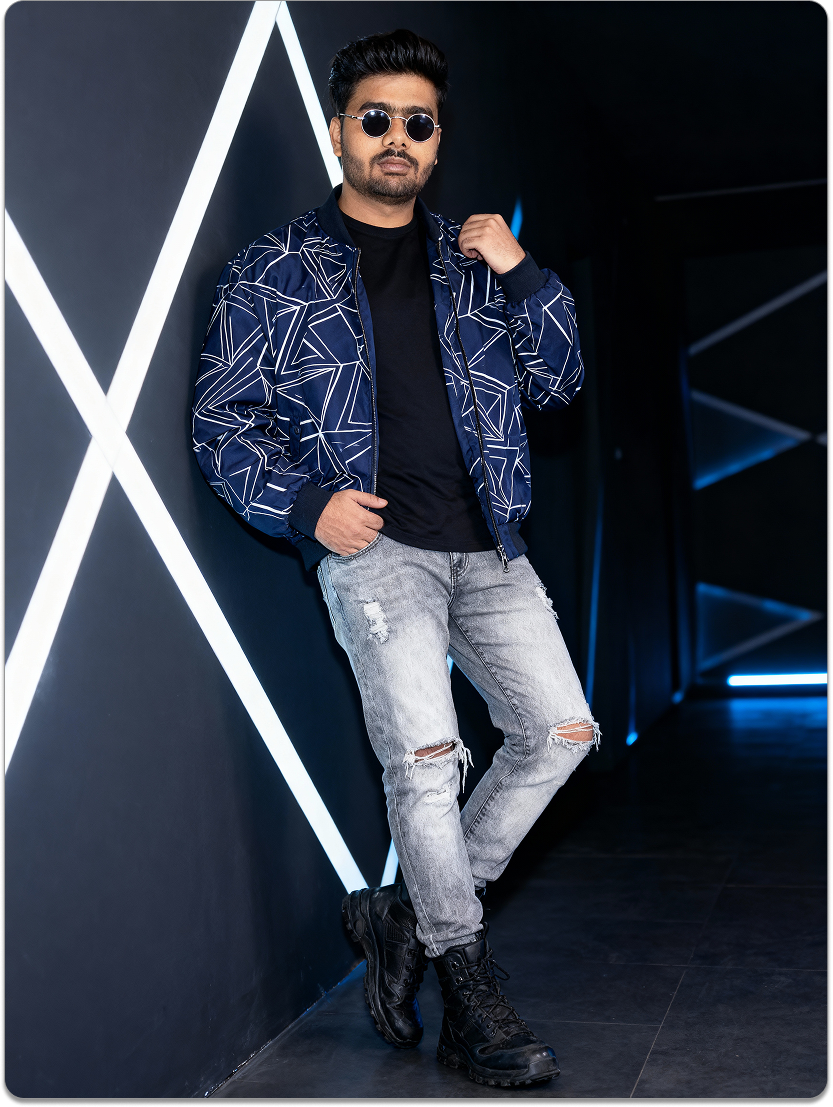
Results
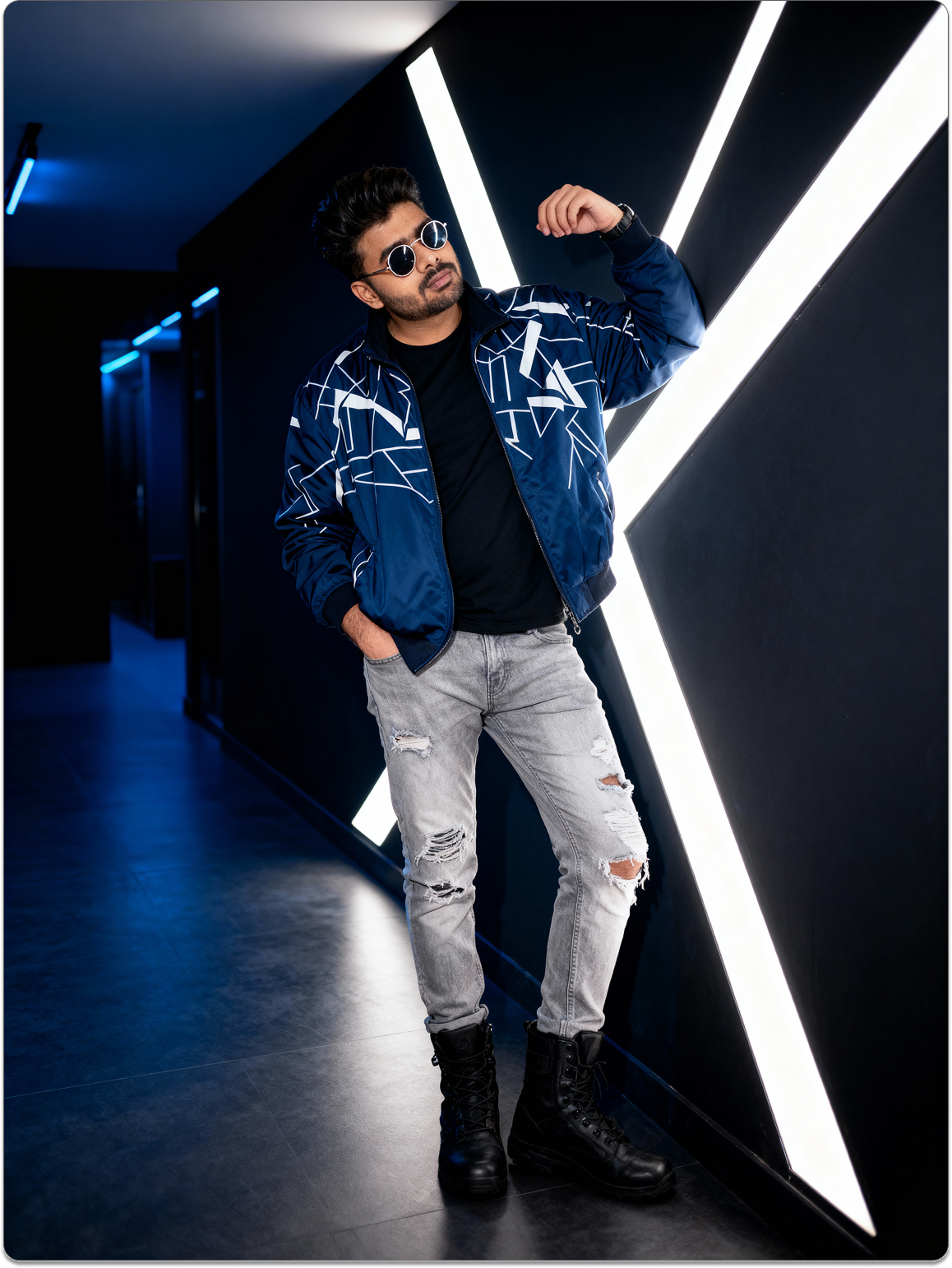
Results
Why This Works§
Photo Studio doesn't just apply filters. It understands professional photography principles—lighting, composition, styling—and applies them intelligently to create images that actually look professionally shot.
People are using these AI portraits for:
- LinkedIn profiles that get more profile views
- Professional websites and portfolios
- Speaker bios for conferences
- Dating profiles (yes, really—and they work)
- Corporate directories
- Social media professional accounts
The results speak for themselves.
Start Creating§
You're 60 seconds away from a professional portrait. No excuses, no barriers, just results.
Log into www.definable.ai and access Photo Studio now.
_Your professional image is one click away._
Key takeaways
- Photo Studio generates professional-quality AI portraits in about 60 seconds with no studio gear required.
- Choose from templates (LinkedIn, corporate, creative) to match the look you want.
- Upload a high-quality, well-lit, symmetrical photo for the best results.
- You can quickly download polished headshots for profiles, portfolios, or marketing.
- Using AI portraits saves time and money compared with traditional photography.
FAQ
How long does it take to create an AI portrait with Photo Studio?
Most portraits are generated in under a minute; total time depends on upload speed and selected template but typically takes seconds to process.
What kind of photo should I upload for the best results?
Use a high-resolution, well-lit, symmetrical photo with you facing the camera; clearer source images produce sharper, more natural results.
Can I use these AI portraits for LinkedIn or printed materials?
Yes — the portraits are suitable for professional profiles, websites, and prints, though you should confirm resolution settings for large-format printing.
Do I retain ownership of the generated images?
Ownership and usage rights depend on Definable.ai's terms of service; generally you can download and use images commercially, but check the platform's licensing details.
Is Photo Studio free to use?
Pricing varies by plan — some features may require a subscription or credits, so review Definable.ai's pricing page for current details.