Professional image generation used to require a desktop, design software, and hours of work. Not anymore.
With Definable AI's mobile experience, you can create stunning, professional-quality images right from your phone—whether you're commuting, waiting in line, or having a creative spark at a coffee shop.
Here's how to generate professional images from your mobile device in under 60 seconds.
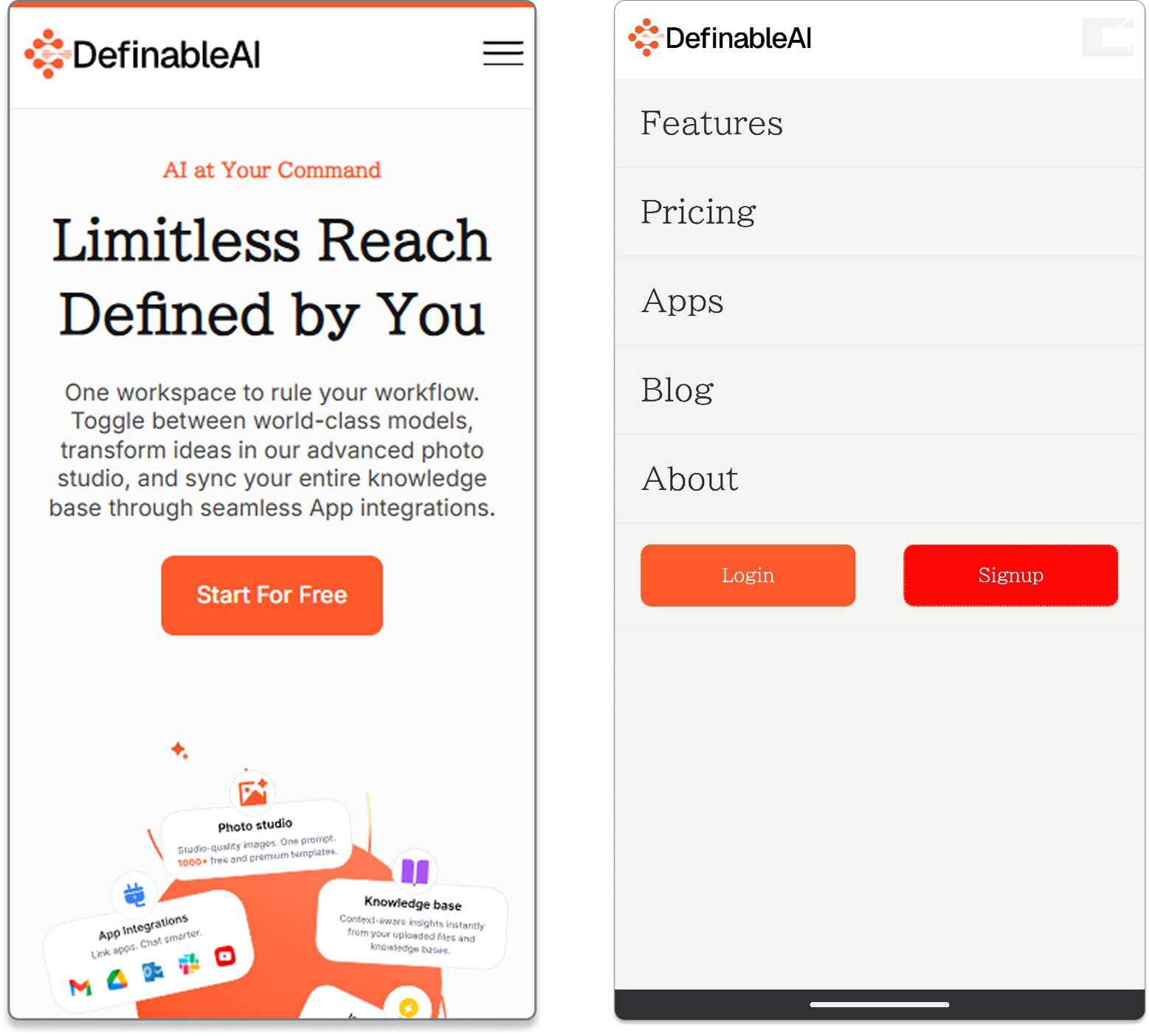
Step 1: Login to Definable AI§
Open your mobile browser and navigate to www.definable.ai
Log into your account. The mobile interface is optimized for touch, so navigation feels natural and intuitive from the moment you land.
Step 2: Navigate to Photo Studio§
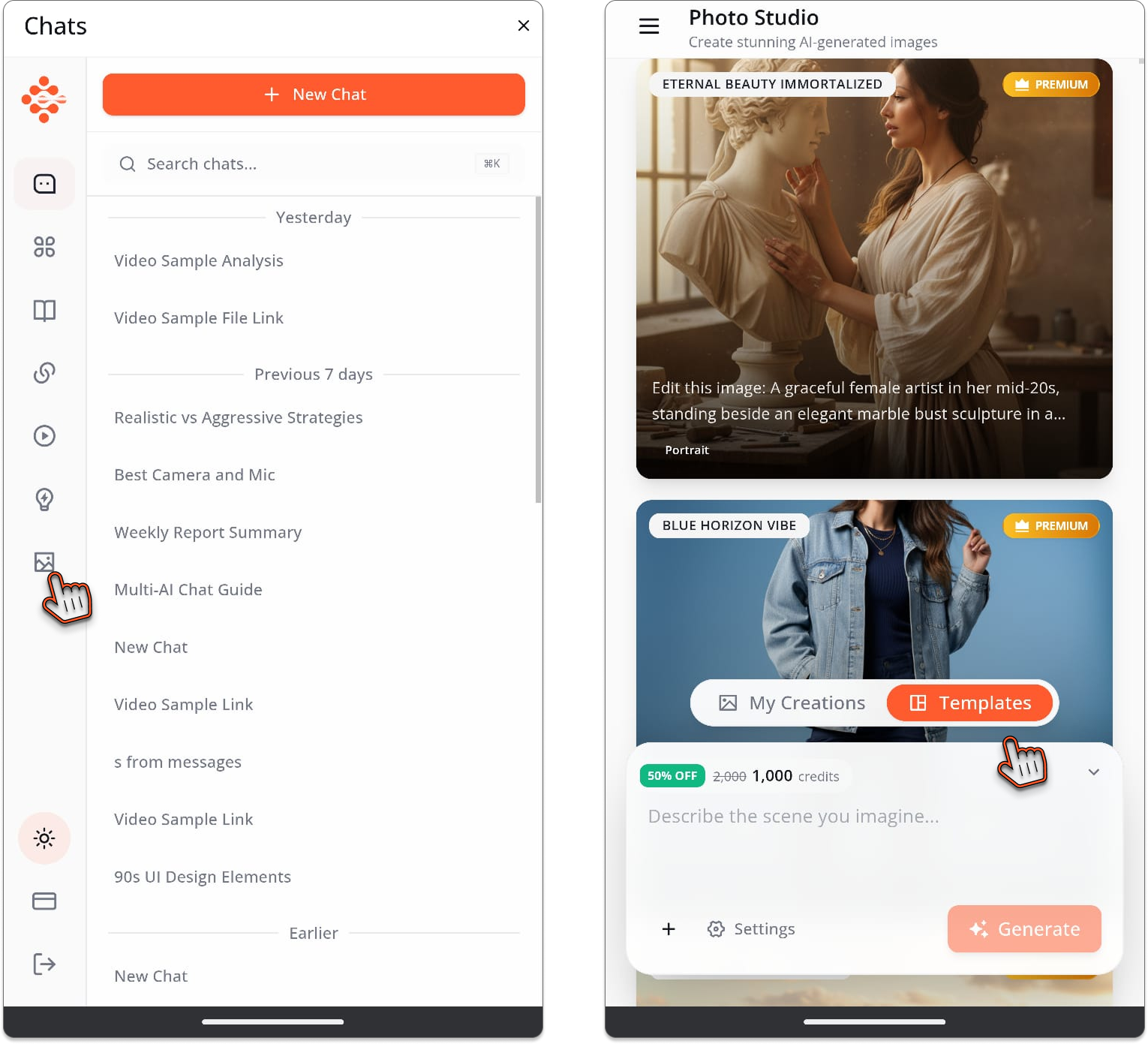
Look at the top left corner of your screen. You'll see the navigation menu icon (three horizontal lines).
Tap it to reveal the navigation bar.
Scroll through the options and tap Photo Studio.
Welcome to your pocket-sized professional photography studio.
Step 3: Choose Your Creative Path§
You now have two options:
Option A: Use Templates§
Tap the Templates section to see professionally designed templates:
- Social media posts
- Product photography
- Professional headshots
- Marketing graphics
- Concept art
- And dozens more
Select a template that matches your vision. Templates are optimized for mobile, displaying beautifully on smaller screens.
Option B: Write Your Own Prompt§
Prefer to describe exactly what you want? Tap the prompt field and type (or use voice input):
_"Modern coffee shop interior with warm lighting, cozy atmosphere, wooden tables, hanging plants, professional photography style"_
Or:
_"Professional product photo of a smartphone on a clean gradient background, studio lighting, commercial quality"_
The AI understands natural language. Describe your vision as if talking to a photographer.
Step 4: Upload Your Image (If Needed)§
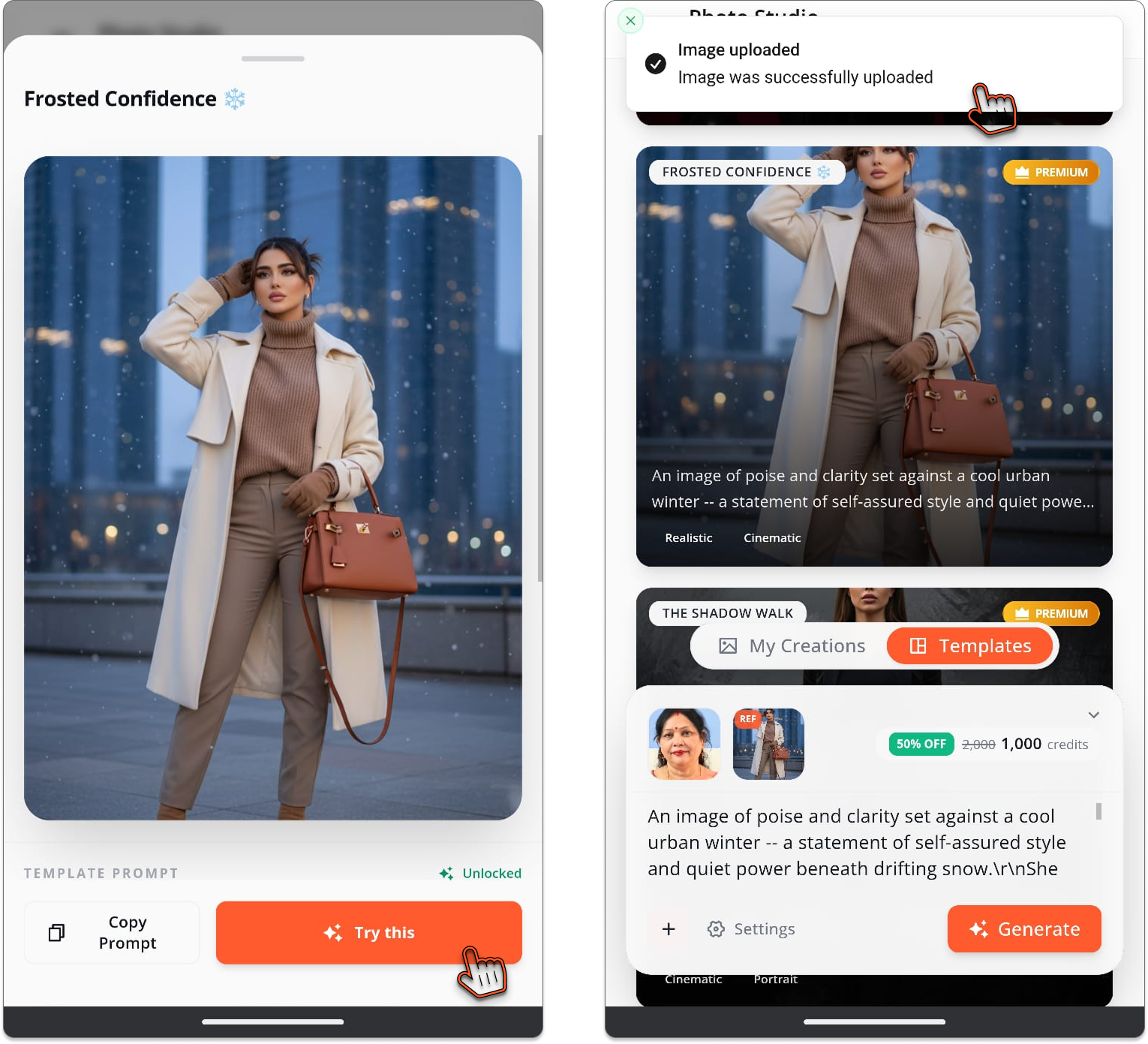
Some templates or prompts work better with a reference image.
See the "+" button? Tap it.
Select "My Computer" (on mobile, this opens your phone's photo gallery).
Choose your image from:
- Recent photos
- Camera roll
- Downloaded images
- Cloud storage
Your image uploads instantly, even on mobile data.
Step 5: Hit Generate§
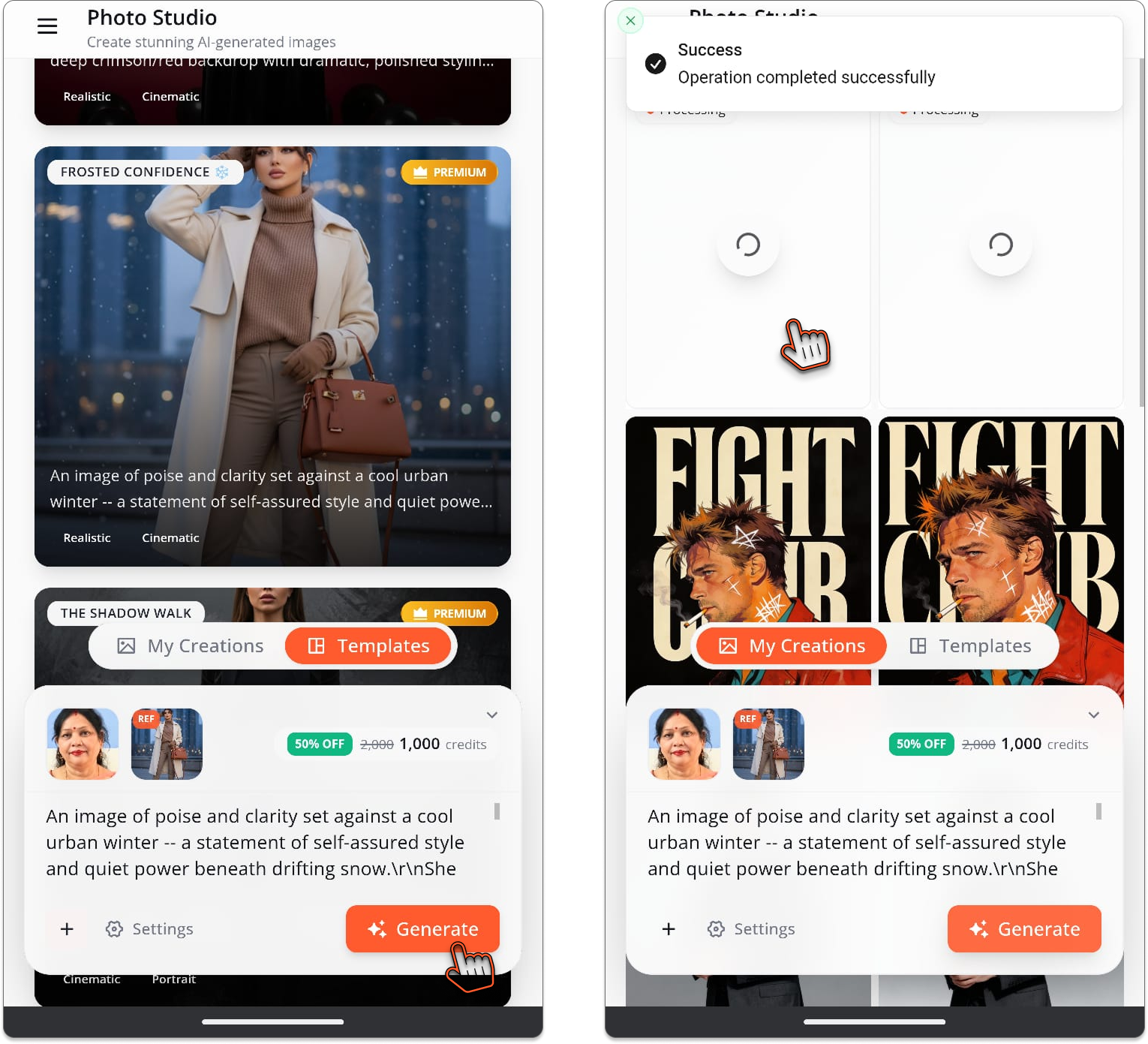
Everything ready? Tap the Generate button.
Watch the magic happen on your phone screen. Processing takes seconds—optimized for mobile so you're not waiting forever on slower connections.
A progress indicator shows you it's working. Grab a sip of coffee. By the time you set the cup down, your image is ready.
Step 6: Your Results Are Here§
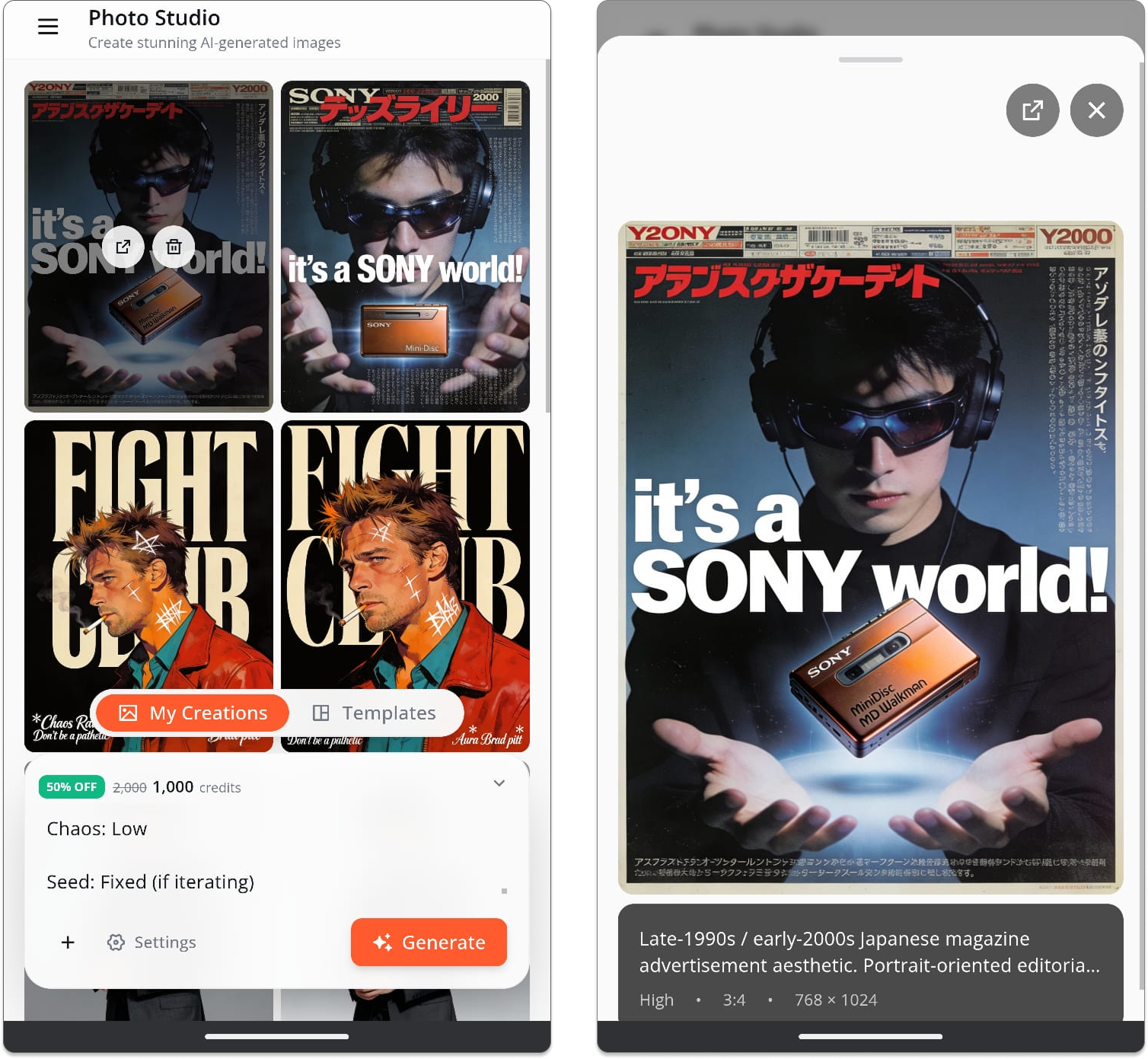
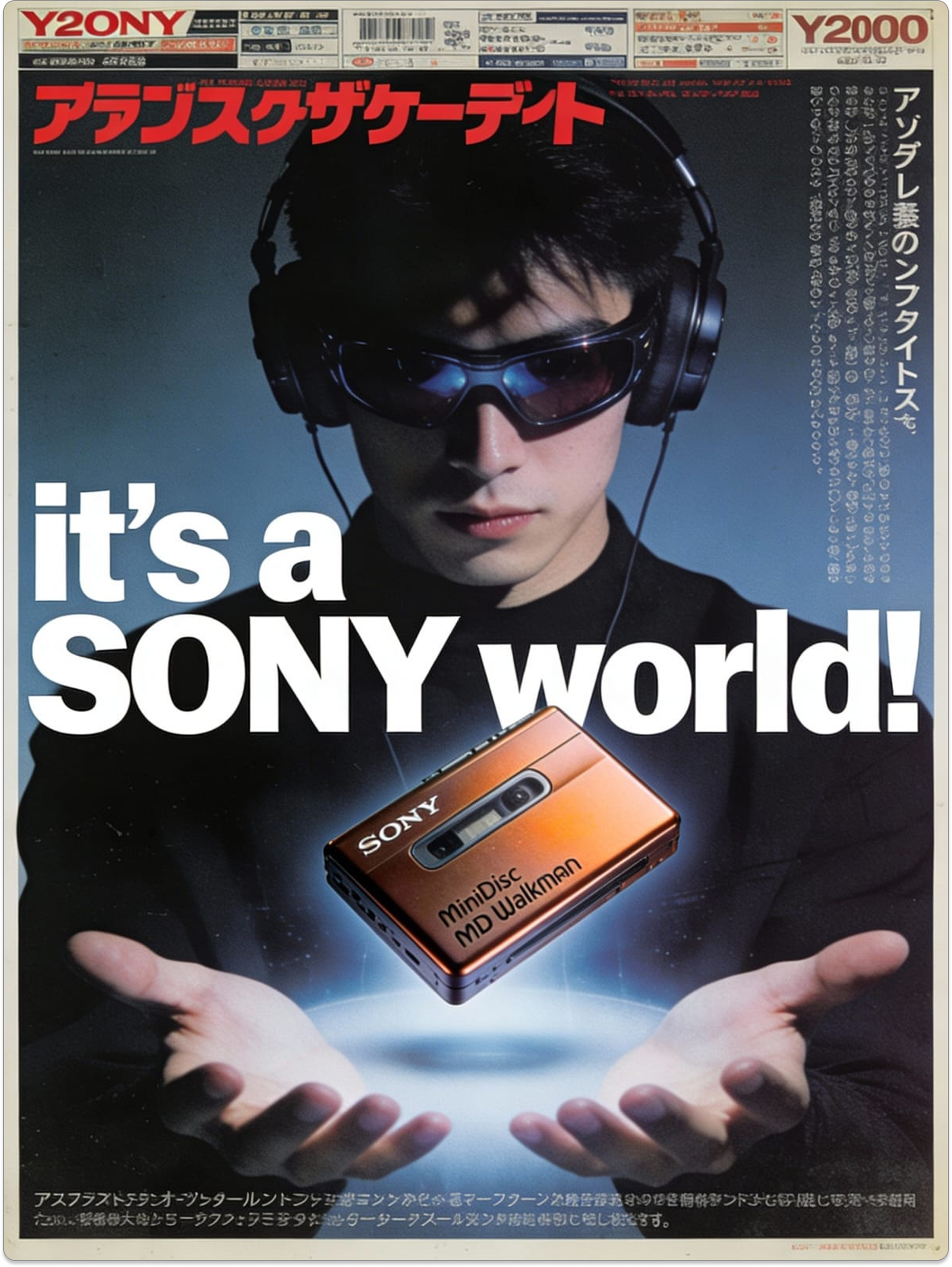
And there it is—professional-quality image generated on your phone.
Love it?
- Download directly to your phone
- Share immediately to social media
- Send to clients via WhatsApp, email, or messaging apps
- Save to your gallery for later use
Want to tweak it?
- Adjust your prompt
- Change the style
- Try different templates
- Regenerate instantly
Everything happens on your phone. No desktop needed. No complex software. Just you, your idea, and AI that brings it to life.
Why Mobile Photo Studio Changes Everything§
Create Anywhere§
Inspiration doesn't wait for you to get home and open your laptop. With mobile Photo Studio:
- Generate social media content during your commute
- Create client mockups while traveling
- Design marketing materials between meetings
- Capture ideas the moment they strike
Your creative studio goes wherever your phone goes.
Speed Meets Quality§
Mobile doesn't mean compromised quality. Images generated on your phone are identical to desktop:
- Professional resolution
- Commercial-grade quality
- Studio-level results
- Ready for any use case
Same power, smaller screen.
Perfect for Social Media Creators§
Content creators live on mobile. Now your creation tools do too:
- Generate Instagram posts on the go
- Create story graphics anywhere
- Design thumbnails between shoots
- Produce content without carrying laptops
Create and post in one workflow, all from your phone.
Client Work in Real-Time§
Freelancers and consultants can now:
- Generate mockups during client calls
- Create visual concepts in meetings
- Show options immediately
- Iterate based on instant feedback
Close deals faster with instant visual creation.
The Freedom of Mobile Creation§
Here's what changes when professional image generation lives on your phone:
Before: "I have this great idea but I'm not at my computer. I'll remember it later." (You won't.)
After: "I have this great idea right now. Let me create it right now."
Before: "Client wants to see options but I need to get back to office first."
After: "Let me show you options right now while we're discussing."
Before: "I'll create social content tomorrow when I have time at my desk."
After: "I'll create it during my commute and schedule it before I arrive."
The barrier between imagination and execution just disappeared.
Start Creating on Mobile Today§
Your next great visual is one phone tap away.
Professional image generation isn't chained to your desk anymore. It's in your pocket, ready whenever inspiration strikes.
Visit www.definable.ai on your mobile browser and experience Photo Studio
_Your phone. Your creativity. Professional results._
Stop waiting to get to your computer. Start creating right now.
Key takeaways
- Definable AI's mobile Photo Studio lets you create professional images directly from your phone in under 60 seconds.
- Choose between ready-made templates or custom natural-language prompts, and optionally upload reference photos for guided edits.
- Mobile-generated images match desktop quality, making them ready for social, marketing, and client deliverables.
- Mobile creation accelerates workflows: iterate in real time, share instantly, and close client work faster.
FAQ
Can I create professional-quality images on my phone with Definable AI?
Yes — Photo Studio produces studio-resolution, commercial-quality images on mobile that you can download, share, or use for client work.
How long does it take to generate an image on mobile?
Most images are generated in seconds; the mobile-optimized workflow typically delivers results in under 60 seconds with a progress indicator.
Do I need a reference photo or a template to get good results?
No — you can choose templates, write a custom prompt, or upload a reference image; templates speed up the process while uploads guide edits.
Can I use generated images for commercial or client projects?
Yes — outputs are commercial-grade and suitable for client or marketing use, but you should review Definable AI's licensing and terms for any restrictions.