The debate has never been louder — and the stakes have never been higher.
OpenAI's Codex (powered by GPT-5.3-Codex) and Anthropic's Claude Code (powered by Claude Opus 4.6 and Sonnet 4.6) are the two dominant AI coding agents of 2026. Both were updated within weeks of each other. Both are used by tens of thousands of developers shipping real products. And both have passionate, vocal communities insisting theirs is better.
After months of real-world testing, community research, and head-to-head task comparisons, here's the full picture — no hype, no filler.
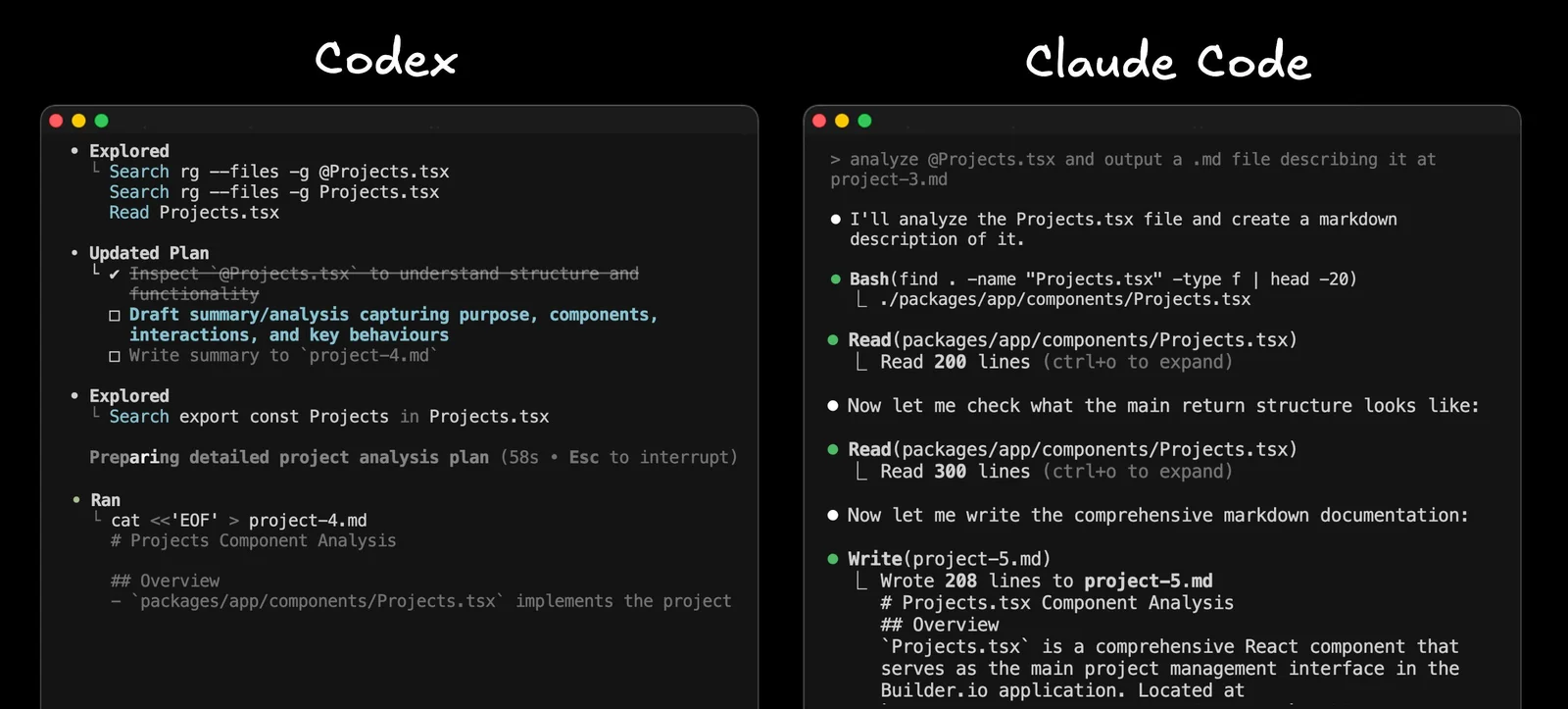
Quick Verdict: Codex vs Claude Code at a Glance§
| Feature | OpenAI Codex | Claude Code |
|---|---|---|
| Primary Model | GPT-5.3-Codex | Claude Opus 4.6 / Sonnet 4.6 |
| Execution Environment | Cloud sandbox | Local terminal (your machine) |
| Interaction Style | Autonomous / background | Interactive / developer-in-loop |
| Context Window | 400K tokens | 200K standard / 1M beta |
| Multi-Agent Support | Parallel cloud agents | Agent Teams (research preview) |
| Config File | AGENTS.md (open standard) | CLAUDE.md (proprietary) |
| Token Efficiency | ~2–4x more efficient | More tokens per task |
| Entry Price | $20/month (ChatGPT Plus) | $20/month (Claude Pro) |
| Open-Source CLI | Yes (Apache 2.0) | No |
| GitHub Integration | Native, inline review | Via GitHub Actions |
| Best For | Speed, delegation, CI/CD | Complex refactors, large codebases |
What Is OpenAI Codex?§
If you've heard the name before, note upfront: today's Codex shares only a name with the 2021 model that powered early GitHub Copilot. That original model was deprecated in 2023. The current Codex — launched in May 2025 and now powered by GPT-5.3-Codex — is a full-stack software engineering agent that plans, executes, tests, and proposes pull requests autonomously.
Codex operates across four surfaces: a cloud web agent at chatgpt.com/codex, an open-source CLI (built in Rust and TypeScript), IDE extensions for VS Code and Cursor, and a macOS desktop app released in February 2026. It also integrates with GitHub, Slack, and Linear.
When you submit a task, Codex spins up an isolated cloud container pre-loaded with your repository. Network access is available during setup (for installing dependencies), then disabled once the agent phase begins. The agent works through the task and returns a PR or diff for review.
# Install the Codex CLI
npm install -g @openai/codex

# Run in full auto mode
codex --full-auto "write tests for all API endpoints"
What Is Claude Code?§
Claude Code is Anthropic's coding assistant built for the terminal. Launched as a research preview in February 2025 and reaching general availability in May 2025, it is powered by Claude Opus 4.6 and Claude Sonnet 4.6.
The most important distinction: your code stays on your machine. Claude Code reads your local filesystem, executes commands in your actual terminal, and calls the Anthropic API only for processing. Nothing is sent to a cloud container by default.
# macOS and Linux
curl -fsSL https://claude.ai/install.sh | bash

# Start a session
claude

# Continue the most recent session
claude -c
Claude Code also supports VS Code, JetBrains IDEs (beta), and browser access at claude.ai/code. It recently added Agent Teams in research preview — multiple Claude Code sessions working in parallel on a shared project, coordinated by a lead session.
Codex vs Claude Code: Pricing Breakdown§
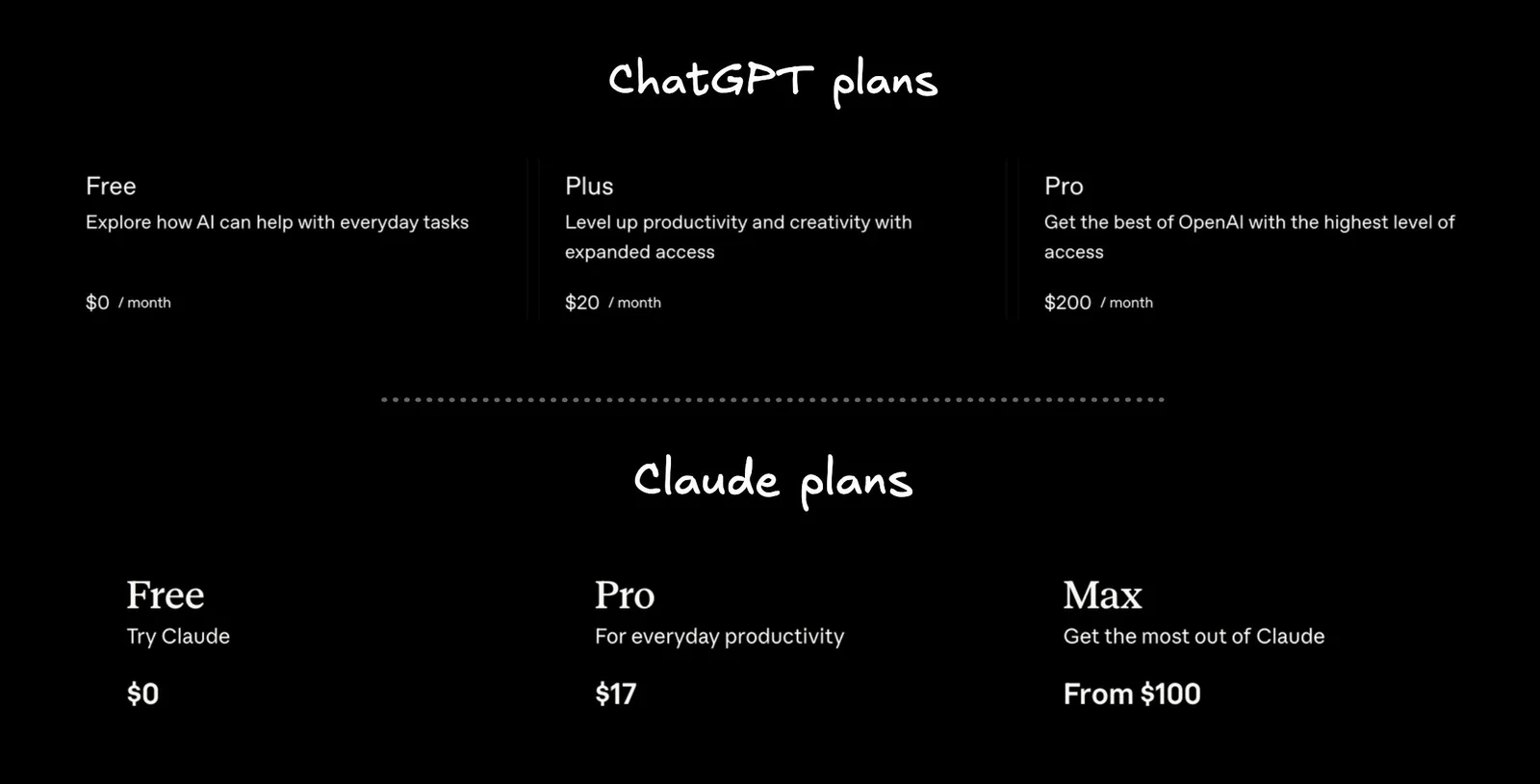
This is where the rubber meets the road for most developers.
Entry Tier ($20/month)§
Both tools start at $20/month. But in practice, the experience is very different.
Codex Plus ($20/month): Most developers report almost never hitting usage limits at this tier. One developer described it: "At the end of the weekly period, I tend to switch to high just to use the limits I pay for." That's generous headroom.
Claude Pro ($20/month, or $17 billed annually): Heavy daily use hits the cap quickly. The number one complaint from Claude Code users is running out of credits. Many developers find themselves upgrading to the Claude Max tier ($100–$200/month) to sustain real work.
Why the Gap Exists§
Claude Code uses significantly more tokens per task because it explains its reasoning as it works — which improves accuracy on complex problems, but burns through your quota faster. In documented head-to-head comparisons, Claude Code used 6.2 million tokens on a Figma cloning task versus Codex's 1.5 million tokens for functionally similar output — a roughly 4x difference.
For the same job scheduler task, Claude Code used 234,772 tokens versus Codex's 72,579 — again, roughly 3x.
Winner on pricing: Codex. More usage at lower cost, and your subscription also includes ChatGPT, image generation, and video generation.
Performance: Benchmarks and Real-World Results§
Benchmark Comparison (Early 2026)§
| Benchmark | GPT-5.3-Codex | Claude Opus 4.6 |
|---|---|---|
| SWE-bench Verified | ~80% | ~79% (with Thinking) |
| SWE-bench Pro | ~57% | ~57–59% |
| Terminal-Bench 2.0 | ~77% | ~65% |
| OSWorld-Verified | Lower | Higher |
The headline takeaway: these tools are remarkably close on general coding benchmarks. Codex has a clear edge on terminal-style debugging tasks (Terminal-Bench 2.0). Claude Code leads on OS-level interface tasks (OSWorld-Verified). On SWE-bench — the standard software engineering benchmark — they're essentially tied.
Real-World Task Results§
In a Figma design cloning test using identical prompts:
- Claude Code (Sonnet 4): Captured the overall layout structure and exported images from the Figma design, but missed the yellow theme and key spacing details. Used 6.2M tokens.
- Codex (GPT-5 Medium): Built a completely different landing page that didn't replicate the theme or layout. Faster and cheaper. Used 1.5M tokens.
In a timezone-aware job scheduler challenge:
- Claude Code: Delivered comprehensive documentation, reasoning steps, built-in test cases, and production-ready error handling. More educational value.
- Codex: Clean, functional, and concise. Fewer explanations, but got the job done in a third of the tokens.
The pattern is consistent: Claude Code is more thorough; Codex is more efficient.
GitHub Integration: The Biggest Practical Difference§
This is where many developers make their final decision.
Codex GitHub Integration§
Codex's native GitHub app is genuinely excellent. Install it per-repository, enable auto code review, and it finds real bugs — not surface-level linting complaints, but logic errors and hard-to-spot issues. You can:
- Comment on Codex's inline suggestions and ask for fixes directly in the PR
- Tag @Codex in any GitHub Issue or PR thread to trigger a fix
- Review and update the PR from the GitHub UI, then merge
The consistency is a key strength: the prompts that work in the CLI work from the GitHub UI, because it's the same model and same configuration throughout.
Claude Code GitHub Integration§
Claude Code integrates via anthropics/claude-code-action@v1 in GitHub Actions. Tagging @claude in a PR or issue triggers the workflow. It supports AWS Bedrock and Google Vertex AI as inference backends for enterprise teams.
In the words of one developer team who tested both: "We tried Claude Code's GitHub integration briefly. Reviews were verbose without catching obvious bugs. You could not comment and ask it to fix things in a useful way." That team switched to Codex for all background GitHub automation.
Winner on GitHub integration: Codex — by a significant margin in current form.
UX and Developer Experience§
Codex UX§
Codex recognises a git-tracked repo and is permissive by default. The interaction model is delegation: describe the task, walk away, review the result. Good for developers who want to parallelise their work. The macOS desktop app is polished, and the Slack integration (@Codex in threads) is genuinely useful.
One developer's take: "Codex is more direct with its edits, fewer tests, simpler commit messages. It fits my pace."
Claude Code UX§
Claude Code's terminal UI is more mature and more configurable. It shows you what it plans to do at each step and asks for approval — which keeps you in control but requires active involvement throughout the session. It supports:
- Slash commands and custom hooks
- MCP (Model Context Protocol) integrations with one-click connectors
- Parallel sessions in the desktop app
- Cowork mode — extending AI assistance beyond just coding
The permission system that once frustrated many developers has improved significantly, though settings still don't fully persist across all workflows.
Winner on UX: Claude Code — more mature terminal experience and deeper configuration.
Configuration: AGENTS.md vs CLAUDE.md§
This is a practical friction point for teams using both tools.
Codex reads AGENTS.md, an open standard supported by tens of thousands of open-source projects and adopted by Cursor, Aider, and others. If your team already uses this, Codex inherits the configuration automatically.
Claude Code uses CLAUDE.md — proprietary, more powerful (supports hooks, policy enforcement, layered settings, MCP integration), but only readable by Anthropic's tools. Teams using both must maintain two separate config files.
Winner: Codex for teams wanting one config file across tools. Claude Code for teams needing deep customisation within a single workflow.
Multi-Agent Capabilities§
Codex Parallel Agents§
Codex can run multiple cloud sandbox agents simultaneously on independent subtasks. Useful for parallelising clearly scoped work, though agents don't share a live task list.
Claude Code Agent Teams§
Claude Code's Agent Teams (research preview) goes further: multiple sessions work on a shared project with a coordinated task list managed by a lead agent. One agent maps dependencies, another writes changes, a third runs tests — all updating the same task list in real time. This prevents agents from duplicating work or making conflicting changes during complex multi-file operations.
Winner: Claude Code for tightly coordinated multi-agent refactors. Codex for parallelising independent tasks.
Large Codebases and Context§
Claude Code has the edge for very large repositories. Its 1 million token context window (currently in research preview for Opus 4.6) can hold enormous codebases in memory, and its built-in codebase search means you don't need to point it to specific files.
Codex uses a diff-based approach with context compaction, keeping the model focused on what's currently relevant rather than compressing history. Solid for clearly scoped tasks in large repos, but less effective when changes cascade across many interdependent files.
Winner on large codebases: Claude Code.
What Real Developers Are Saying§
"Claude Code is faster to initial build, but Codex is more methodical and more likely to stick to my spec. I genuinely feel like I can trust 5.3-Codex a bit more for my average coding needs." — Developer on Reddit
"Been using Claude Code full-time for months. Opus is stronger on complex refactors and understanding large codebases. The Max plan usage limits are real though." — Developer on Reddit
"I find Claude can do complex stuff like 80%, and then I use Codex to finish that 20%." — Developer on Reddit
"A CUDA PR that would've taken me literal months to write myself. Twenty bucks a month." — Codex user, describing a complex parallel computing task
"They complement each other greatly. I let them both check each other's work and the performance gains are incredible." — Developer who uses both
Codex vs Claude Code: Which Should You Choose?§
Choose Codex if you:§
- Want to delegate tasks and review results in your own time
- Need high usage volume at the $20/month tier
- Live in CI/CD pipelines and GitHub automation
- Are building rapid prototypes where speed matters more than documentation
- Want an open-source CLI you can customise or fork
Choose Claude Code if you:§
- Work on large, complex codebases with cascading dependencies
- Prefer working alongside your tool rather than handing off tasks
- Need code to stay on your local machine for privacy or compliance reasons
- Want extensive configuration through hooks, MCP integrations, and slash commands
- Are doing structural planning, complex refactoring, or coordinated multi-agent work
Use Both When You:§
- Can budget for both subscriptions
- Want Claude's depth for planning and Codex's efficiency for execution
- Want to use Codex as a final review pass on Claude's output before merging
Final Verdict§
Six months of real usage, community data, benchmark comparisons, and head-to-head task tests point to the same conclusion: these are two genuinely excellent tools solving slightly different problems.
Codex wins on price, efficiency, GitHub automation, and getting something working fast. Claude Code wins on configuration depth, codebase understanding, multi-agent coordination, and production-quality documentation.
The best setup for serious developers? Both — Claude for thinking, Codex for shipping.
Tags: Codex vs Claude Code, OpenAI Codex 2026, Claude Code review, best AI coding agent, GPT-5.3-Codex, Claude Opus 4.6, AI developer tools, coding agent comparison, Claude Code pricing, Codex pricing
FAQ
Which is cheaper for heavy coding: Codex or Claude Code?
Codex is more token-efficient and generally cheaper for heavy usage; Claude Code often requires higher tiers to avoid hitting credits due to verbose reasoning.
Which tool keeps code and execution local?
Claude Code runs on your local terminal and reads your filesystem, so code and command execution remain on your machine by default; Codex uses isolated cloud containers.
Which has better GitHub integration for automated reviews?
Codex offers a native GitHub app with inline reviews and interactive fixes, making it the stronger choice for background automation and PR workflows.
When should I pick Claude Code over Codex?
Choose Claude Code for interactive, educational sessions, deep refactors, or OS-level tasks where detailed reasoning and step-by-step explanations add value.