You've been collecting UI/UX resources for months—articles, best practices, case studies, design principles. They're scattered across bookmarks, notes apps, and browser tabs you "definitely plan to read later."
What if all that knowledge could be instantly searchable and actually useful?
Here's how to build a comprehensive UI/UX Design knowledge base in 10 minutes.
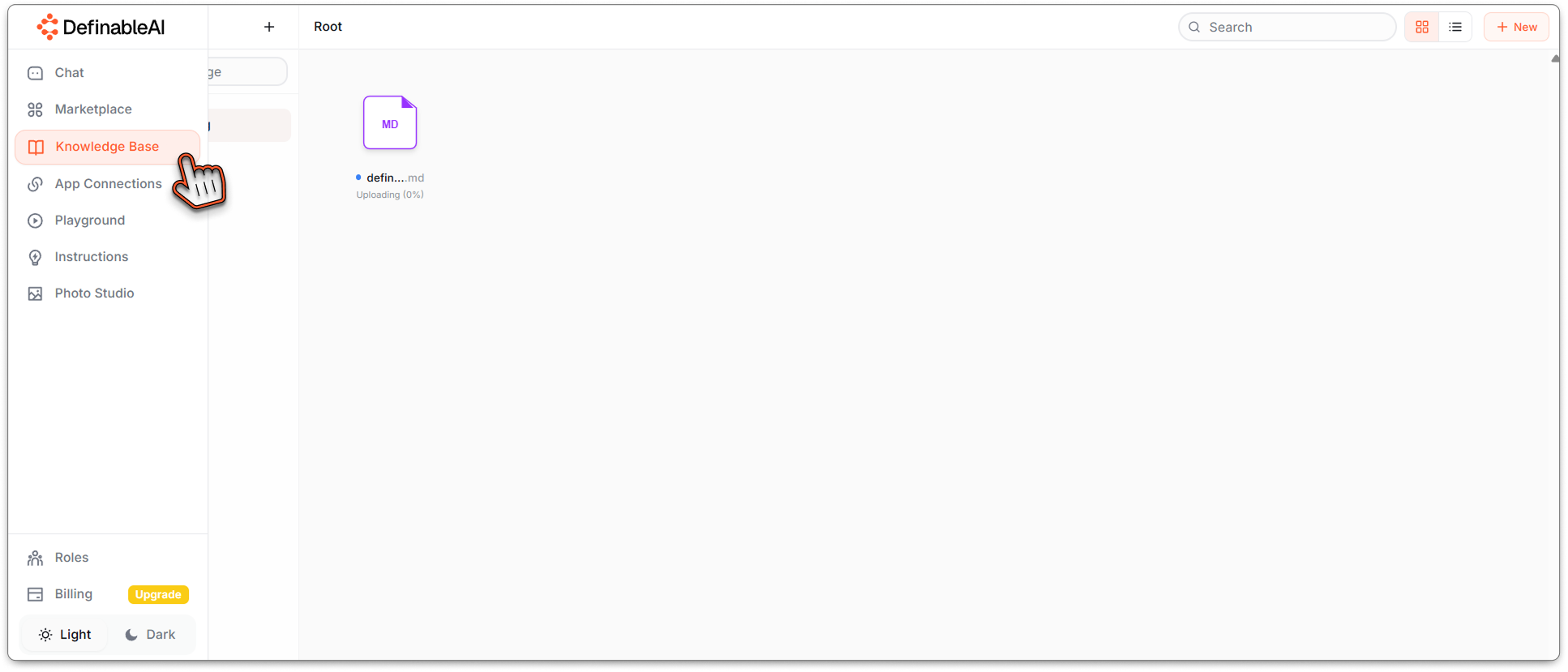
Step 1: Access Knowledge Base§
Go to www.definable.ai and look at the navigation bar. Click on the Knowledge Base section.
This is where scattered information becomes organized intelligence.
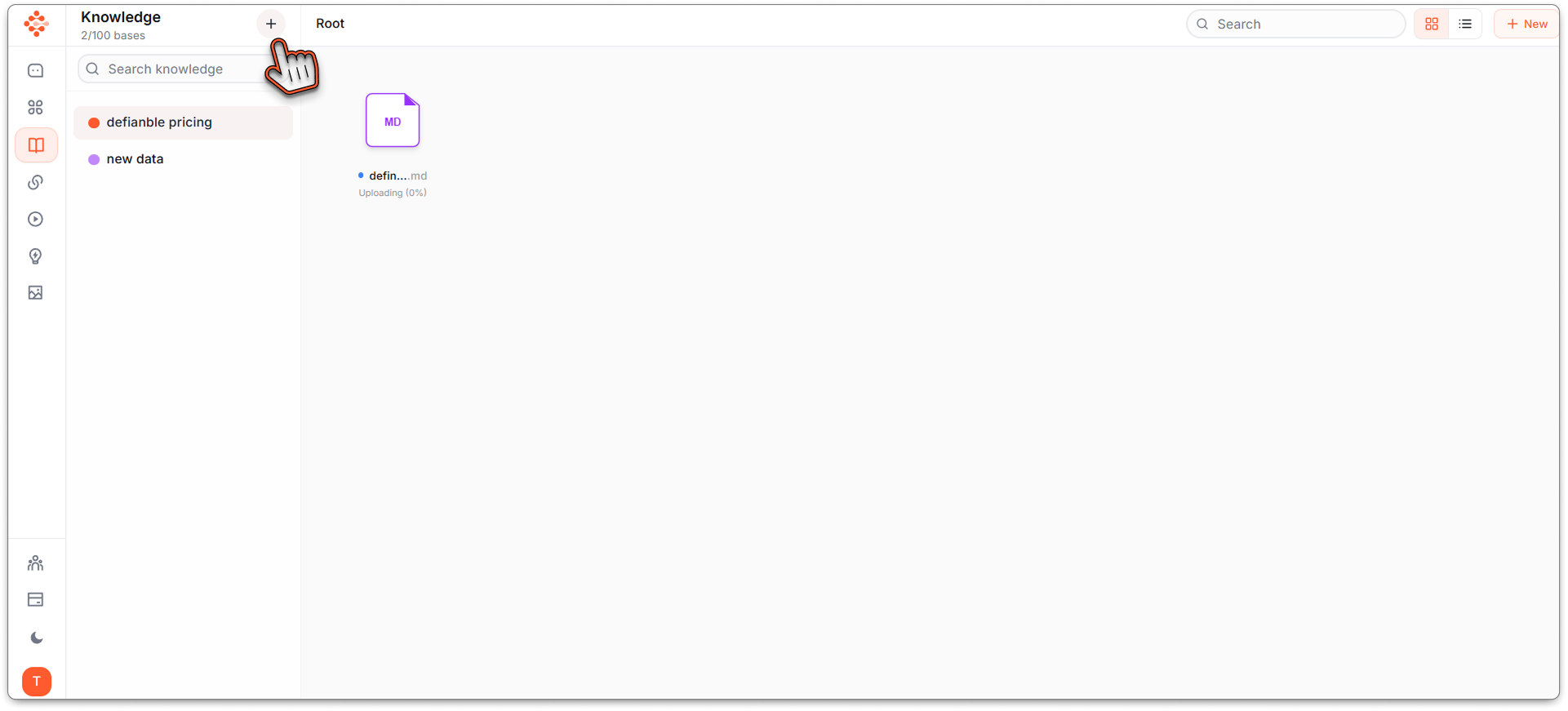
Step 2: Create New Knowledge Base§
Hit the "Create New Knowledge Base" button.
You'll see a clean interface ready to become your UI/UX design brain.
Step 3: Name It and Add Your Data§
Name your Knowledge Base something clear and memorable:
- "UI/UX Design Resources"
- "Design Best Practices"
- "UX Research Library"
Now comes the good part: paste all the data you've gathered from your sources.
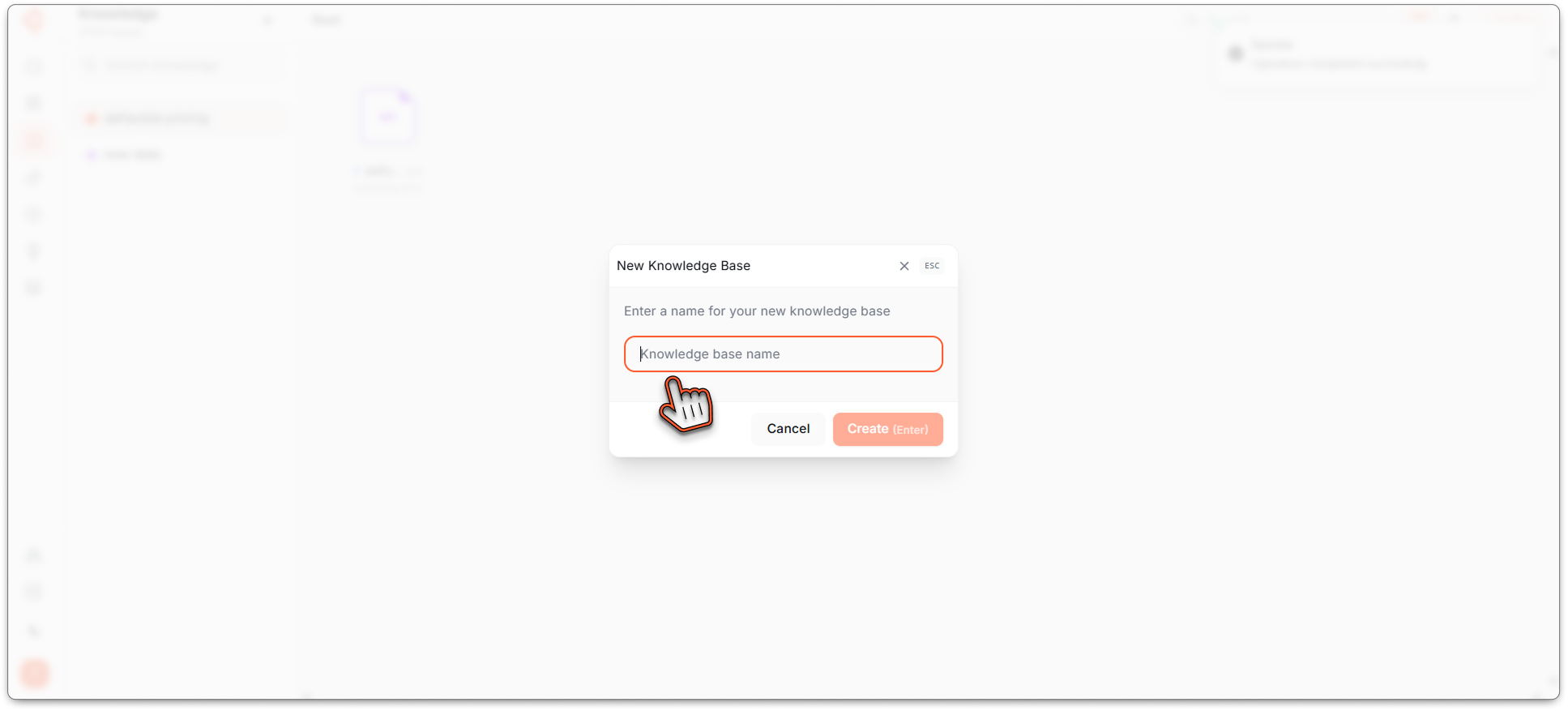
Name your Knowledge Base
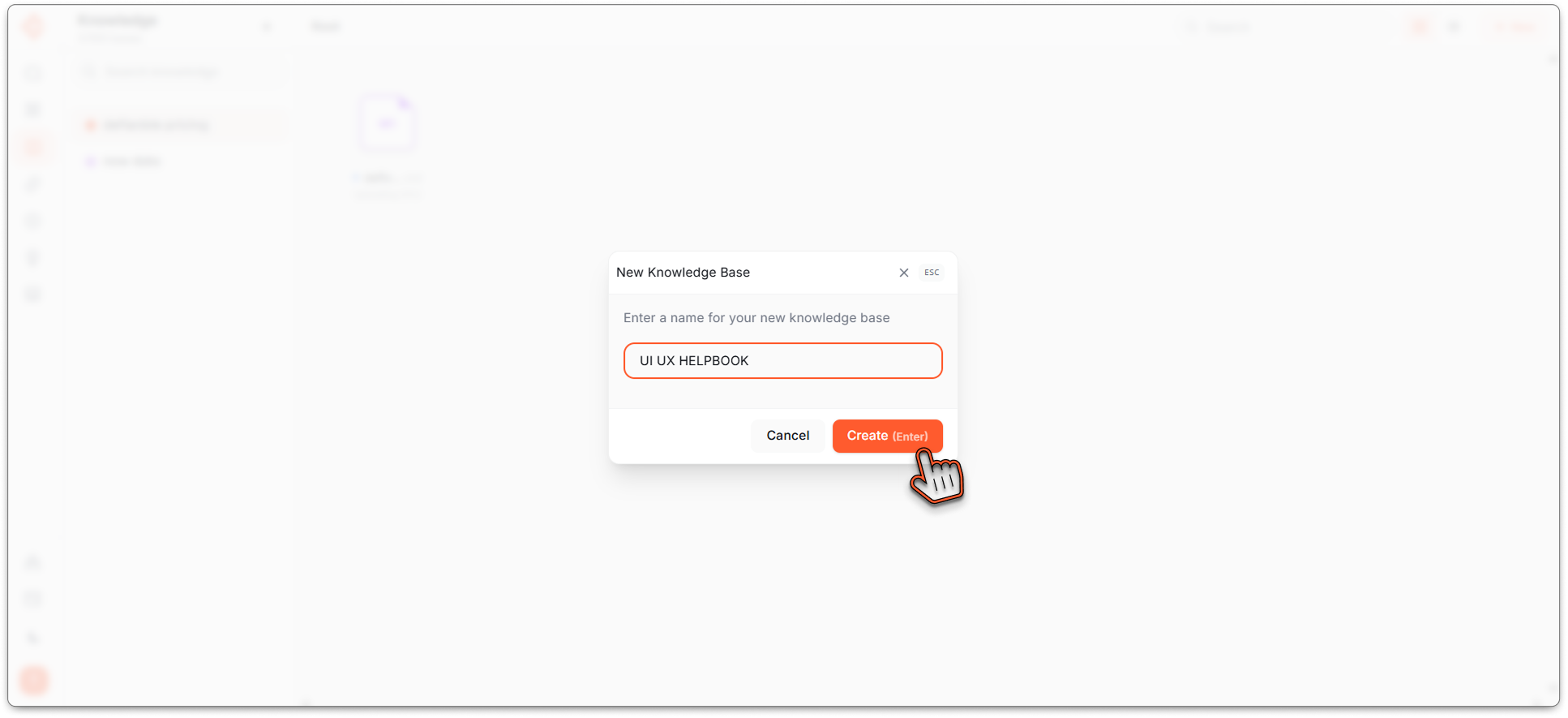
I named it as UI UX HELPBOOK
Maybe you've collected:
- Wikipedia articles on design principles
- Medium articles about user research
- Case studies from successful redesigns
- Best practice guides from design blogs
- Research papers on user behavior
- Design system documentation
Paste everything. The beauty of Knowledge Base is it can handle massive amounts of information—hundreds of pages, dozens of sources, all at once.
Your sources might include:
- Wikipedia design entries
- Nielsen Norman Group articles
- Smashing Magazine posts
- Design system documentation
- UX research papers
- Your own project notes
Add it all.
Step 4: Knowledge Base Processing§
Click Create and watch your Knowledge Base being built.
Definable AI processes all your information, organizing it, indexing it, and making it instantly searchable through natural language queries.
This takes moments, not hours. While traditional organization would require manual tagging, folder structures, and careful categorization, Knowledge Base handles everything automatically.
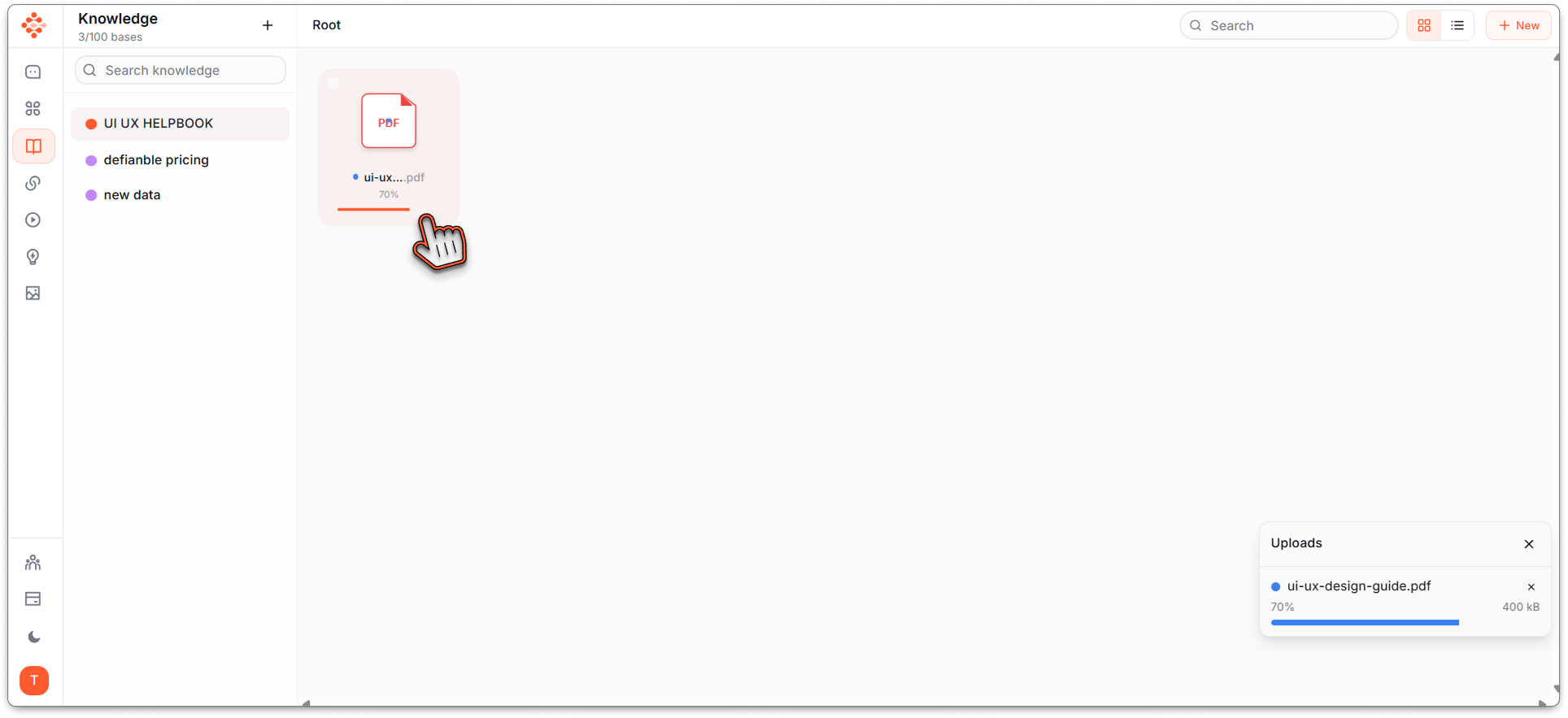
Step 5: Your Knowledge Base Is Ready§
Success! You've just created your personal UI/UX design expert.
Now, instead of hunting through bookmarks or trying to remember which article had that great explanation of Fitts's Law, you just ask:
_"What are the key principles of Fitts's Law and how do I apply them to mobile design?"_
_"Compare different user research methodologies and tell me which works best for early-stage startups"_
_"What are the design patterns for complex data visualization based on my resources?"_
Your Knowledge Base searches through everything you've uploaded and gives you synthesized, accurate answers with citations.
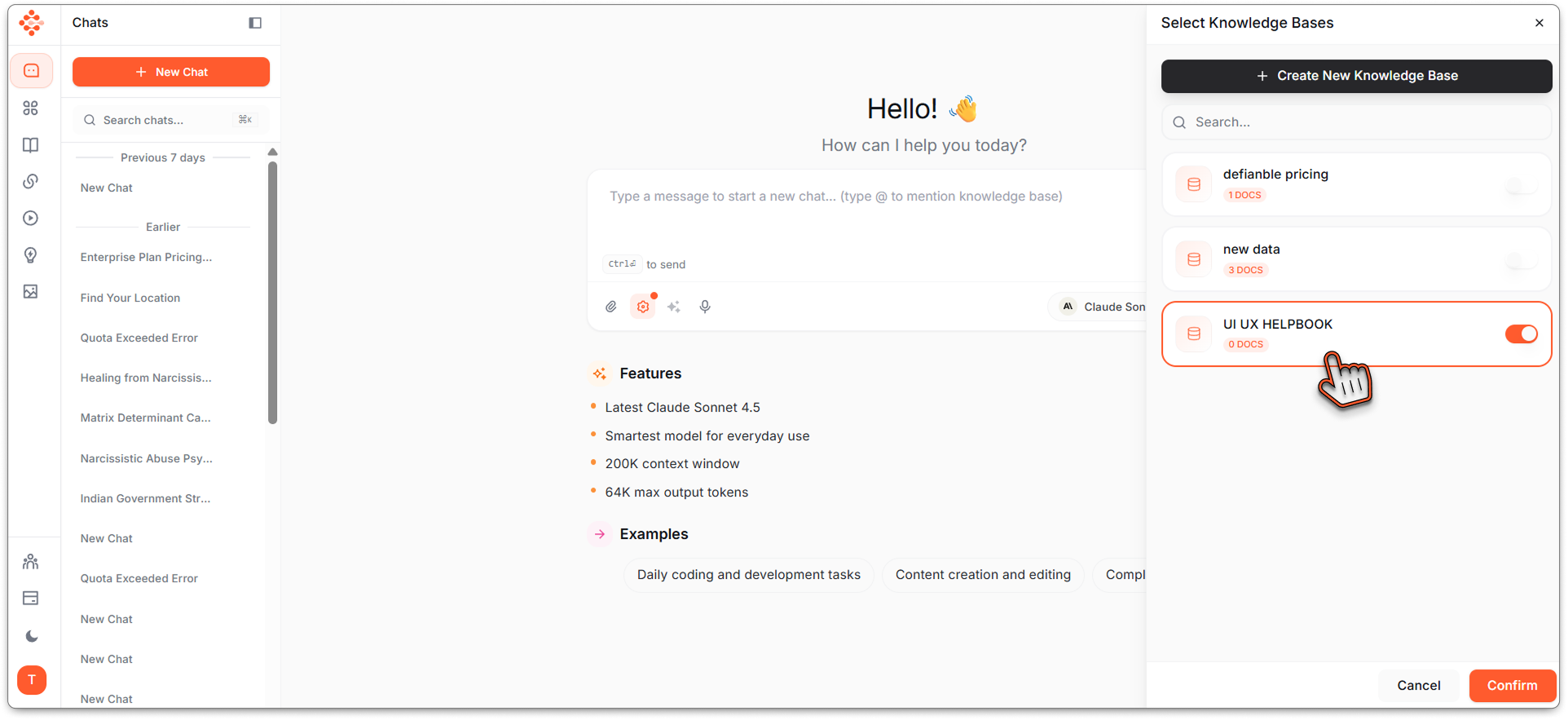
Your Knowledge Base is Ready to use.
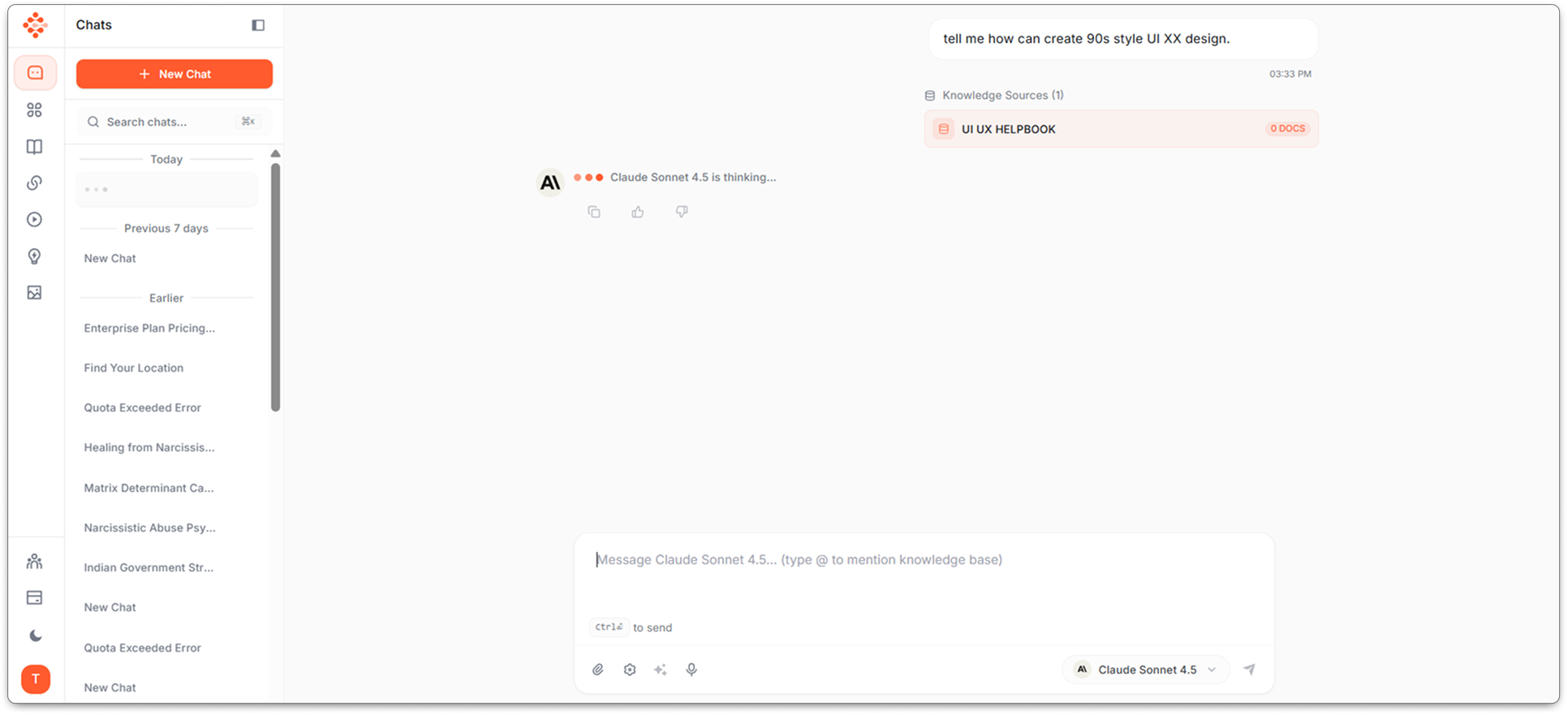
Ai model Searching through Knwoledge base for Results.
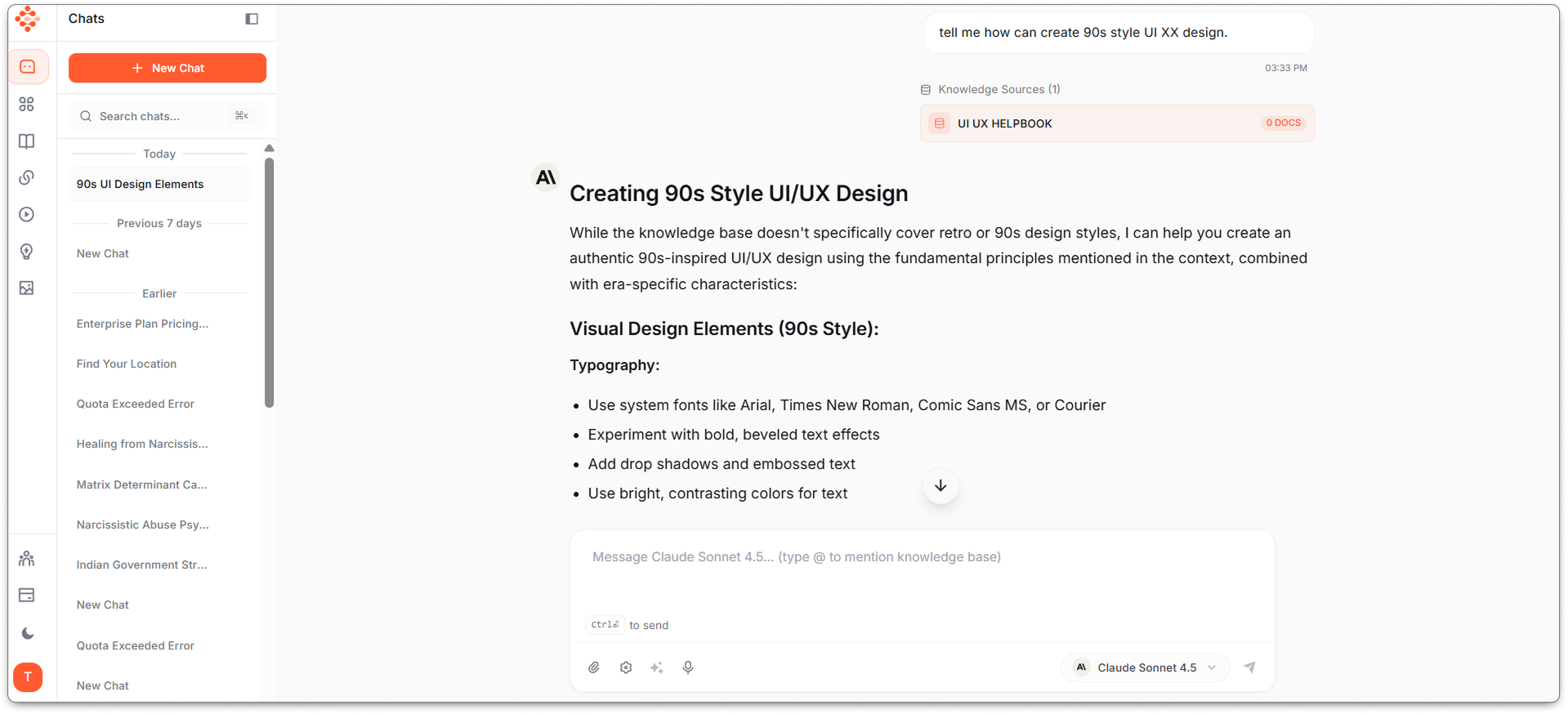
Your answers being fetched thorugh your KB.
Why This Changes Everything.§
Before Knowledge Base:§
- Information scattered across 47 browser tabs
- That perfect article you read three months ago? Good luck finding it
- Searching your bookmarks folder: "Was it called 'design patterns' or 'UI patterns'?"
- Starting research from scratch every project
After Knowledge Base:§
- All information in one searchable place
- Ask questions in plain English, get instant answers
- AI synthesizes insights across all your sources
- Your research compounds instead of repeating
Real Applications§
During Design Reviews:"Based on my design resources, what are best practices for error message design?"
When Researching:"What user research methods are mentioned across my sources for testing navigation?"
For Team Discussions:"Pull all information about accessibility standards from my knowledge base"
While Designing:"What design patterns exist for multi-step forms according to my resources?"
Your Knowledge, Amplified§
You've spent months collecting great design resources. Now make them actually useful.
10 minutes to build your Knowledge Base. Lifetime of having expert-level design knowledge at your fingertips.
Start Building§
Your scattered design knowledge is 10 minutes away from becoming an AI-powered design consultant.
Visit www.definable.ai and create your Knowledge Base now.
_Stop searching. Start asking._
Your UI/UX design expert is waiting to be built.
Key takeaways
- You can consolidate scattered UI/UX resources into a single, searchable knowledge base in about 10 minutes.
- Paste articles, notes, and docs into Definable AI to auto-index and make your materials queryable in natural language.
- The knowledge base synthesizes insights across sources and returns answers with citations, speeding research and design decisions.
- A centralized KB improves team alignment, design reviews, and reuse of proven patterns and research findings.
FAQ
What is a UI/UX design knowledge base?
A UI/UX design knowledge base is a centralized, searchable repository of design resources, research, case studies, and guidelines that makes insights instantly accessible.
How long does it take to build one?
With Definable AI, you can create a searchable knowledge base in about 10 minutes by pasting your sources and letting the platform process and index them.
What kinds of resources should I add?
Include articles, case studies, research papers, design system docs, notes, and bookmarks—any material you reference for design decisions.
How does the AI use my sources?
The AI indexes and synthesizes your uploaded content, allowing natural-language queries to return summarized answers with citations from your sources.
Is my data secure and private?
Definable AI platforms typically offer access controls and data privacy features; check the product's security documentation for specifics on storage and sharing.